

The Mushroom Hunters: On the Trail of an Underground America by Langdon Cook
Reviewed by Mary from Salem, Oregon.
 Laughzilla the Third (2012)
The Third Volume in the Funny Stuff Cartoon Book Collection Available Now.
Laughzilla the Third (2012)
The Third Volume in the Funny Stuff Cartoon Book Collection Available Now. |
 Themes Memes and Laser Beams - The Second Volume in the Funny Stuff Cartoon Book Collection.
 Click Here to get the book in Paperback While Available on Amazon |

Funny Stuff : The First Cartoon Book from The Daily Dose. Available on Lulu. |
The Mushroom Hunters: On the Trail of an Underground America by Langdon Cook
Reviewed by Mary from Salem, Oregon.
Dilbert readers – Please visit Dilbert.com to read this feature. Due to changes with our feeds, we are now making this RSS feed a link to Dilbert.com.
 Yahoo has reached a partnership agreement with Yelp to integrate its valuable local business reviews and listings into Yahoo Search, The Wall Street Journal reports.
The company is believed to have announced the collaboration internally with plans to implement the feature in the “coming weeks.”
According to the Journal, the deal is similar to existing partnerships with Microsoft and Apple.
Yahoo CEO Marissa Mayer has been interested in Yelp for years. She is said to have played a part in making an acquisition offer on Yelp while she was at Google.
Image credit: KAREN BLEIER/AFP/Getty Images
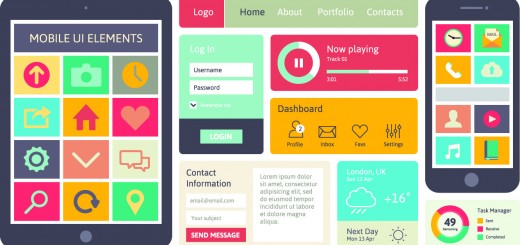
Many business owners and entrepreneurs struggle with whether they should design a responsive website that works across devices or focus exclusively on building a native mobile app.
It’s a difficult choice to make since both options present advantages and disadvantages that must be taken into consideration when moving forward.
As of last year, apps from retail businesses took up to 27 percent of consumer’s time, which sheds lights on how critical a mobile app can be to reaching your customers where they are active online. At the same time, 67 percent of consumers say they are more likely to purchase from a mobile-friendly website than they are from a website not optimized for devices other than desktop.
It’s a tough call to make when deciding between responsive design or an app, but in the end, it depends on the goals of your business.
If your company can afford it, it’s highly recommended that you build both a responsive site and a native mobile app in order to help your business work towards capturing the attention of your entire mobile audience. The native mobile app will provide a mobile centric experience for your existing and most loyal customers, while your responsive website can help provide an optimized experience to new and old visitors browsing your website or discovering it for the very first time.
For example, popular ecommerce brand Nasty Gal has a responsive website and a mobile app to help provide the best experience for its shoppers however they wish to shop the brand’s products.
Most companies can’t afford to do both, which is why it’s important to understand the advantages of both options when addressing your company’s mobile priorities.
Responsive Web design is certainly the most affordable option for your business as compared to the development of a mobile app. Take into consideration the initial costs of redesigning your website to be mobile friendly, then the cost of occasional upkeep and upgrades.
If visibility in the search engines is an increasingly important part of your strategy to grow your business, then a responsive website is critical in helping grow traffic to your website. A mobile app lives in a closed environment and cannot be indexed by the search engines, which requires driving traffic to this app through alternate methods.
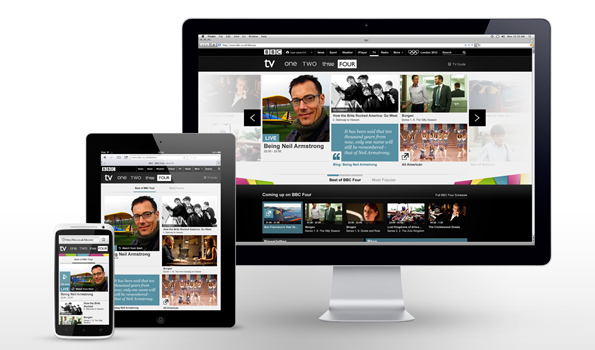
Depending on your designer and the size of your website, a responsive Web design often takes far less time to create then does a mobile app since there’s no app store approval or extensive guidelines to follow as compared to what Google Play, the Apple app store and the Windows Phone app store require for launching an app.
If the goal of your destination online is to be universally accessible from any device, then responsive design is the solution. A mobile app is designed for a unique experience; exclusive to the operating system it lives on, which means it isn’t a one size fits all fix.
However, don’t think of responsive design as the easy way out when it comes to optimizing your website across mobile devices. Although a responsive website optimizes your experience, it doesn’t incorporate all the smart phone features like the camera or GPS that a native mobile app can.
A mobile app will provide users with unique functionality and speed that can’t be achieve with a responsive website, but can be experienced on the operating system you choose to design your app on.
It’s better than not having a mobile-friendly version of your website, but it’s not the finally solution for your customer’s experience with your business on mobile. Again, the choice between responsive and a mobile app depends on what your goals are for mobile.
A mobile app offers a compelling, unique and mobile specific experience for your customers, which is one of the main reasons why your company should consider designing an app over worrying about making your existing website mobile-friendly.
First and foremost, if you have existing data to analyze than it is important to use your analytics tools like Google Analytics or Omniture to see what mobile devices are used the most to visit your website in the past few months. This can help inform what operating system you decide to design your app on.
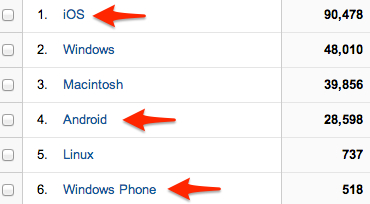
Whether you decide to go with iOS, Android, Windows Phone or another less popular operating system, it’s essential to match the features of the operating system with the type of app you’re looking to create whether it’s an ecommerce store, a content focused website etc.
Besides being able to utilize more of the features incorporated in a mobile device into the experience, a mobile app often has access to more data from a user and therefore, can provide a more personalized experience.
This personalization through data could play out in the types of push notifications an app sends you, product recommendations, suggested content to view or other specific user-driven actions. When a user makes a profile on an app, it makes gathering data about a person and their online habits much easier for a business and much quicker and smoother for the user continually using this app to shop, find events to attend, listen to music and perform other tasks.
As of now, a native mobile app offers the best user experience for a person on a mobile device since there are still limitations to how HTML 5 can be parsed on mobile.
As the complexity of the responsive website increases, the more likely the user experience will begin to suffer. A native mobile app offers the best user experience to your audience, taking advantage of the phone’s functions and the expectations of customers using these devices.
Lastly, in-app purchasing drives 76 percent of all app marketplace revenues to date since once it is setup, it’s particularly easy for users to make a purchase with pre-entered credit card information.
This is best suited if your app will offer micro-purchases, which our low price point products or services within the app, like buying virtual goods, membership to the premium version of the app or access to additional content.
Does a responsive website or a native mobile app seem like the best match for your business? What factors have helped you decide on one option over the other? Please share your insights in the comments below.
This post originally appeared on the Buffer blog and was republished with permission.
When it comes to helping you out with Social Media, we often like to categorize things. For example, we’d write about the optimal timing of your posts, or how to come up with the best headlines, and the like.
What happened over the last few weeks though is that we collected a number of awesome tips to post on Social Media, that didn’t quite all fit together. So we thought, why not creating a list of unique tips, that might not have that much in common, but are hopefully still very useful for you!
So, here we go, a list of six rather random Social Media tips to help you improve your marketing today:
Here’s a quick tip about a mistake that is made all the time on Twitter. In a HubSpot post, Jay Acunzo was kind enough to offer up his own experience with this for us to learn from.
Here’s Jay’s Tweet, which he used as an example:
@HubSpot‘s reimagined blog is live! Check out #InboundHub: http://t.co/xP44vA6vnj
— Jay Acunzo (@Jay_zo) October 17, 2013
The mistake is an easy one to miss, but it all comes down to the very start of the Tweet. Starting a Tweet with a username (this one starts with @HubSpot) means that only the sender, the person mentioned and anyone who follows them both will see it.
In this case, Jay and HubSpot will both see the Tweet in their timelines, and anyone who happens to follow both Jay and HubSpot will see it in their timelines.
Of course, anyone who scrolls through Jay’s whole Twitter profile would see it as well, but we want to focus on getting your Tweets into the timelines of your followers.
So, how do we solve this? If you really want to start your Tweet with a username, add a period to the beginning, like this:
.@Megadeth are coming. ROAR. http://t.co/oEiOpabEWB
— Melbourne, Australia (@Melbourne) January 23, 2014
So next time you want to Tweet about someone, don’t forget to add a period at the beginning if you want all of your followers to see it!
Of course, writing great headlines for Twitter, can often be a big pain in general, so we collected some of the best tips here.
Convince & Convert founder Jay Baer shared a great tip in this Social Media Examiner post for scheduling your updates at just the right time.
If you’re trying to reach business people like marketers, office workers or managers, this is especially handy. Jay sets his Buffer schedule to post updates just before or just after the hour. He does this to catch people who are checking social media just before or just after a meeting.
Here’s Jay’s example:
Meeting is scheduled from 1-2 pm. Meeting lets out slightly early at 1:57 pm, and attendees check Twitter on the way back to their desk. Meeting goes a little long, and that dip into social media occurs at 2:03 pm.
Jay also makes a note that scheduling Tweets around common lunch and dinner times (if you can—time zones can make this a bit difficult) is a good way to make sure more of your posts are seen. When look further into the science of timing, there’re also some other great tips beyond Jay’s ideas.
One tip that I learned from Leo when I joined Buffer was to keep an eye on who shares my content on Twitter.
Just by monitoring mentions of my username, I can find people who are interested in the posts I write, and then quickly follow them or favorite their Tweet.
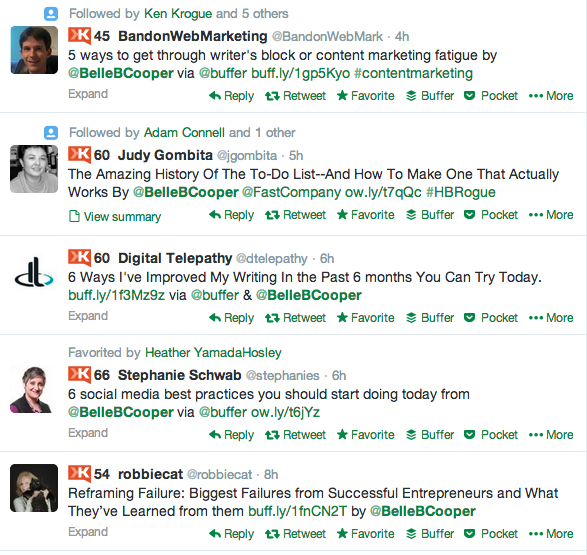
This is a good way to gather more followers who enjoy your content. You can also use a Twitter search to find people who aren’t mentioning you by name.
Try searching for your website’s name or URL, your full name and any specific keywords or hashtags that you use. If you don’t have time to reply to all of the matching Tweets, a quick favorite can help you make contact with those users.
Being able to get more Twitter followers with a number of tips that simply show gratitude are my favorite, since they’re completely non-intrusive and build on your previous efforts. We’ve written about more examples here.
Facebook has had some pretty strict guidelines for running promotions on your Page in the past, and it’s always a good idea to make sure you’re not in breach of any of these. In fact, their recent big algorithm change, turned the Facebook marketing world upside down.
What you might not know is that Facebook has actually lifted some of the rules for running promotions (they’re fond of changing things at Facebook). A recent Socially Stacked blog postlooked at five of the guidelines Facebook has removed:
1. Promotions on Facebook must be administered within Apps on Facebook.com, either on a Canvas Page or a Page App.
You can now run promotions on your Timeline or by using a third-party application.
2. You must not condition registration or entry upon the user taking any action using any Facebook features or functionality other than liking a Page, checking in to a Place, or connecting to your app.
Now that you can run promotions on your Page’s Timeline, you can require a Comment or Like on your post for entry. You still can’t ask fans to enter by sharing your post on their own Timeline, though.
3. You must not use Facebook features or functionality, such as the Like button, as a voting mechanism for a promotion.
Not only can you ask fans to Like or Comment on a post to enter your competition, but you can use Likes as a voting feature now, as well.
4. You must not use Facebook features or functionality as a promotion’s registration or entry mechanism.
You can actually use a Like on your Page or a check-in to your business as entry into a promotion, now. Since Likes aren’t differentiated for promotions, however, the Socially Stacked team don’t recommend using this option.
5. You must not notify winners through Facebook, such as through Facebook messages, chat, or posts on profiles (timelines) or Pages.
Facebook has relaxed this guideline, so that you can now use the comment stream, status updates, your own blog or website, and even email or Twitter to notify winners.
Being in the know of Facebook’s changes is crucial, especially as they’re changing things so often and frequently.
If you have a local business, or you manage the Facebook Page for one, this tip can improve engagement.
If you add a full address in your Page’s settings, your fans and local visitors can check-in to your business on Facebook.
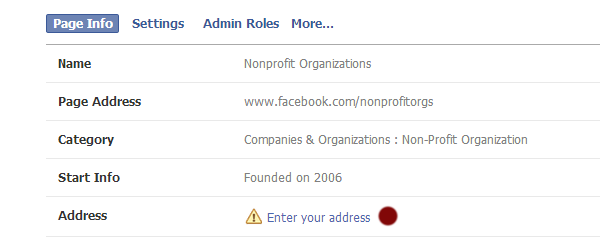
You’ll need to make sure your Page is registered as a local business in the business type section for this to work, so it’s not for everyone. If you are a local business though, why not take advantage of this feature! For more Facebook tips, be sure to look at our Facebook section where we highlight a lot more.
For those of you who use YouTube as a main marketing channel, this is a great tip. It’s a really simple, easy way to increase subscribers to your channel.
This post on the Gleam Marketing Blog explains how to add a small light-box pop-up to your YouTube page, encouraging visitors to subscribe:
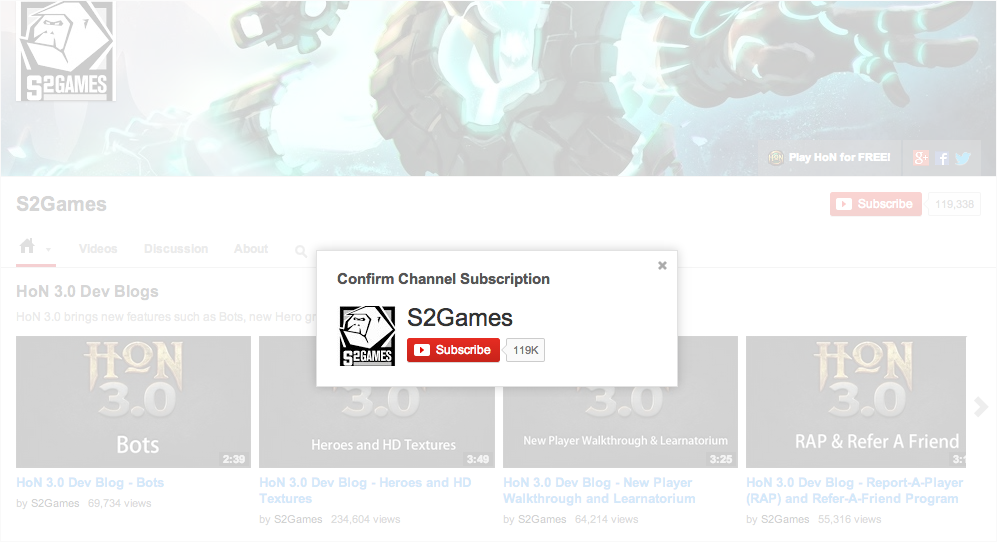
All it takes is adding this extra bit of text to the end of your YouTube URL whenever you share it:
http://www.youtube.com/user/S2Games?sub_confirmation=1
Pretty easy, right?
What other social media tips do you have that I missed? Let us know in the comments