The Daily Dose

laugh every day with cartoons jokes and humor
  • Home
  • About
    • Press
      • Press Release – Announcing Laughzilla the Third ebook
      • Press Release – The Daily Dose Kicks Off Its 16th Year with New Books and More Irreverent Laughter
      • Press Release – Themes Memes and Laser Beams Now Available in Paperback
      • Press Release – Announcing Themes Memes and Laser Beams
      • In The News
    • Privacy
  • Archive
  • Books
  • Shop
  • Collections
    • Galleries
      • Gallery
      • Captions
      • Flash Cartoons & Greeting Cards
        • Laughzilla’s Oska Flash Animation Cartoon Greeting Cards
        • Oska Cupid Love Humor
    • #OccupyWallStreet
    • cats
    • China
    • Food
      • Hors d’oeuvres
        • Ball of Cream Cheese
      • Entrees / Main Courses
        • Meatballs with Baked Beans and Celery
    • Gadaffy
    • Google
  • Links
  • Video
  • Submit a joke
DeviantART Facebook Twitter Flickr pinterest YouTube RSS

Subscribe for Free Laughs!


Latest Comics

  • This Memorial Day, Trump Meme Coin Congratulates Profit Takers
  • 25 Years of The Daily Dose
  • The Best Cartoons
  • Bitcoin sings “Fly Me To The Moon”
  • 22 years of The Daily Dose

Comic Archive

President Obama Caricature Reelection Victory Message

Daily Dose News Roundup

  • Monzo is shutting down its US operation, and its European banking licence explains why
  • Anthropic cuts Claude subscribers off from OpenClaw in cost crackdown
  • Musk wants a million data centre satellites. Bezos wants 51,600. Scientists want to know why.
  • Google launches Gemma 4: four open-weight models from smartphones to workstations
  • WhatsApp just caught an Italian spyware firm building a fake version of its app for iPhones

Quotable

"My keyboard is broken. Not only is the O upside down, the . is backwards." ~ Yasha Harari

Fresh Baked Goods

Get The Daily Dose's ebook: Laughzilla the Third - A Funny Stuff Collection of 101 Cartoons from TheDailyDose. Click here to get the e-book on Amazon kdp. Laughzilla the Third (2012) The Third Volume in the Funny Stuff Cartoon Book Collection Available Now.

Click here for the Paperback edition


Support independent publishing: Buy The Daily Dose's book: Themes Memes and Laser Beams - A Funny Stuff Collection of 101 Cartoons by Laughzilla from TheDailyDose. Click here to get the book on Amazon. Themes Memes and Laser Beams - The Second Volume in the Funny Stuff Cartoon Book Collection.

Click Here to get the book in Paperback While Available on Amazon

Themes Memes and Laser Beams - 101 Cartoons by Laughzilla. Get the e-book on Lulu.

Click Here to get The Daily Dose Cartoon ebook on amazon kindle

Funny Stuff :
The First Cartoon Book
from The Daily Dose.
Available on Lulu.

a couple of laughzillas on a blue diamond background

Microsoft starts rolling out Xbox One February update with content management, USB keyboard support, and more

Feb14
by Sindy Cator on February 14, 2014 at 9:14 pm
Posted In: Around the Web, Gadgets

Microsoft today started rolling out the Xbox One February update, three days after it was initially scheduled to go live. The first system update was released just two months ago, fixing a slew of issues.

Here are some of the new features in today’s update:

  • The ability to see and manage your storage space: you can see how much space your content takes up and better manage it. You can also control your install lineup and more easily manage your download queue. My Games and My Apps have been split into separate lists, so you can easily create separate queues for both. You can also now pick the order in which you want your content to load and there’s a boot progress indicator for tracking updates.
  • The battery power indicator is back: You can see it right on the home screen and track how much battery life is left on your controller.
  • You can now use your USB keyboard with your Xbox One.

Most Xbox One owners who use “Instant On” (the low power state that lets you say “Xbox On” to turn on the console) will get the update when they turn off their console: everything will happen automatically during off-peak hours in your local time. If you’re not using the feature, you’ll be asked to manually download and install it soon. The next update is scheduled for March 4.

See also – Xbox One review: A multimedia extravaganza that also plays games and Overview: Here’s how Skype will work on the Xbox One

└ Tags: microsoft, syndicated
a couple of laughzillas on a blue diamond background

BitTorrent announces mobile broadcasting app using its Live P2P streaming protocol, alpha coming later this year

Feb14
by Sindy Cator on February 14, 2014 at 7:21 pm
Posted In: Apps, Around the Web, Insider, Mobile

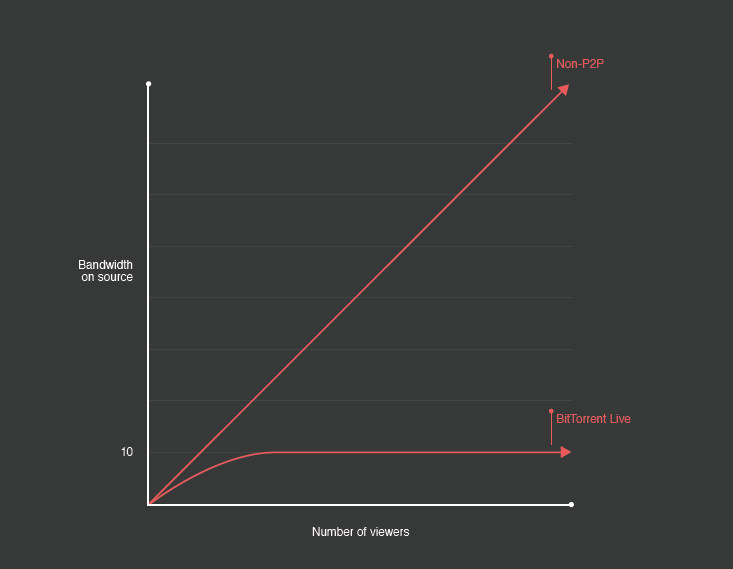
BitTorrent today announced plans to introduce the first Alpha product based on its Live P2P streaming technology: a new mobile streaming application coming later this year. Unfortunately, the company wouldn’t offer any more details beyond “The first app built using BitTorrent Live distributed technology will bring P2P broadcast to mobile devices.”

BitTorrent Live Mobile BitTorrent announces mobile broadcasting app using its Live P2P streaming protocol, alpha coming later this year

Back in March 2013, BitTorrent released the Live P2P streaming protocol as a beta experiment with the motto: “Live streaming by the people, for the people.” It’s built to remove streaming barriers like bandwidth, cost, and infrastructure, and actually becomes more resilient as more people tune in. With smartphone shipments on the rise, a mobile solution makes sense as a first test for the protocol.

See also – BitTorrent launches Live P2P streaming protocol in open beta, cuts costs for anyone looking to broadcast and BitTorrent launches SoShare, an ‘unlimited’ file delivery service that lets you send up to a terabyte for free

Image Credit: Philip MacKenzie

└ Tags: media, syndicated
a couple of laughzillas on a blue diamond background

Why PlayStation 4 was the best-selling next-gen console in the US last month

Feb14
by Sindy Cator on February 14, 2014 at 6:41 pm
Posted In: Analysis and Opinion, Around the Web, Gadgets
Pages: 1 2

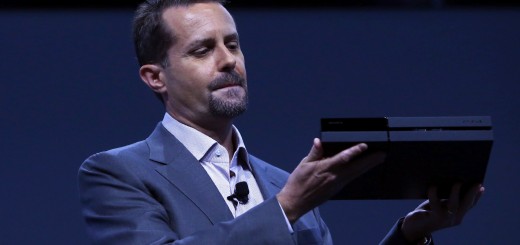
1703176881 520x245 Why PlayStation 4 was the best selling next gen console in the US last month

The PlayStation 4 was the best-selling next-gen console in the US last month, according to the latest estimates released by NPD. Although the exact numbers weren’t published, Sony says it sold nearly double the amount of its closest competitor, which NPD has confirmed as the Xbox One.

Although the perceived rivalry between the PlayStation 4 and the Xbox One will always dominate the headlines, it’s worth noting just how successful and effective Sony has been on its own at the start of this generation. The Japanese firm had seven years to learn from its early mistakes with the PlayStation 3 and these latest NPD numbers suggest that it’s done exactly that.

What follows are what we consider to be some of the key factors and decisions that Sony has made to give the PlayStation 4 a near-perfect start.

Price

In the US, the base unit of the Xbox One currently costs $100 more than the base unit of the PlayStation 4. If you forget the additional peripherals, in-store bundles and pre-order games, that is the price gap between these two consoles.

170312593 730x485 Why PlayStation 4 was the best selling next gen console in the US last month

It would be a stretch to say that the cost of a console is the most influential factor in the average person’s buying decision. Price does play an important role though, especially for anyone on a budget. With an extra $100, you can pick up two other full-price, packaged games such as Battlefield 4 and Need for Speed Rivals, or an extra controller (or two, at a pinch) if you want to get some of your friends and family members involved.

For comparison, the entry-level PlayStation 3 cost $499 at launch, which was $100 and $200 more than the Xbox 360 Premium and Xbox 360 Core respectively in the US.

Controller

Many will argue that the Xbox 360 controller is one of the best gamepads ever made. While Sony made very few aesthetic changes between the DualShock 2 and DualShock 3, Microsoft made massive improvements to the original Xbox controller for when it released the Xbox 360.

(Although the less said about that squishy D-Pad, the better.)

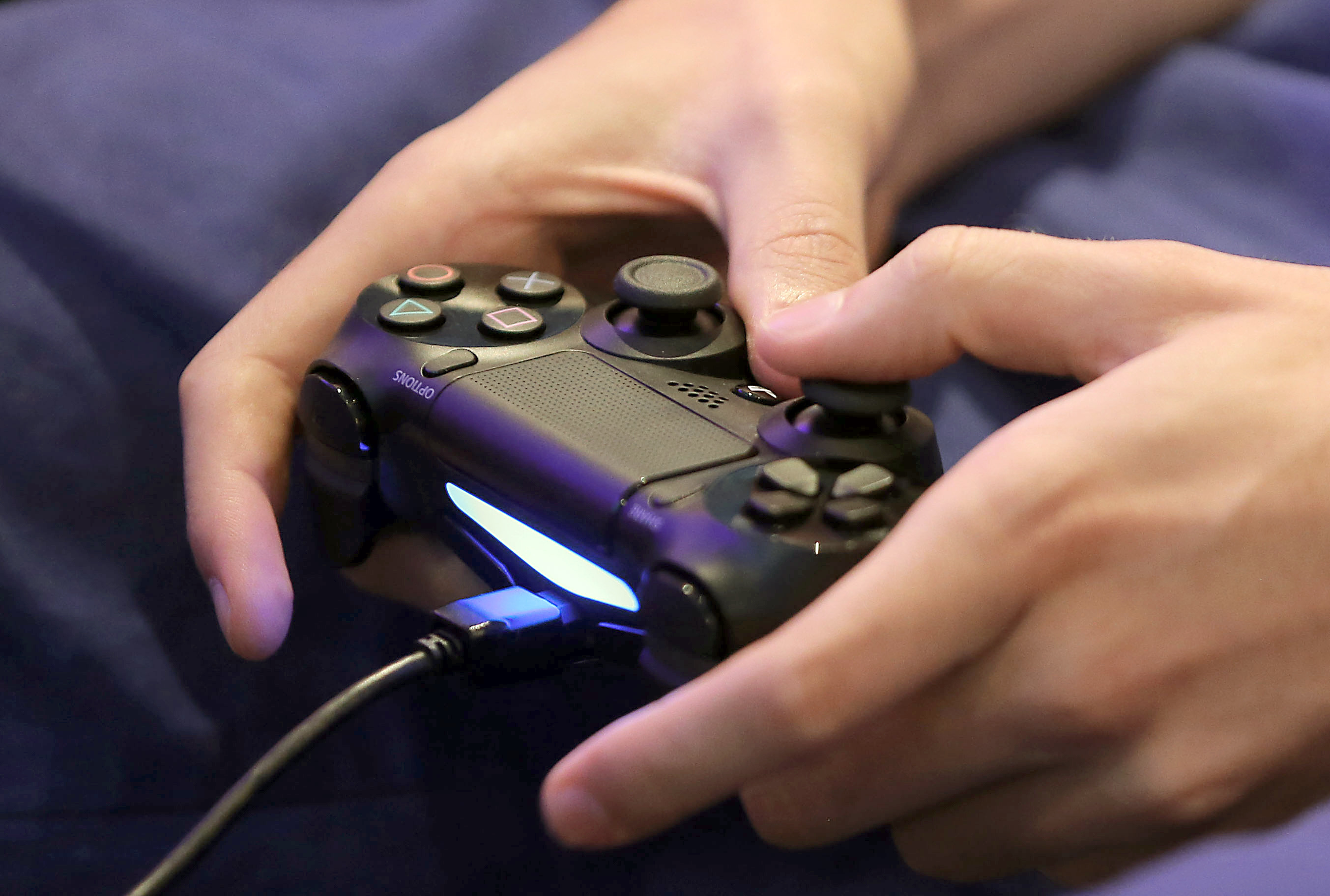
Clearly, Sony was taking notes; the DualShock 4 is by far the best controller the firm has built to date. The official gamepad for the PlayStation 4 has a little extra heft and its analog sticks are now slightly further apart, with a small concave pool to stop your thumbs from suddenly slipping.

177128505 730x492 Why PlayStation 4 was the best selling next gen console in the US last month

It’s a clear improvement. While Microsoft has made its own revisions for the Xbox One controller, I know a number of people who still prefer the Xbox 360 controller. It wasn’t necessarily a misstep – the force feedback triggers are considered to be an excellent addition – but the consensus seems to be that the new controller is a step sideways, rather than forward.

Targeting gamers

Traditionally, most early adopters of any new console can be defined as “gamers”. With the exception of the Nintendo Wii in 2006, it’s always the most passionate players and platform supporters that pick up new hardware in the first few months.

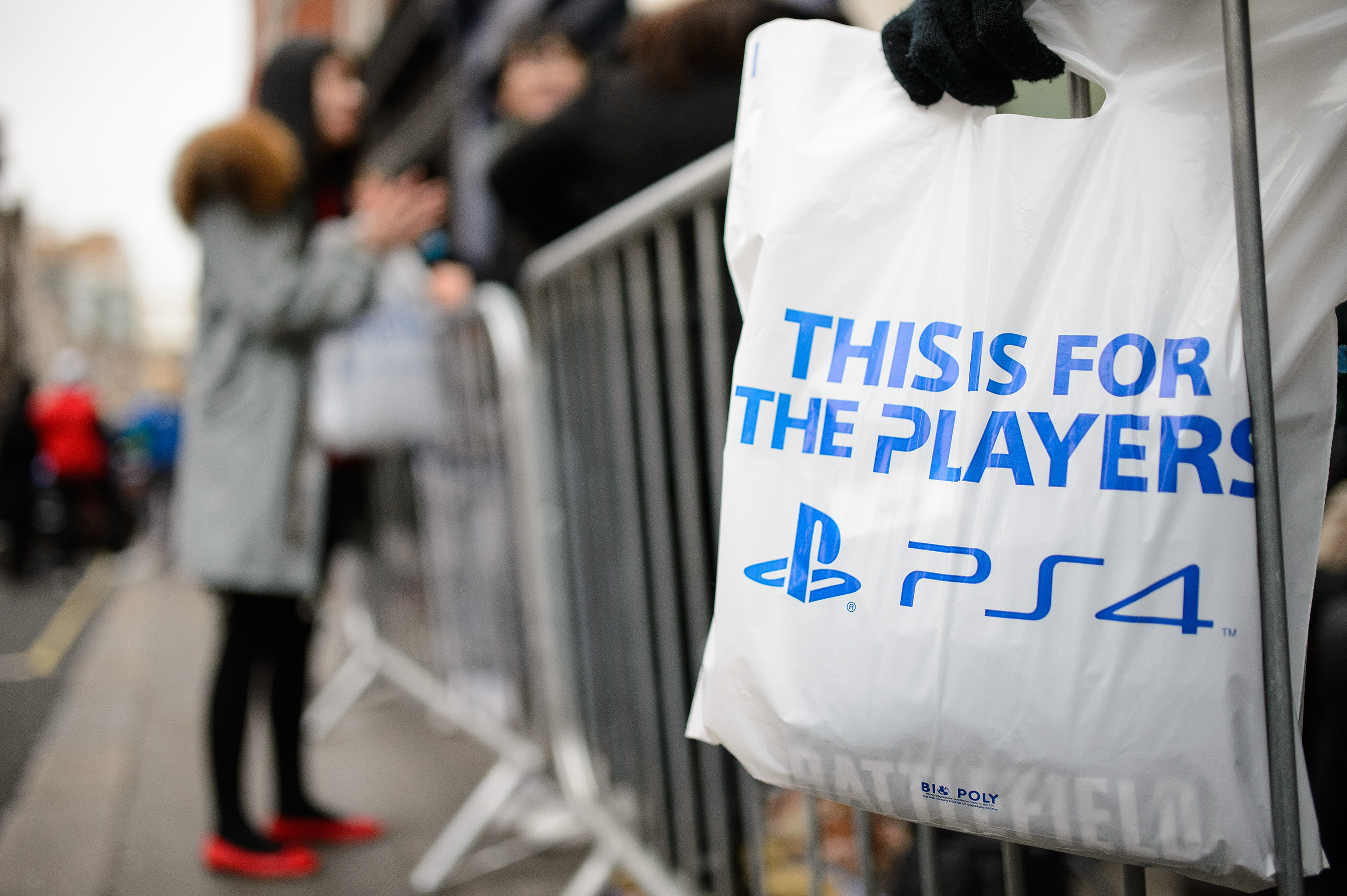
They’re excited about owning a new platform and don’t mind buying one before the inevitable price-cut and discounted bundles hit store shelves. Furthermore, they’re happy to own a new console before any top-tier games have been released for it. With this in mind, Sony targeted gamers with its early messaging and marketing for the PlayStation 4. It couldn’t have been clearer, given the tagline was : This Is For The Players.

452358465 730x485 Why PlayStation 4 was the best selling next gen console in the US last month

Microsoft, meanwhile, used the Kinect and its TV integration to target the average consumer. While some of the company’s early adverts did cater to gamers with imagery of exclusive titles such as Titanfall, Forza 5 and Dead Rising 3, overall its focus was far broader than Sony’s.

PlayStation Plus

Sony transformed what could have been a red cross on the PlayStation 4′s scorecard into one of the most beloved parts of the system. Just like the Xbox 360 and Xbox One, Sony asks that you pay an additional subscription – called PlayStation Plus – to access online multiplayer with the PlayStation 4. While that’s a significant reversal from the PlayStation 3, Sony has effectively buried it with a bundled service called Instant Game Collection.

As part of the membership, PlayStation Plus subscribers can download a number of video games for free to their PlayStation 4, PlayStation 3 and PlayStation Vita. For its next-gen system, this included Contrast and Resogun at launch, followed by Don’t Starve in January and Outlast in February.

These are smaller titles from independent studios, but each of them offers a creative, high quality experience for the system. The initiative has been incredibly effective at solving one of the most obvious problems with a console launch – a distinct lack of games.

In short, PlayStation 4 owners feel like they’re getting even better value for money. Microsoft has a similar initiative called Games with Gold for the Xbox 360, but it’s yet to arrive on Xbox One or offer the same caliber of titles available on PlayStation Plus.

Indie love

To reinforce its marketing campaign ‘This Is For The Gamers’, Sony highlighted its support for independent game developers during its E3 press conference. Almost every gamer and journalist I’ve spoken to appreciated the gesture, as it emphasized Sony’s support for the grassroots ‘indie’ movement, where much of the industry’s innovation and young talent is being nurtured at the moment.

Some of the most anticipated games that were shown, such as Transistor, Galak-Z and The Witness, are still in development. Even so, the influx of indie titles that have arrived as part of the Instant Game Collection has quickly solidified the PlayStation 4′s reputation as an indie-friendly video game system. For gamers and developers alike, this creates the perception that Sony has its heart and priorities in the right place.

Next: Power, Twitch and PlayStation Now…

└ Tags: syndicated
a couple of laughzillas on a blue diamond background

Narrative Clip review: A tiny camera that captures a view of your life every 30 seconds

Feb14
by Sindy Cator on February 14, 2014 at 6:05 pm
Posted In: Around the Web, Gadgets, Product Reviews

Narrative 520x245 Narrative Clip review: A tiny camera that captures a view of your life every 30 seconds

I have a memory that when I was eight years old, my dad collected me from school one day with a new exercise bike slung over his shoulder. Now I think about it, that seems unlikely – our exercise bike was pretty unwieldy, and my dad can’t remember bringing it to the school gates – but in my brain its a crystal-clear image.

If only I had a camera with me at all times, automatically logging the seemingly mundane moments that I may want to revisit in the future. That’s part of the appeal of the Narrative Clip, a ‘lifelogging camera’ that has finally launched after almost 18 months of hype and postponed release dates. I’ve been anxiously awaiting its arrival for most of this time, and just over a week ago it finally arrived.

Clip it on

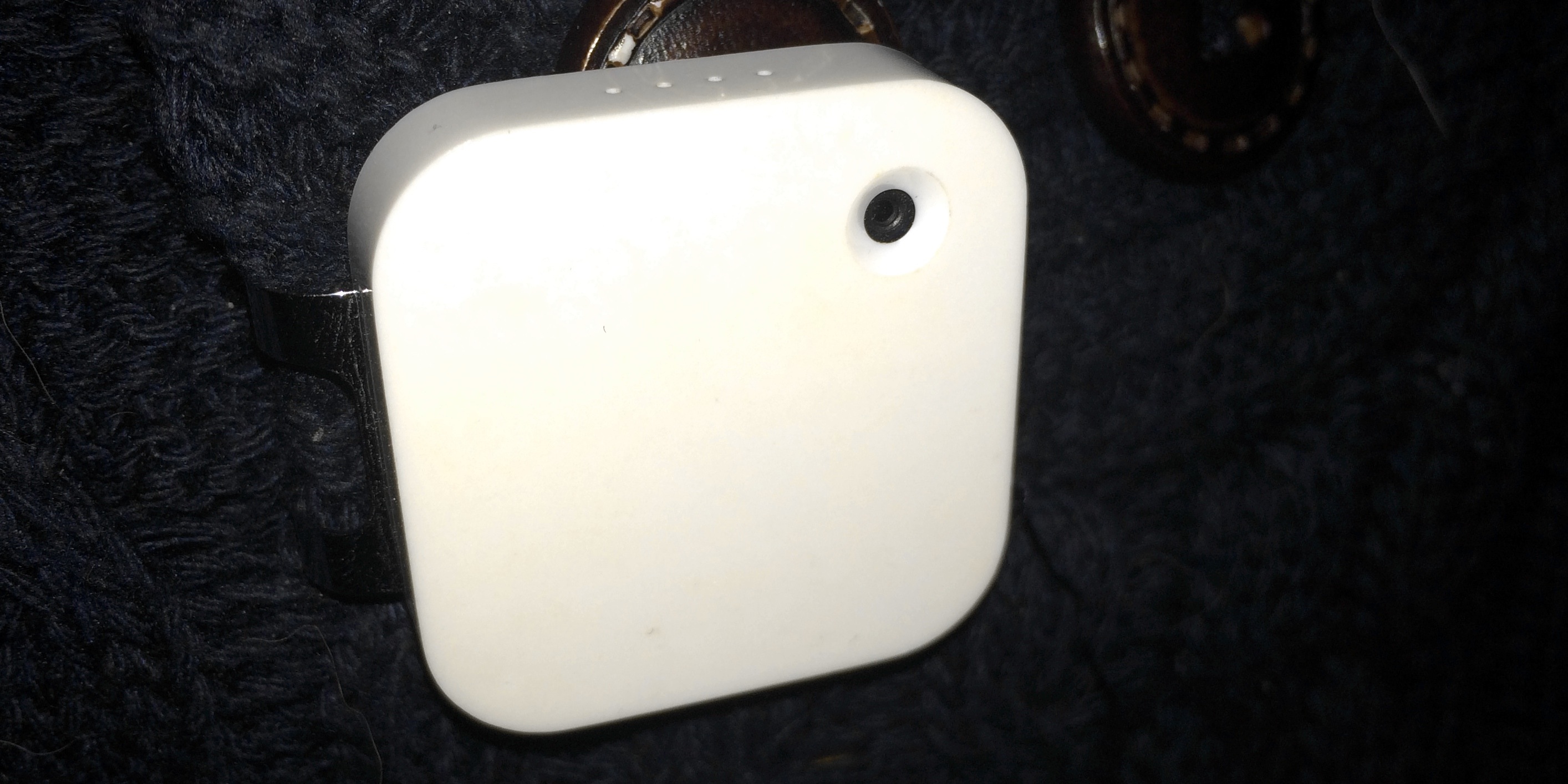
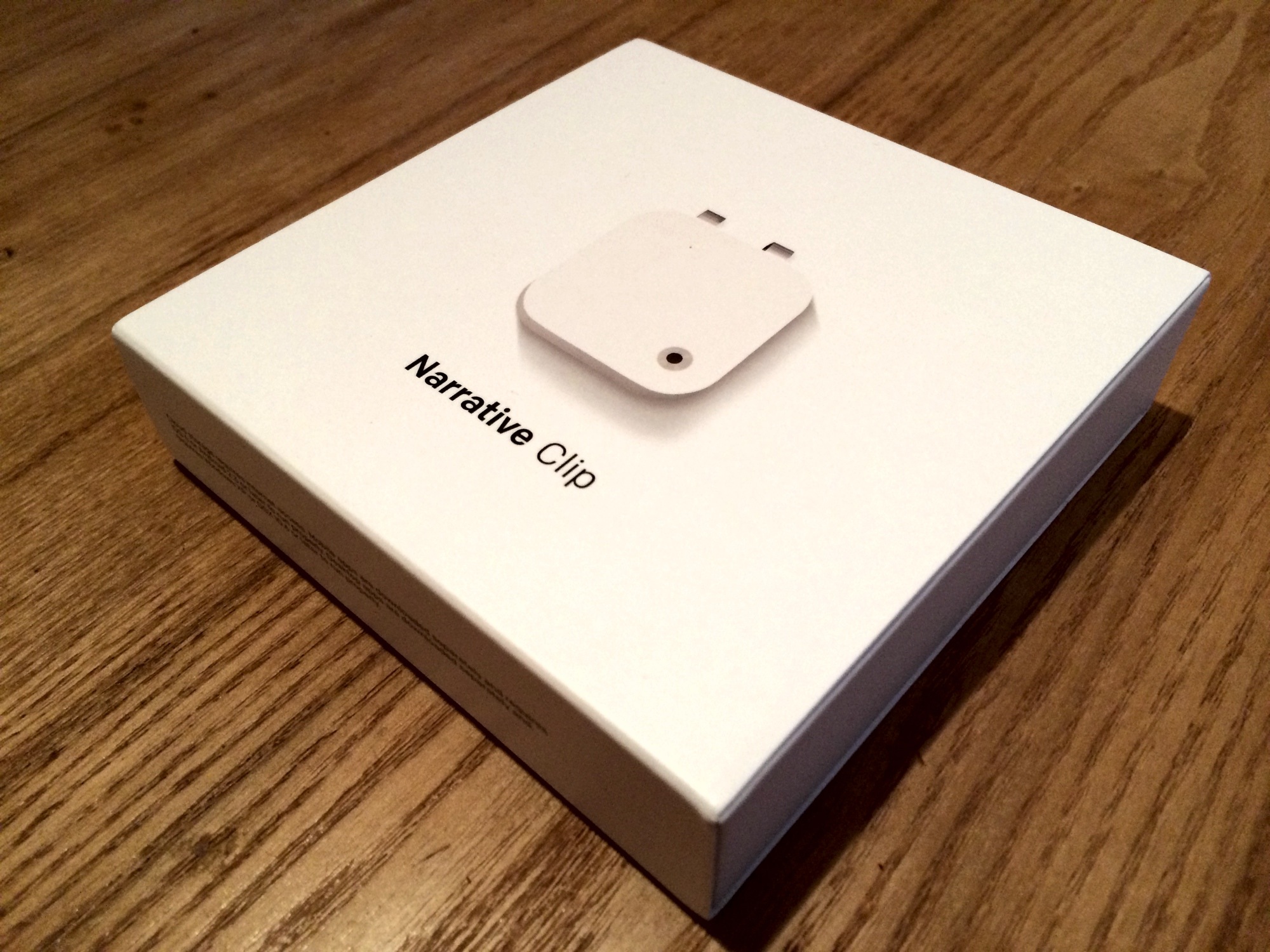
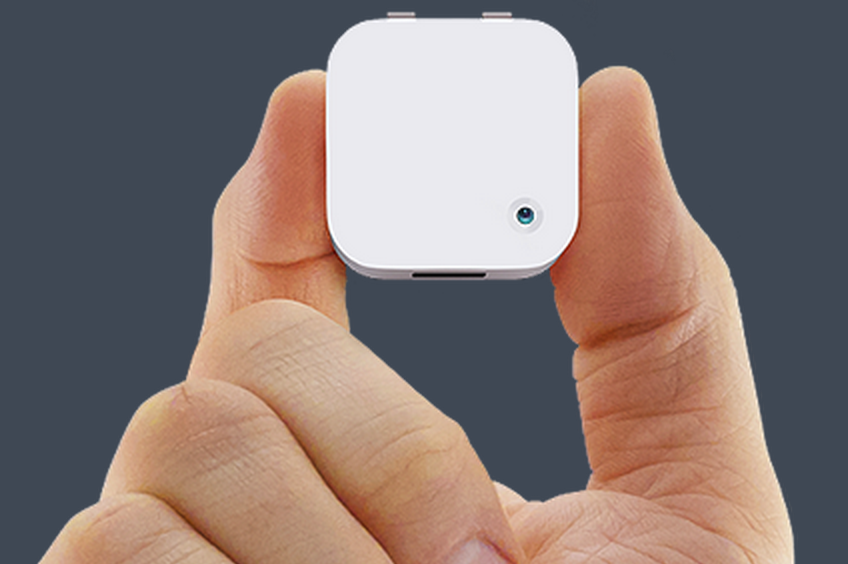
The Clip is a tiny 1.42″ x 1.42″ x 0.35″ camera available for $279 in white, grey or orange, that attaches to your coat, shirt, bag strap or wherever is convenient. It takes one photograph every 30 seconds of whatever’s in front of it, with the aim of creating visual diary of your life.

Hardcore lifeloggers can wear it all day, grabbing photos of their entire waking lives, while those more interested in capturing a fun event could just wear it to conferences, sporting events, concerts or the like. There are even potential journalistic uses – I’m thinking of wearing a Clip to SXSW this year to see if it captures anything worth using. To make sure it’s taking a photo at just the right moment, a double-tap of the Clip’s front panel makes it take a photo right away in addition to its automatic snaps.

Narrative Clip in use 730x364 Narrative Clip review: A tiny camera that captures a view of your life every 30 seconds

A full battery should last for around 30 hours, and my unit charged from empty in under two hours.

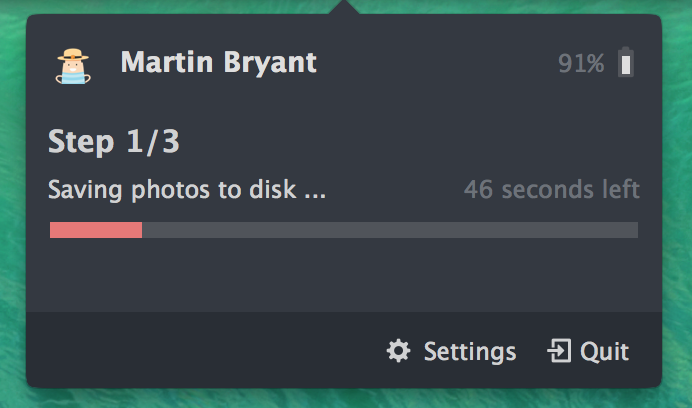
One you’ve finished taking photos, you connect the Clip’s Micro-USB port to your Windows or OS X computer and all your photos are removed from the device and uploaded to Narrative’s cloud service. You do have the option to keep a copy of all the images you’ve taken locally, too, although at a rate of 120 5-megapixel images per hour, they can quickly make a serious dent in your local storage capacity. Still, it’s probably a good idea to keep copies if you can.

Screen Shot 2014 02 14 at 14.21.02 520x306 Narrative Clip review: A tiny camera that captures a view of your life every 30 seconds

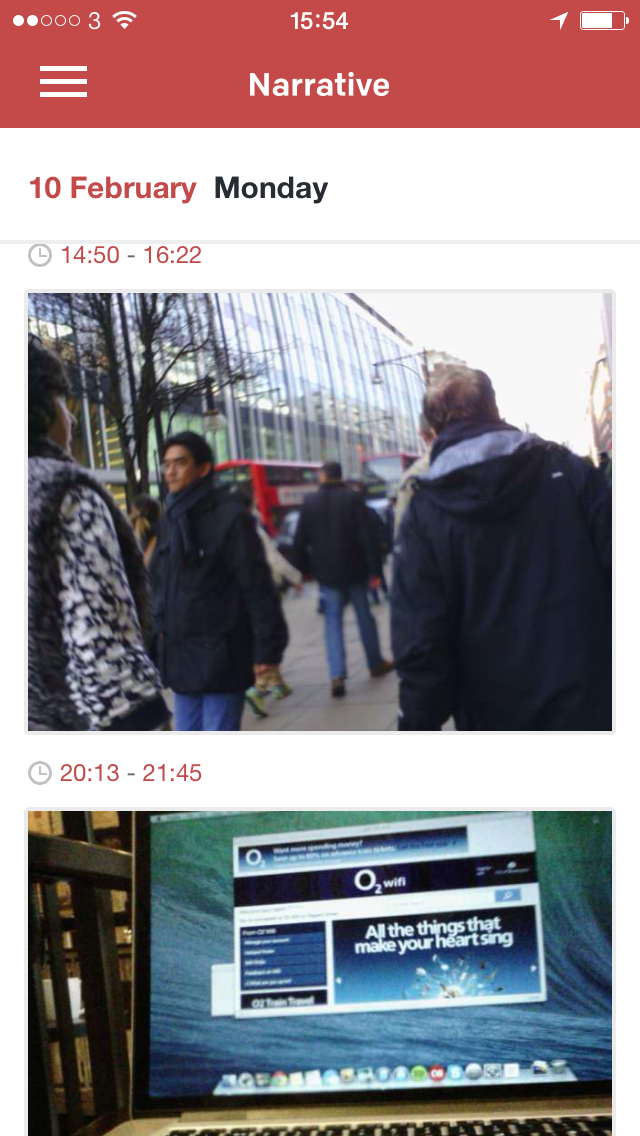
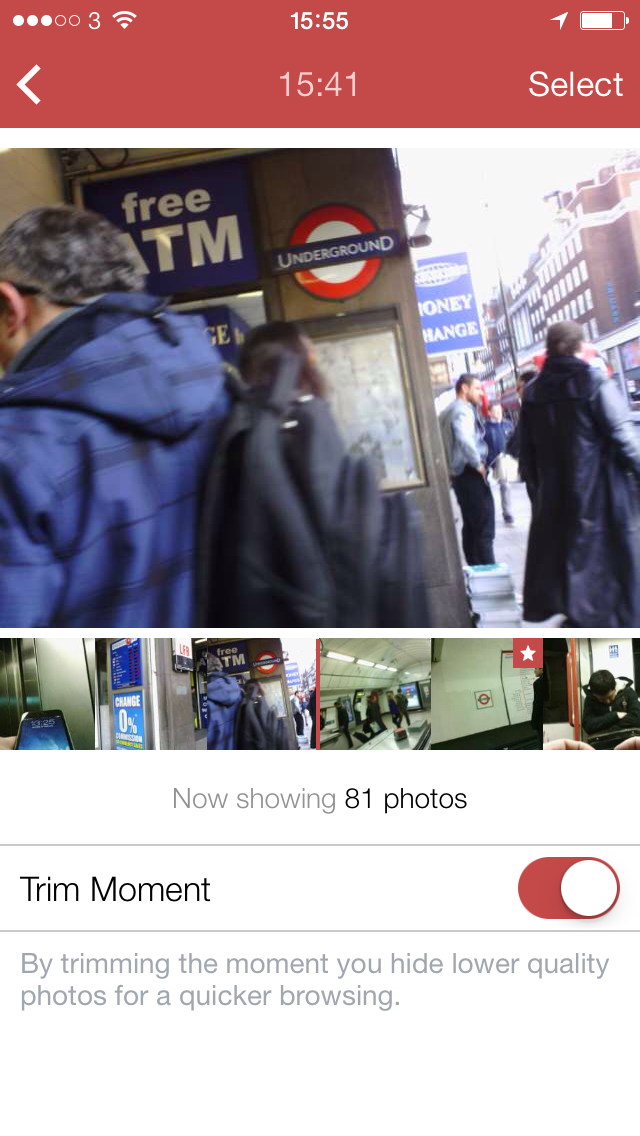
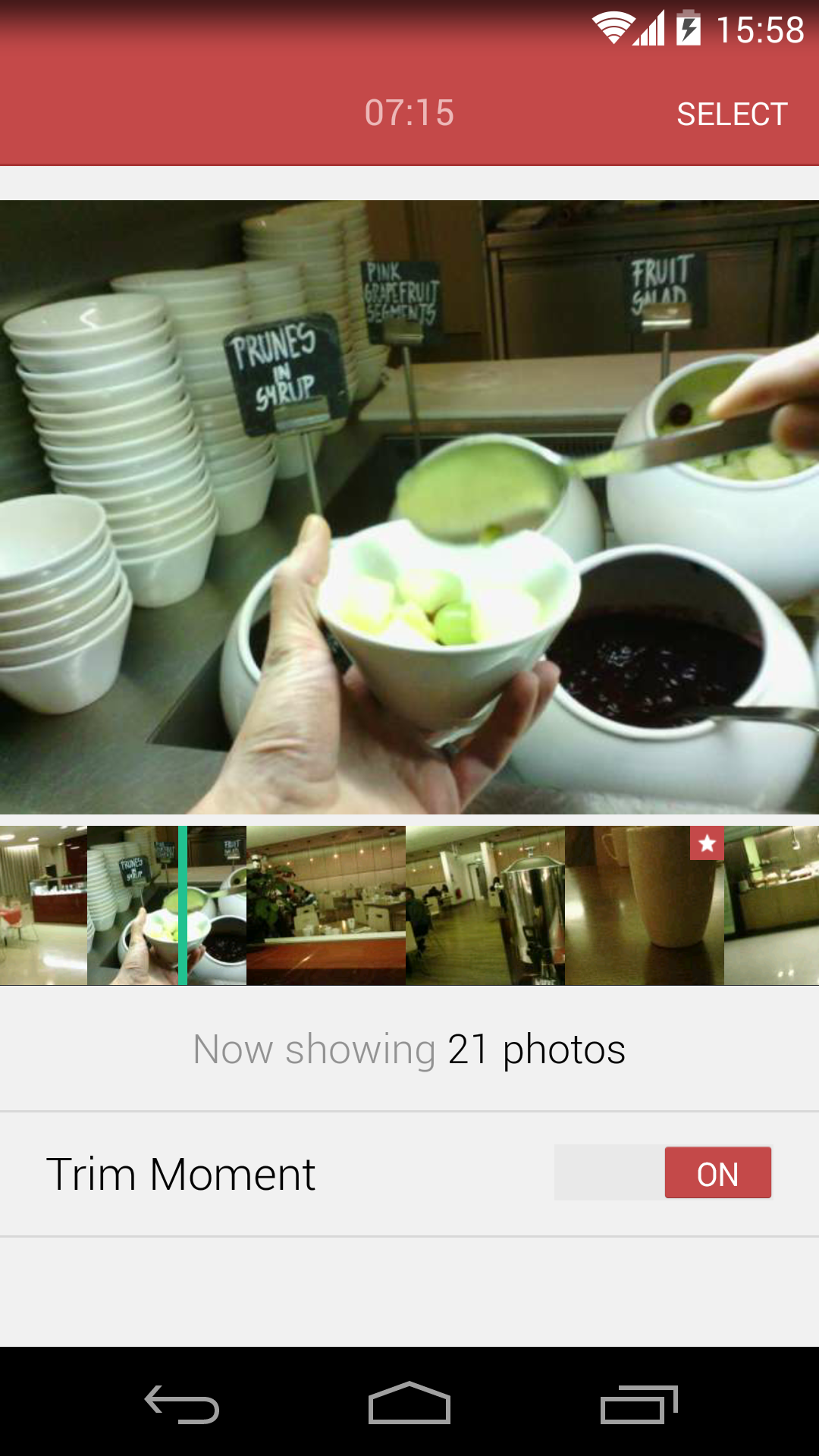
Once your photos are uploaded, Narrative processes them and automatically picks the most ‘interesting’ images based on software algorithms. Photos you took manually are automatically flagged as favorites, too. Your photos are assembled into ‘moments’ that you can then view via the accompanying iOS and Android apps. By default, you’ll get a slideshow of your best images, although a quick tap of a toggle switch reveals every single image you captured, navigable with a swipe of your finger.

2014 02 14 15.54.34 220x390 Narrative Clip review: A tiny camera that captures a view of your life every 30 seconds     2014 02 14 15.55.00 220x390 Narrative Clip review: A tiny camera that captures a view of your life every 30 seconds

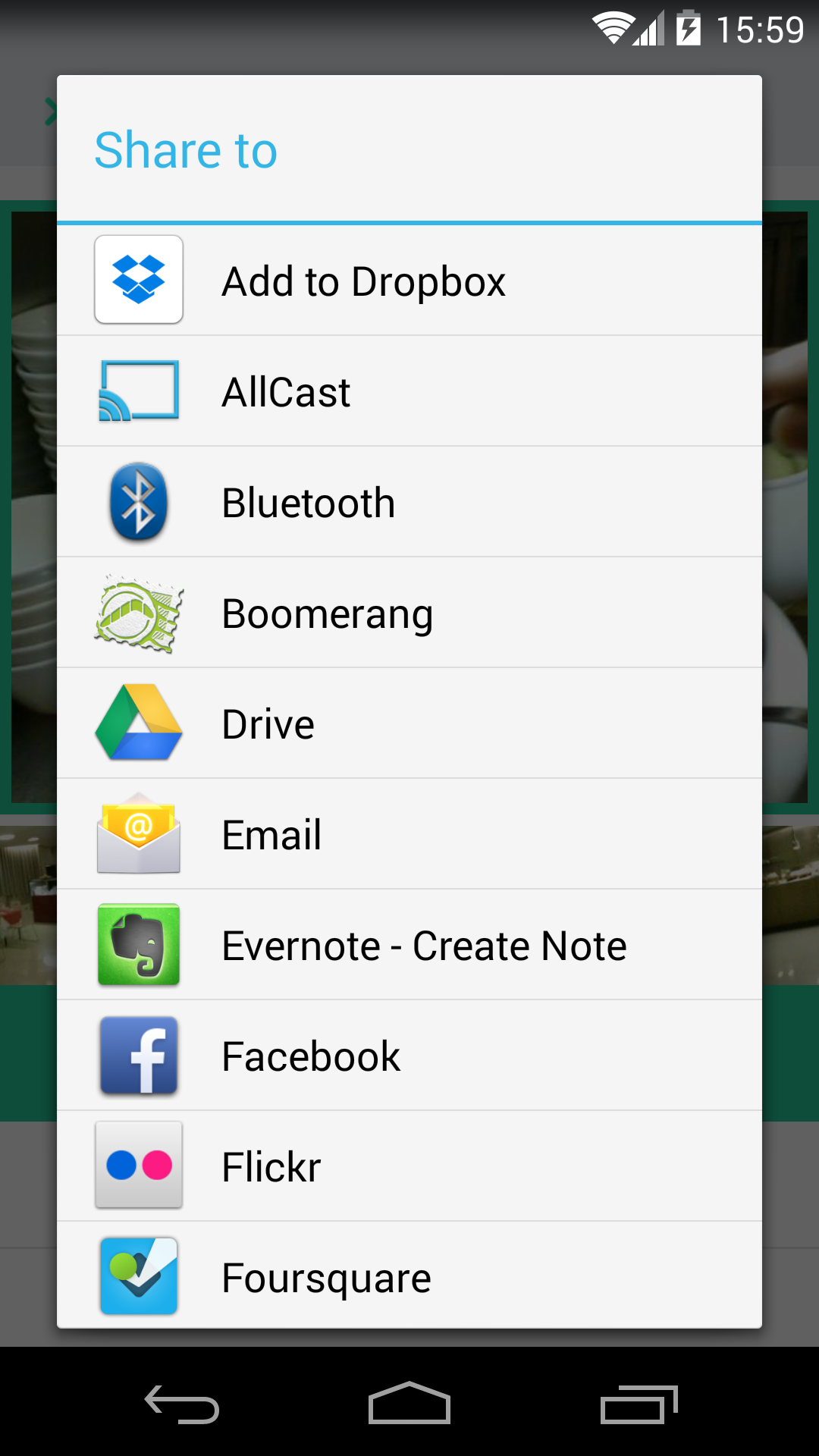
If there are any images you want to share with the rest of the world, you can share them from the app via Facebook, Twitter, email or Instagram. There’s also a download button, presumably to save an image to your mobile device, but it didn’t seem to work no matter how many times I tapped it in the iOS version. Presumably, this will change with an update to the app, and I had no such problems with the Android version, which allows you to move photos to almost any app you like thanks to the way sharing works in Google’s OS.

The Android version suffers a bug that makes sharing multiple photos from the same ‘moment’ impossible without restarting the app between each one – they’re all given the same file name and Android thinks they’re the same image. A bug on both iOS and Android means that occasionally timestamps on ‘moments’ are several hours off, but this seems to resolve itself after a while. However, these are bugs that should be easily resolved in the future, via app updates.

2014 02 14 15.58.30 220x391 Narrative Clip review: A tiny camera that captures a view of your life every 30 seconds     2014 02 14 15.59.07 220x391 Narrative Clip review: A tiny camera that captures a view of your life every 30 seconds

Picture quality

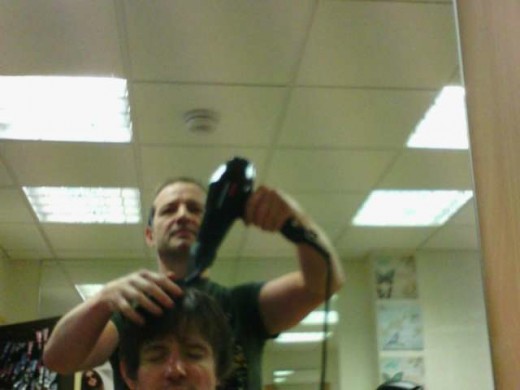
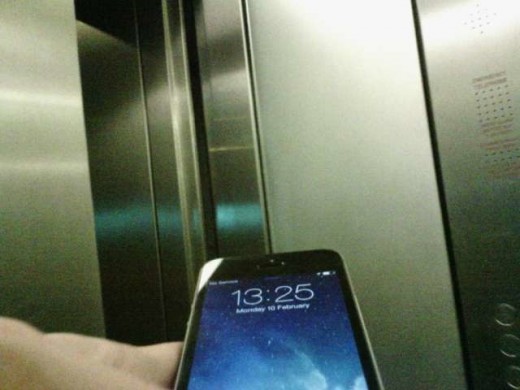
So how good are the pictures? That obviously depends on how visually interesting your surroundings and activities are, but it also depends on the positioning of the camera. For example, I was looking forward to a neat stop-motion summary of a haircut I had last weekend (Tim Bradshaw at the FT recently did the same thing with positive results) but the camera was pointing a little further upwards than I thought it was and the results weren’t very well-framed.

Later, I met someone for a coffee but despite me thinking my camera was facing forwards toward the person I was meeting, my coat had ruffled up slightly and pointed the camera out of the window instead.

I quickly learned that positioning the Clip is everything when it comes to getting shots you’ll want to keep. Unfortunately, it’s a matter of slow trial and error, as you only see the results of your experiments after you’ve uploaded them to Narrative’s cloud. I found that wearing the Clip a little lower down my coat than I initially expected compensated for its tendency to point slightly upwards. This resulted in more photos featuring people’s faces and other things around eye level.

57fc66493ee24994937e8b43d6a06858 safe 520x390 Narrative Clip review: A tiny camera that captures a view of your life every 30 seconds
89dfafcf79154e3eaffa765cf0179a59 safe 520x390 Narrative Clip review: A tiny camera that captures a view of your life every 30 seconds
c883cdd597ff4b099687f2bf14c99e22 safe1 520x390 Narrative Clip review: A tiny camera that captures a view of your life every 30 seconds
38981d33c9774a648f7e3d4f3782ffb7 safe2 520x390 Narrative Clip review: A tiny camera that captures a view of your life every 30 seconds
88d4770dfad14fd6b4442ff9cabd0366 safe 520x390 Narrative Clip review: A tiny camera that captures a view of your life every 30 seconds
22d0ef125dbc48a68c99a769ed56ba23 safe 520x390 Narrative Clip review: A tiny camera that captures a view of your life every 30 seconds
b85432bd5fd64024bc2da1321381aa3a safe 520x390 Narrative Clip review: A tiny camera that captures a view of your life every 30 seconds
7fecb31f524d4e77adef86d3ee405065 safe2 520x390 Narrative Clip review: A tiny camera that captures a view of your life every 30 seconds
bdebbab476304953a1abea45d60bd167 safe 520x390 Narrative Clip review: A tiny camera that captures a view of your life every 30 seconds
2cc087f080d24c65a5579c2ea30207c8 520x390 Narrative Clip review: A tiny camera that captures a view of your life every 30 seconds
d702ffd8ea0a4d02a5d18d74909028f3 520x390 Narrative Clip review: A tiny camera that captures a view of your life every 30 seconds
45fa90fc3a2b417990506d50790ccc39 safe 520x390 Narrative Clip review: A tiny camera that captures a view of your life every 30 seconds
ec774730449f4a30948e81cf10df73ff safe 520x390 Narrative Clip review: A tiny camera that captures a view of your life every 30 seconds
20ed585849a649cc806a3e81e4567339 520x390 Narrative Clip review: A tiny camera that captures a view of your life every 30 seconds

From a quality level, the images are sometimes blurred and often poorly framed but this isn’t about high-level photography. The Narrative Clip is all about capturing a flavor of your day in a raw way that deliberately-taken photos simply can’t match.

The etiquette of wearable cameras

Much has been made of the etiquette issues around wearing Google Glass in public, and the Narrative Clip is a good dry run for this, before Glass units start being sold to the general public.

I expected to get worried looks from passers-by when they noticed my camera, but nobody seemed to act differently around me, and very few even seemed to notice I was wearing an odd little white box with a tiny lens in its front face. Once someone knew it was a camera though, a funny thing happened – their behavior changed ever so slightly.

I told my hairdresser about the camera before he started cutting my hair and he was happy with me to wearing it (especially when he found out it was taking photos, not shooting video or recording audio) but he dropped a hairdryer on my head at one point, an accident he blamed on become distracted by the camera and wanting to make sure he looked okay if it was taking a photo at that point.

Narrative Clip box 730x547 Narrative Clip review: A tiny camera that captures a view of your life every 30 seconds

A few days later, I gave a talk about new technology to a group of librarians while wearing the Clip. During the talk, I explained what the Clip was and they all seemed okay with it. It was only in the pub afterwards, when they realised I was still wearing it, that their body language betrayed discomfort with a camera taking photos of them without them knowing exactly when. I quickly removed the camera and everyone relaxed.

These people were happier with the idea of public authorities photographing them via the security cameras that monitor UK cities than they were with a private individual photographing them for reasons of which they can’t be sure.

There are bound to be some socially uncomfortable moments if you wear a Narrative Clip and another wearable camera regularly enough. Narrative has thought about this problem and stopping the Clip from capturing images is a simple case of removing it and placing it face-down. Considerate use is recommended.

Aside from the pricey Google Glass, which can be thought of as the Rolls Royce of wearable cameras (and does so much more), there are others out there closer to the Clip’s price point, such as the Autographer (read our review) and the forthcoming video-focused HD MeCam and Parashoot. Assuming that people actually want to wear such devices on a regular basis, we’re going to have to work out what the acceptable behavior is for them.

So, should you buy one?

There are some people who are going to rush out and order a Narrative Clip immediately and use it as much as they possibly can. Casual users will also find benefit from recording sporting endeavours, family days out and the like in a fresh new way.

If you can’t see the appeal, it probably isn’t for you yet, although if this form of recording our memorable – and not so memorable – moments becomes more popular, maybe it will ‘click’ with you in time. The image quality will no doubt improve in future generations of wearable cameras, so if that’s your primary concern, it might be better to wait.

The Narrative Clip 220x146 Narrative Clip review: A tiny camera that captures a view of your life every 30 secondsGiven that you’re entrusting Narrative’s servers with timestamped, geotagged photos of your life in minute detail, you have to trust that the Swedish startup will look after them. This is an issue I brought up with CEO Martin Källström in an interview last summer, and more recently he was the only founder willing to speak to me on the record about the importance of data security when it comes to early-stage startups.

Narrative certainly takes this issue seriously (and explains more to the FT here), but it’s something you need to bear in mind, and keeping local backups of all your photos is definitely a recommended move if you can.

In addition to the upfront price, it’s worth considering that after your first (free) year, you’ll have to pay $9 per month for use of the cloud service. Seeing as the Clip doesn’t really work without it, this is definitely a point to bear in mind.

The Narrative Clip is the most polished of the wearable lifelogging cameras we’ve looked at to date. Aside from the couple of minor quibbles with the app mentioned above, and the fact that the device’s tiny size makes me worry that I’ll lose it, the Clip is just as good as I hoped it would be.

➤ Narrative Clip [$279]

└ Tags: europe, syndicated
a couple of laughzillas on a blue diamond background

1 in 5 Obamacare enrollees failed to pay initial premiums, insurers say

Feb14
by Sindy Cator on February 14, 2014 at 4:37 pm
Posted In: Affordable Care Act, Around the Web, health care, Indiana, Kentucky, mobiletopnews, Obamacare, Ohio

One in five people who signed up for health insurance under the new health care law failed to pay their premiums on time and therefore did not receive coverage in January, insurance companies and industry experts tell the New York Times. Paying the first month’s premium is the final step in completing an enrollment. Under […]

└ Tags: syndicated
  • Page 14,517 of 14,636
  • « First
  • «
  • 14,515
  • 14,516
  • 14,517
  • 14,518
  • 14,519
  • »
  • Last »
The Daily Dose, The Daily Dose © 1996 - Present. All Rights Reserved.
  • Home
  • About
  • Archive
  • Books
  • Collections
  • Links
  • Shop
  • Submit a joke
  • Video
  • Privacy Policy