

The Daily Dose

laugh every day with cartoons jokes and humor
  • Home
  • About
    • Press
      • Press Release – Announcing Laughzilla the Third ebook
      • Press Release – The Daily Dose Kicks Off Its 16th Year with New Books and More Irreverent Laughter
      • Press Release – Themes Memes and Laser Beams Now Available in Paperback
      • Press Release – Announcing Themes Memes and Laser Beams
      • In The News
    • Privacy
  • Archive
  • Books
  • Shop
  • Collections
    • Galleries
      • Gallery
      • Captions
      • Flash Cartoons & Greeting Cards
        • Laughzilla’s Oska Flash Animation Cartoon Greeting Cards
        • Oska Cupid Love Humor
    • #OccupyWallStreet
    • cats
    • China
    • Food
      • Hors d’oeuvres
        • Ball of Cream Cheese
      • Entrees / Main Courses
        • Meatballs with Baked Beans and Celery
    • Gadaffy
    • Google
  • Links
  • Video
  • Submit a joke
DeviantART Facebook Twitter Flickr pinterest YouTube RSS

Subscribe for Free Laughs!


Latest Comics

  • This Memorial Day, Trump Meme Coin Congratulates Profit Takers
  • 25 Years of The Daily Dose
  • The Best Cartoons
  • Bitcoin sings “Fly Me To The Moon”
  • 22 years of The Daily Dose

Comic Archive

Earthquakes Of Late August

Daily Dose News Roundup

  • Pony.ai and Uber to put more than 2,000 Chinese robotaxis on European streets
  • The next great game may not come from a million-dollar studio
  • Crypto impersonation scams grew 1,400% as AI supercharged fraud
  • How AI is transforming frontend engineering for modern web applications
  • Armenia just opened the region’s biggest AI factory. It exists because Washington signed a licence.

Quotable

"Arab dictators love Royal British weddings. There's no better time to murder your own people en masse without much notice from the fluff-driven international media." ~ Yasha Harari

Fresh Baked Goods

Get The Daily Dose's ebook: Laughzilla the Third - A Funny Stuff Collection of 101 Cartoons from TheDailyDose. Click here to get the e-book on Amazon kdp. Laughzilla the Third (2012) The Third Volume in the Funny Stuff Cartoon Book Collection Available Now.

Click here for the Paperback edition


Support independent publishing: Buy The Daily Dose's book: Themes Memes and Laser Beams - A Funny Stuff Collection of 101 Cartoons by Laughzilla from TheDailyDose. Click here to get the book on Amazon. Themes Memes and Laser Beams - The Second Volume in the Funny Stuff Cartoon Book Collection.

Click Here to get the book in Paperback While Available on Amazon

Themes Memes and Laser Beams - 101 Cartoons by Laughzilla. Get the e-book on Lulu.

Click Here to get The Daily Dose Cartoon ebook on amazon kindle

Funny Stuff :
The First Cartoon Book
from The Daily Dose.
Available on Lulu.

a couple of laughzillas on a blue diamond background

Find the person behind an email address with Vibe for Mac and Chrome

Feb25
by Sindy Cator on February 25, 2014 at 4:39 pm
Posted In: Apps, Around the Web, Asia, Insider, Product Reviews

Vibe 520x245 Find the person behind an email address with Vibe for Mac and Chrome

As the pace of life increases, so does the number of people we encounter daily both offline and (mostly) online. Keeping track of everyone whose contact information you may need later is a difficult task ripe for disruption. This has already brought to the market plenty of enterprise and consumer-grade startups, from FullContact, to Nimble, to Rapportive (bought by LinkedIn in 2012).

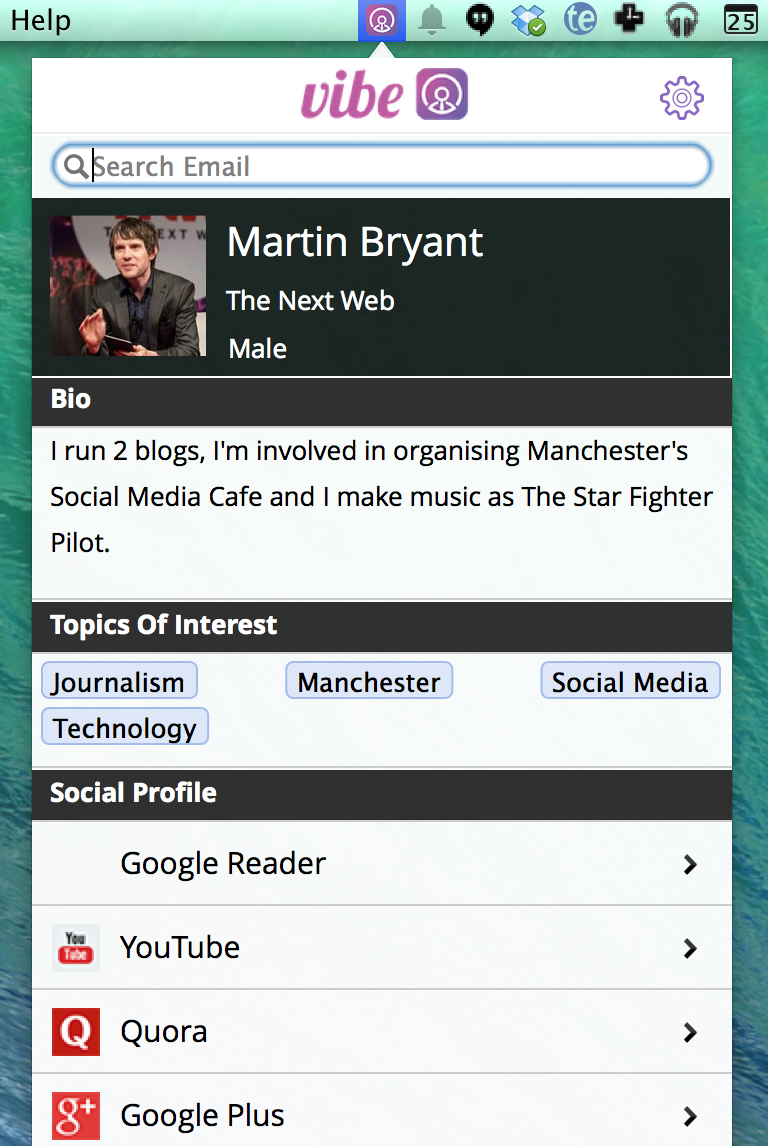
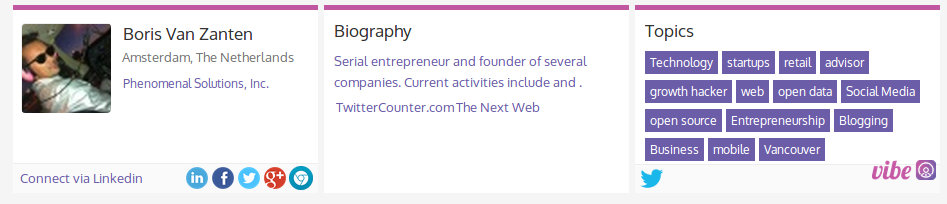
A recent addition to the list of products making it easier to get extended info on your contacts is Vibe. Released by India-based startup Profoundis Labs, the freemium service shows you a wealth of data about anyone with an online presence just by hovering his or her email address. “Everything” includes name, location, job, social network accounts, short biography (taken from one of their social accounts), and topics of interest.

vibe2 730x186 Find the person behind an email address with Vibe for Mac and Chrome

Available as a Chrome extension and a standalone application for Mac OS, Vibe can be described as ‘Rapportive made right’, at least from the design and UI standpoint. The Chrome version obviously works only with email addresses shown in the browser, while the Mac app can be used across the entire desktop.

Just like other similar solutions, Vibe looks up email addresses through APIs of most popular social networks to retrieve links to profiles and homepages, as well as short biographies of people. At the moment, the quality of data retrieved is not perfect — for me, it got both location and working place wrong, while for some addresses it found no info at all.

vibe3 730x157 Find the person behind an email address with Vibe for Mac and Chrome

It did much better job with Martin and Boris from TNW though (even if Martin’s bio was out of date and it included his Google Reader profile, which isn’t much use these days).
Vibe 220x328 Find the person behind an email address with Vibe for Mac and Chrome

The data quality will hopefully be improved in time, and it would be good if it prioritized fresh account bios over old ones. Obviously, Vibe can’t look up people who haven’t tied any social profiles to an email address. Still, it’s a useful way of breaking Rapportive-style people-search out of your email app and making it system-wide on the Mac, or Web-wide in the case of the Chrome version.

People and money

“Accidentally launched” about two weeks ago, Vibe has already attracted some 2,500 users across the two platforms it’s available for, Profoundis co-founder and COO Jofin Joseph told me. By signing up for the free version, users receive 30 look-ups for 30 days, after which the credit is decreased to 10 look-ups per month. You can also pay $5 for 1,000 look-ups in 30 days, or $25 for 9,000 look-ups in 180 days.

Profoundis’ team is clearly marketing the solution to sales people, and has an extension for Salesforce CRM is coming soon. There are currently more than 70 paying users, Joseph said, although most of the people who have signed up stick to their free quota.

In addition to multiple CRM extensions, the team has mobile versions in the pipeline.

“With mobile, we also plan to open up APIs to integrate with existing apps so that app builders can use the Vibe data to give contextual information within their apps,” Joseph explained. “For example, a calendar app can use data from Vibe to give context information about a person before the user goes into a meeting.”

➤ Vibe [Chrome | Mac OS X]

└ Tags: news, syndicated
a couple of laughzillas on a blue diamond background

Find the person behind an email address with Vibe for Mac and Chrome

Feb25
by Sindy Cator on February 25, 2014 at 4:39 pm
Posted In: Apps, Around the Web, Asia, Insider, Product Reviews

Vibe 520x245 Find the person behind an email address with Vibe for Mac and Chrome

As the pace of life increases, so does the number of people we encounter daily both offline and (mostly) online. Keeping track of everyone whose contact information you may need later is a difficult task ripe for disruption. This has already brought to the market plenty of enterprise and consumer-grade startups, from FullContact, to Nimble, to Rapportive (bought by LinkedIn in 2012).

A recent addition to the list of products making it easier to get extended info on your contacts is Vibe. Released by India-based startup Profoundis Labs, the freemium service shows you a wealth of data about anyone with an online presence just by hovering his or her email address. “Everything” includes name, location, job, social network accounts, short biography (taken from one of their social accounts), and topics of interest.

vibe2 730x186 Find the person behind an email address with Vibe for Mac and Chrome

Available as a Chrome extension and a standalone application for Mac OS, Vibe can be described as ‘Rapportive made right’, at least from the design and UI standpoint. The Chrome version obviously works only with email addresses shown in the browser, while the Mac app can be used across the entire desktop.

Just like other similar solutions, Vibe looks up email addresses through APIs of most popular social networks to retrieve links to profiles and homepages, as well as short biographies of people. At the moment, the quality of data retrieved is not perfect — for me, it got both location and working place wrong, while for some addresses it found no info at all.

vibe3 730x157 Find the person behind an email address with Vibe for Mac and Chrome

It did much better job with Martin and Boris from TNW though (even if Martin’s bio was out of date and it included his Google Reader profile, which isn’t much use these days).

Vibe 220x328 Find the person behind an email address with Vibe for Mac and Chrome

The data quality will hopefully be improved in time, and it would be good if it prioritized fresh account bios over old ones. Obviously, Vibe can’t look up people who haven’t tied any social profiles to an email address. Still, it’s a useful way of breaking Rapportive-style people-search out of your email app and making it system-wide on the Mac, or Web-wide in the case of the Chrome version.

People and money

“Accidentally launched” about two weeks ago, Vibe has already attracted some 2,500 users across the two platforms it’s available for, Profoundis co-founder and COO Jofin Joseph told me. By signing up for the free version, users receive 30 look-ups for 30 days, after which the credit is decreased to 10 look-ups per month. You can also pay $5 for 1,000 look-ups in 30 days, or $25 for 9,000 look-ups in 180 days.

Profoundis’ team is clearly marketing the solution to sales people, and has an extension for Salesforce CRM is coming soon. There are currently more than 70 paying users, Joseph said, although most of the people who have signed up stick to their free quota.

In addition to multiple CRM extensions, the team has mobile versions in the pipeline.

“With mobile, we also plan to open up APIs to integrate with existing apps so that app builders can use the Vibe data to give contextual information within their apps,” Joseph explained. “For example, a calendar app can use data from Vibe to give context information about a person before the user goes into a meeting.”
➤ Vibe [Chrome | Mac OS X]

└ Tags: news, syndicated
a couple of laughzillas on a blue diamond background

Twitter will now display Promoted Accounts in search results

Feb25
by Sindy Cator on February 25, 2014 at 4:05 pm
Posted In: Around the Web, Insider

PACOUNNTS 220x390 Twitter will now display Promoted Accounts in search resultsTwitter is continuing to ramp up its monetization efforts, after it confirmed that it’s introducing Promoted Accounts to search results.

Given that Promoted Tweets were already visible through search, this move isn’t all that surprising. And it’s one more way for Twitter to offer eyeballs to companies advertising against related search terms.

So now, not only will you see Promoted Accounts in your main timeline, you’ll see them in search results too.

➤  Introducing Promoted Accounts in search

└ Tags: news, syndicated, twitter
a couple of laughzillas on a blue diamond background

SocialRank helps you find your most valuable Twitter followers

Feb25
by Sindy Cator on February 25, 2014 at 4:00 pm
Posted In: Around the Web, best follower twitter socialrank, dwolla modern mast, Insider, modern mast, modern mast alex taub, most engaged follower, MVF, Product Launches, socialrank, socialrank most valuable follower

130134935 520x245 SocialRank helps you find your most valuable Twitter followers

Nearly two months ago, Alex Taub and Michael Schonfeld bid Dwolla farewell and set off to start their own company called Modern MAST. At the time, they said that the new venture would focus on developing products aimed at commerce, advertising tools, and APIs. Their first product is launching today and it’s called SocialRank, a tool to help brands better understand who their followers are on Twitter.

The idea behind SocialRank started long before Taub and Schonfeld joined Dwolla. Back then, they had developed a service called Most Valuable Follower (MVF) aimed at helping show which follower actually gives legitimate value to a brand’s social media presence, rather than simply propping up a broad follower-count. At least 50,000 people wound up using this tool before it was shelved in favor of their careers at Dwolla.

SocialRank 1 730x511 SocialRank helps you find your most valuable Twitter followers

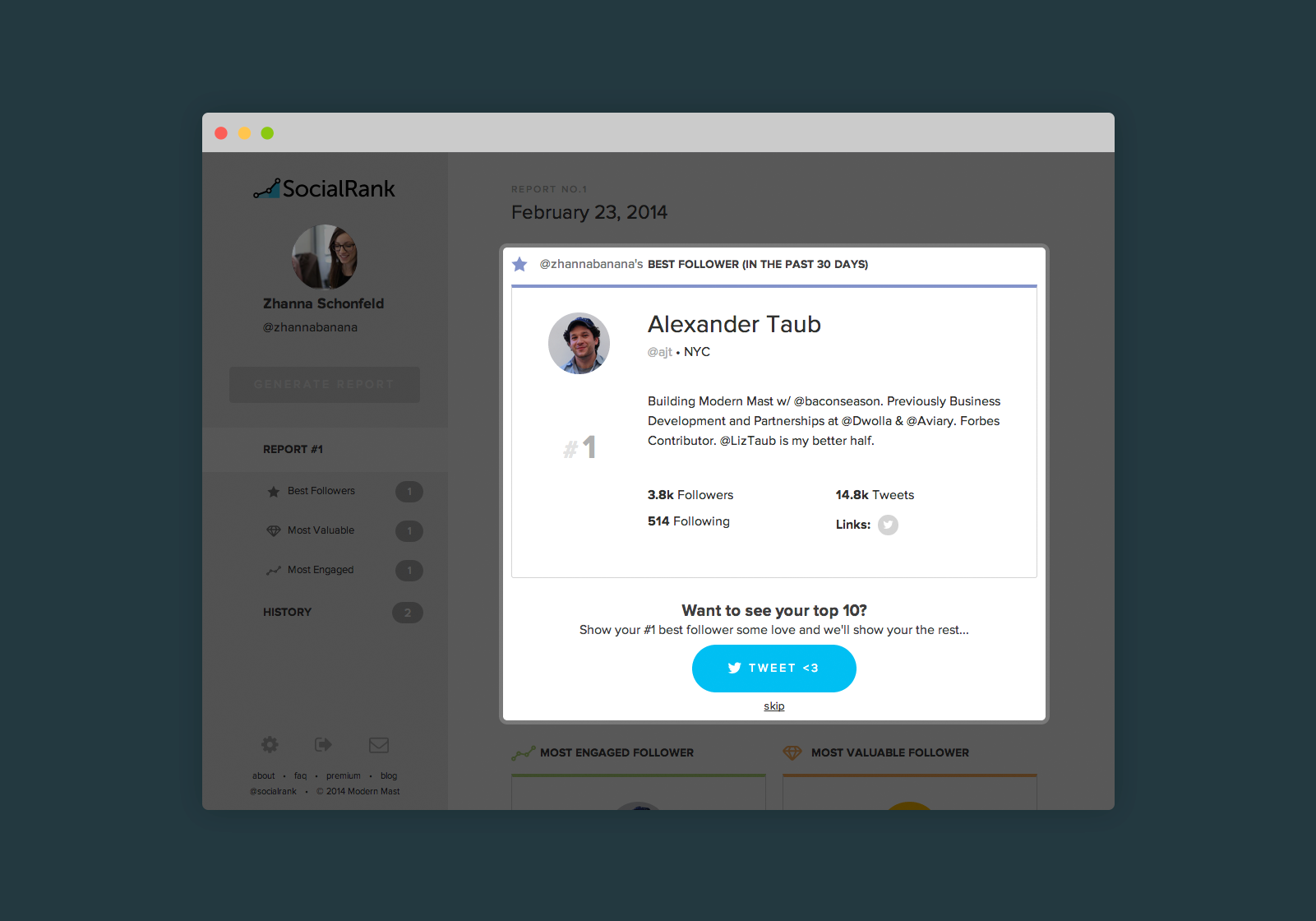
SocialRank is the evolution of MVF and is looking to help brands and influencers understand three key metrics: most valuable, most engaged, and their best follower. In order to determine someone’s MVF, the service looks at whether a follower is verified, their total follower count, their follower/following ratio, and determined value. In its previous form, MVF was a whole tool, but now it’s most like a data point.

The Most Engaged Follower is the person who interacts with you the most, based on retweets, mentions, favorites, and doesn’t matter how many followers that user has. Just following someone doesn’t make you engaged — the MEF looks at users who are “socializing” with the brand’s Twitter account.

Lastly, and perhaps the most significant metric that SocialRank analyzes, is the Best Follower statistic. This is a combination of MVF and MEF and will dictate who the best follower was in the past 30 days. This user is the one who “strikes a great balance of engaging with you and has the reach or importance to be a little dangerous.”

SocialRank 2 730x510 SocialRank helps you find your most valuable Twitter followers

Sounds an awful lot like what one would get with Klout, huh? Well there are some differences — specifically that SocialRank doesn’t assign a score to a brand or their followers. It also only looks at data from Twitter, at least for now, but Taub says that Vine, YouTube, LinkedIn, Pinterest, and Facebook could easily be supported. On the other hand, Klout has evolved to focus less on a “score” and instead be a content creation and promotion service.

The company is also focusing on building out features to allow brands to “reward” their most valuable, engaged, and best followers as a sign of appreciation. This is slightly contradictory to Klout’s Perk system since it focuses on topics an individual is influential in.

SocialRank is free for nonprofits to use, but costs $25 per month or $250 annually to be able to export daily and weekly reports. With the paid option, brands can breakdown their followers by demographic, geographic, and all the social media accounts that are attached to the individual. However, Modern MAST cautions that since it’s in the early stages of testing, the accuracy may not be on par — it’s inferring a lot through technology, but its algorithm will improve over time.

In addition, SocialRank enables you to filter between individuals and brands within each section (MVF, MEF, and best follower). This permits you to see your top 10 brands and top 10 individuals in each category. In the future, deeper filtering will be added.

The company tells us that many brands are using its service, including GoPro, Plated, Cory Vines, and others.

SocialRank 3 520x584 SocialRank helps you find your most valuable Twitter followers

Photo credit: YURI CORTEZ/AFP/Getty Images

└ Tags: syndicated
a couple of laughzillas on a blue diamond background

Hands-on with the new dual-screen, e-ink-equipped, Android-powered YotaPhone

Feb25
by Sindy Cator on February 25, 2014 at 2:56 pm
Posted In: Around the Web, Gadgets, Mobile, Product Reviews

YotaPhone 520x245 Hands on with the new dual screen, e ink equipped, Android powered YotaPhone

Yesterday, we brought you news from the Russian handset maker Yota Devices about its newest e-ink display-equipped YotaPhone, which marks a significant upgrade from the original that went on sale in December.

It’s still very early days for the new generation device – it’s not expected to go on sale until towards the end of 2014 – but we spent a bit of time with the company at MWC 2014 to get a feel for what we might be able to expect when it does eventually arrive.

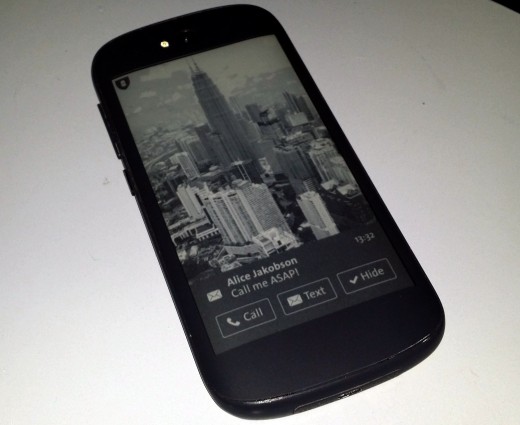
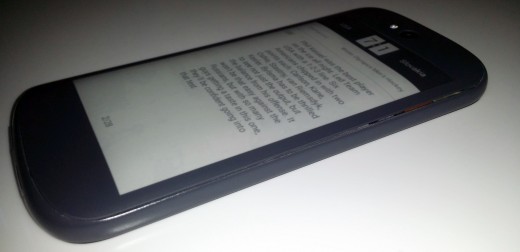
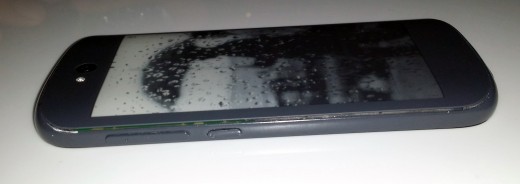
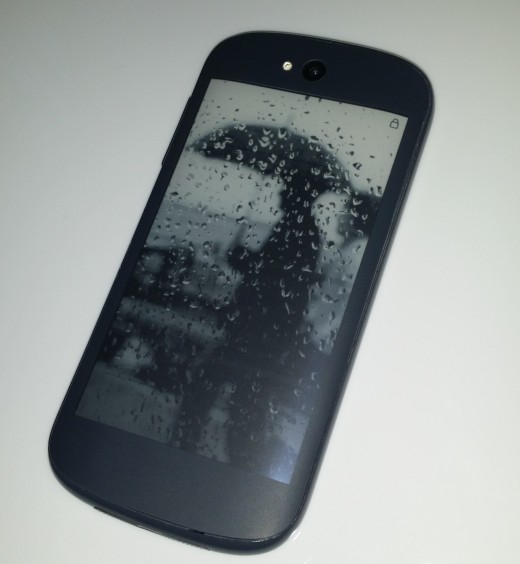
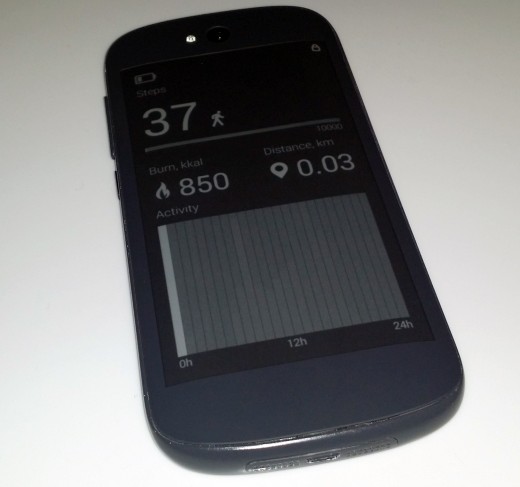
The most notable upgrade is the switch from using a 4.3-inch EPD (Electronic Paper Display) with a capacitive touch strip for controlling it to using a full touchscreen 4.7-inch version instead.

YotaPhone2 520x425 Hands on with the new dual screen, e ink equipped, Android powered YotaPhone
YotaPhone2 2 520x252 Hands on with the new dual screen, e ink equipped, Android powered YotaPhone
YotaPhone2 3 520x522 Hands on with the new dual screen, e ink equipped, Android powered YotaPhone
YotaPhone2 4 520x805 Hands on with the new dual screen, e ink equipped, Android powered YotaPhone
YotaPhone2 5 520x184 Hands on with the new dual screen, e ink equipped, Android powered YotaPhone
YotaPhone2 6 520x322 Hands on with the new dual screen, e ink equipped, Android powered YotaPhone
YotaPhone2 7 520x564 Hands on with the new dual screen, e ink equipped, Android powered YotaPhone
YotaPhone2 8 520x487 Hands on with the new dual screen, e ink equipped, Android powered YotaPhone

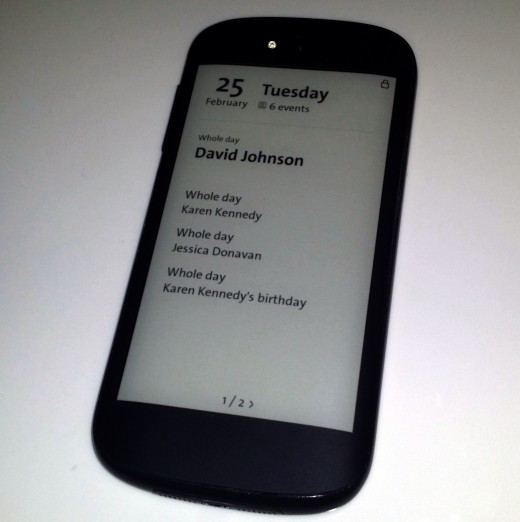
In practice, this make the phone a lot more useful. While the ability to access data, updates and all kinds of other information on the orignal device is a boon, it was a passive experience – you’d see a notification and then have to turn the phone over to respond. Now, you can respond directly from the back display in just one touch, should you so wish.

On the front of the phone, you’ll find a 5-inch  (1920 x 1080 pixels) HD OLED 442 PPI display which is bright and crisp, as you’d expect at that resolution.

Both the front and the back screens are noticeably more responsive than the first version too, particularly the back. That’s not to say it’s perfect, there’s still a slight delay in navigating through a list of tweets, for example, but it’s quicker than the original and, as with the first, we’d expect some refinements to optimize the software before it makes it to market.

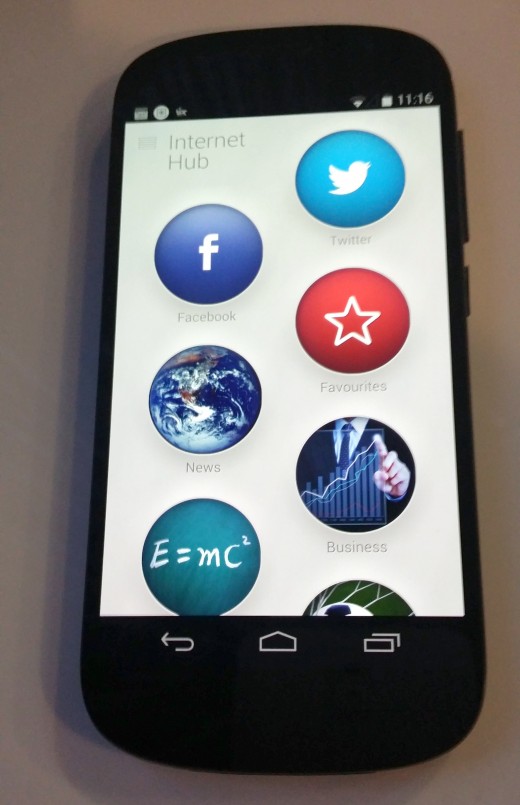
As with the first version, you’ll need to route your apps through Yota Devices’ InternetHub app to get social and RSS updates on the rear display.

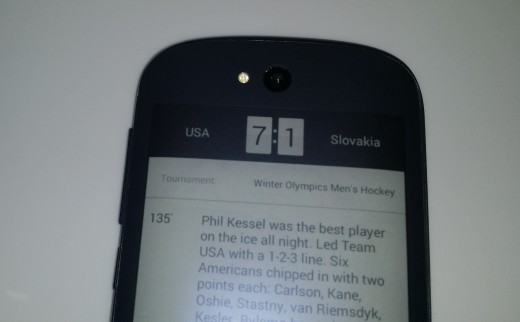
It’s a similar story for pretty much any app that you want to interact with on the EPD display – you’ll need to use the custom app – like getting sports updates, for example.

Nonetheless, you can still send other information to the back screen as a still image – and just like the original, you can set a default rear screen in case the battery dies. This can be pretty useful, like saving a portion of a map to the rear screen for use when the phone is dead and you’re not sure where you’re headed.

We can expect to see more custom-made apps for this rear screen too – Yota Devices will be holding a developer conference in March to spur devs to create more apps for the platform.

New for the next generation is a power saving mode that lets you use the EPD as the primary display for everything, thereby potentially providing you with far more running power than using the main screen. With only three devices in existence right now and only a few minutes to play around, we didn’t get a chance to test out the longevity.

First impressions of the next-gen?

The first time I met with YotaPhone, I was intrigued by the device but it ultimately felt like a concept gently being developed in order to find the best route to market and the best features for the intended audience. And it was, the company is open about that.

This time around, the phone looks and feels more like a device you’d expect to see sitting on store shelves, and ultimately more capable. That’s not to say that the hardware is completely finalized for the YotaPhone, there could be some small tweaks here and there, but it’ll mostly arrive as you see it here. And that’s a good thing.

Visit our MWC 2014 page for more coverage of the show

└ Tags: news, syndicated
  • Page 14,452 of 14,661
  • « First
  • «
  • 14,450
  • 14,451
  • 14,452
  • 14,453
  • 14,454
  • »
  • Last »
The Daily Dose, The Daily Dose © 1996 - Present. All Rights Reserved.
  • Home
  • About
  • Archive
  • Books
  • Collections
  • Links
  • Shop
  • Submit a joke
  • Video
  • Privacy Policy