The Daily Dose

laugh every day with cartoons jokes and humor
  • Home
  • About
    • Press
      • Press Release – Announcing Laughzilla the Third ebook
      • Press Release – The Daily Dose Kicks Off Its 16th Year with New Books and More Irreverent Laughter
      • Press Release – Themes Memes and Laser Beams Now Available in Paperback
      • Press Release – Announcing Themes Memes and Laser Beams
      • In The News
    • Privacy
  • Archive
  • Books
  • Shop
  • Collections
    • Galleries
      • Gallery
      • Captions
      • Flash Cartoons & Greeting Cards
        • Laughzilla’s Oska Flash Animation Cartoon Greeting Cards
        • Oska Cupid Love Humor
    • #OccupyWallStreet
    • cats
    • China
    • Food
      • Hors d’oeuvres
        • Ball of Cream Cheese
      • Entrees / Main Courses
        • Meatballs with Baked Beans and Celery
    • Gadaffy
    • Google
  • Links
  • Video
  • Submit a joke
DeviantART Facebook Twitter Flickr pinterest YouTube RSS

Subscribe for Free Laughs!


Latest Comics

  • This Memorial Day, Trump Meme Coin Congratulates Profit Takers
  • 25 Years of The Daily Dose
  • The Best Cartoons
  • Bitcoin sings “Fly Me To The Moon”
  • 22 years of The Daily Dose

Comic Archive

Political Filler Lite

Daily Dose News Roundup

  • Estonian energy storage firm Skeleton becomes unicorn with Siemens deal
  • Palantir CTO says the Pentagon has already replaced Anthropic’s AI
  • DeepSeek to lead seed round in $400mn robot AI start-up, Bloomberg reports
  • Turkey’s social media ban for under-15s starts on 1 November
  • Vittorio Colao defends copyright rules and the DSA in Europe’s AI debate

Quotable

"I never attempt to make money on the stock market. I buy on the assumption that they could close the market the next day and not reopen it for five years." ~ Warren Buffett

Fresh Baked Goods

Get The Daily Dose's ebook: Laughzilla the Third - A Funny Stuff Collection of 101 Cartoons from TheDailyDose. Click here to get the e-book on Amazon kdp. Laughzilla the Third (2012) The Third Volume in the Funny Stuff Cartoon Book Collection Available Now.

Click here for the Paperback edition


Support independent publishing: Buy The Daily Dose's book: Themes Memes and Laser Beams - A Funny Stuff Collection of 101 Cartoons by Laughzilla from TheDailyDose. Click here to get the book on Amazon. Themes Memes and Laser Beams - The Second Volume in the Funny Stuff Cartoon Book Collection.

Click Here to get the book in Paperback While Available on Amazon

Themes Memes and Laser Beams - 101 Cartoons by Laughzilla. Get the e-book on Lulu.

Click Here to get The Daily Dose Cartoon ebook on amazon kindle

Funny Stuff :
The First Cartoon Book
from The Daily Dose.
Available on Lulu.

a couple of laughzillas on a blue diamond background

Amazon Echo is now available to buy without an invitation in the US

Jun23
by Sindy Cator on June 23, 2015 at 1:08 pm
Posted In: Around the Web, Gadgets

Screen Shot 2015-06-23 at 14.16.24

Amazon has announced that its connected speaker, the Amazon Echo, is now available to all its customers in the US, not just ones with an invite.

The company launched the voice-controlled device at the end of last year with Amazon Music, Prime Music, iHeartRadio and TuneIn integrations.

It has since added support for Pandora, Audible and home automation gadgets including WeMo and Philips Hue, IFTTT and Google Calendar.

Echo can also offer up traffic information, sports scores and schedules. It’s powered by software that Amazon has dubbed Alexa, its rival to Cortana and Siri.

Previously Echo was only available by invitation. Now it’s available for $179.99 and will start shipping from July 14.

➤ Echo [Amazon]

Read next: Amazon Echo can now turn appliances on and off thanks to WeMo and Hue integrations

└ Tags: syndicated
a couple of laughzillas on a blue diamond background

The future of UX design

Jun23
by Sindy Cator on June 23, 2015 at 1:04 pm
Posted In: Around the Web, Design & Dev, Insider, UXdesign

webdesign

This post was brought to you by Adobe and Creative Cloud, building apps that help you design websites and mobile apps faster.

User experience design is often thought of as a new or emerging concept in Web design and app design. However, it has been around long before it was ever given the name “user experience.”

While the birth of the Internet didn’t focus at all on user experience or even design for that matter, as the Internet matured and as applications for different technologies emerged, we collectively learned how to make things better and defined how we should interact with websites and applications alike.

As more designers and developers start designing websites and applications that focus more on the experience users have, more information on how to improve user experience have emerged and more designers are able to watch closely how their design decisions impact the users who will be using these sites and apps.

uxx

We are starting to move more into the why’s and how’s of user experience as we figure out that user experience plays an even more important role in the way we design websites and applications for a variety of different types of users.

We take extra time to analyze how users navigate through our sites, how they go through the purchasing of something on their computer or desktop, and how they use our applications for work or play.

The future of user experience design will help move us more toward refining the body of knowledge that is user experience design as we start experimenting with different interactions and interfaces, watching and studying how users use our sites and apps, and improving on the skills of which we’ve been working on for many years.

The field of user experience is rapidly growing as the demand is rapidly increasing

Designers and companies alike are understanding how important design is to the success of their site, app, product, etc. With great design, designers and companies are also understanding that in order for great design to work and to achieve their overall goals, users have to have a pleasant experience.

The field of user experience has exploded in recent years, however, so has demand for skilled user experience designers and developers. This growth trend won’t likely go away as companies and their competitors realize that user experience could be a make-or-break issue for the success of their products and services.

Companies are looking for designers skilled in user experience to help them better their sites and applications and win over users and customers.

uxmatters-beijing

The future of UX design will lead to more skilled designers who only focus on user experience, and companies who understand the importance and are willing to hire skilled designers to help them achieve that.

User experience design will be the product itself

With user experience design being experimented with and refined on most sites and applications, as this starts to become perfected the UX design itself will likely turn into its own product.

We are forced not only to refine and perfect certain interactions (i.e. checkout process, application signup, etc.), but we are being forced to look at all the interactions as a whole.

It’s no longer good enough to have a great checkout process; it’s important that the user experience is perfected from moment a user clicks to your site all the way to when they complete an order, and it is just as important as the product that they purchased.

In order to achieve this, every person on the project has to be on board. There is no longer a “handoff” of design to a development team to implement then to launch. User experience design now and in the future will start from the moment a project is started, all the way through launch, and even after launch with testing and refining.

This requires everyone on the project to be conscious of user experience and work toward the same goals.

blinkux

With a perfected user experience for a website or application, the focus turns to how easy their site or app is to use, giving them the edge against their competitors. For most users, choosing between one app over another that do the same thing, they often stick with the one that is the easiest to use and gives them the most pleasant experience.

Tiny details are no longer overlooked

When designers start looking at the user experience of their site or application, they often look at the broad scope of the site, or how a visitor will take a series of steps to achieve what they seek out to do.

UX design will start to move more toward watching the details and designing them so every detail of the user experience has been scrutinized and perfected.

For example, while attention is often put on how many screens or clicks a customer will go through to place an order on a website and try to limit how many clicks they make, in the near future attention will shift toward making each screen and each click perfect so that the user experience feels more natural.

Looking for small details that can be refined and perfected can often mean the difference between a customer buying from our website compared to a competitor. Users of our sites and apps expect more from us, so when we refine the small details, our users notice them and in turn makes their user experience more pleasant.

Computer Hackers Meet For Annual Congress

User experience creates designs that will last

The future of user experience will force designers to create designs and systems that will last simply because they are designed with the user in mind and have been refined to the point of perfection.

With so many resources and manpower behind launching a website or application with user experience being a focal point, these sites and apps are launched with user experience already accounted for throughout the entire process.

When there are no lapse or major issues with user experience, then the designs that were created and developed no longer start to age as quickly as they have in the past.

Putting in the investment and time in the early stages of a new product where it comes to user experience often pays off in the long run because companies aren’t launching sites or apps that are terrible to use and annoy users and having to redo these sites and apps so frequently.

Anticipating the needs of users

User experience design is starting to move toward more of an overall experience than just the experience on a site or app. Companies who spend a lot of time and money to make sure their customers are happy in their stores, for example, are now focusing on how to make their sites and apps work the same away and bridge the two together.

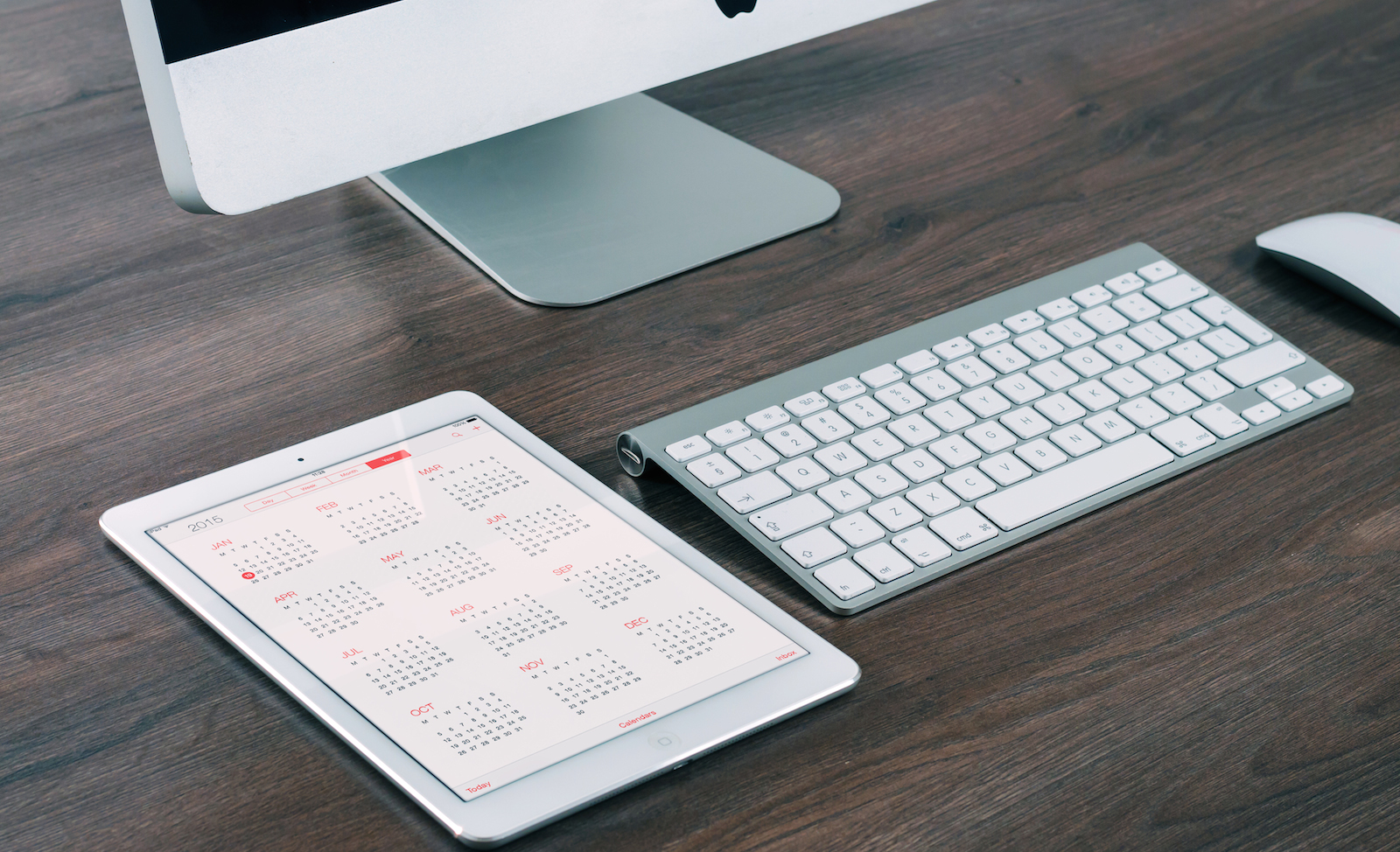
In the future of user experience design, users will often be served exactly what they need when they need it. For instance, a reading app designed to hold your place and pick up where you left off no matter which device you were reading on last. Users won’t have to hunt for where they stopped reading on their phones to start reading again on their iPads.

computer desk ipad calendar

With websites and applications that can help users make decisions, do their work better, shop smarter, etc., the user experience becomes more whole and complete, allowing for the design of the site or app to endure changes for users before the need is anticipated.

Conclusion

The future of user experience is growing rapidly and remains strong as designers, developers, and those who hire them realize that user experience is becoming just as important as the product or service in which they are promoting.

User experience and its body of knowledge as a whole is being refined and redefined as we learn what works and doesn’t work and how to overall best serve the users in which we design for.

Read Next: The changing face of animation & interaction design

Image credit: Shutterstock

└ Tags: syndicated
a couple of laughzillas on a blue diamond background

Todoist for Android gets a huge Material Design update

Jun23
by Sindy Cator on June 23, 2015 at 1:00 pm
Posted In: Apps, Around the Web, Insider

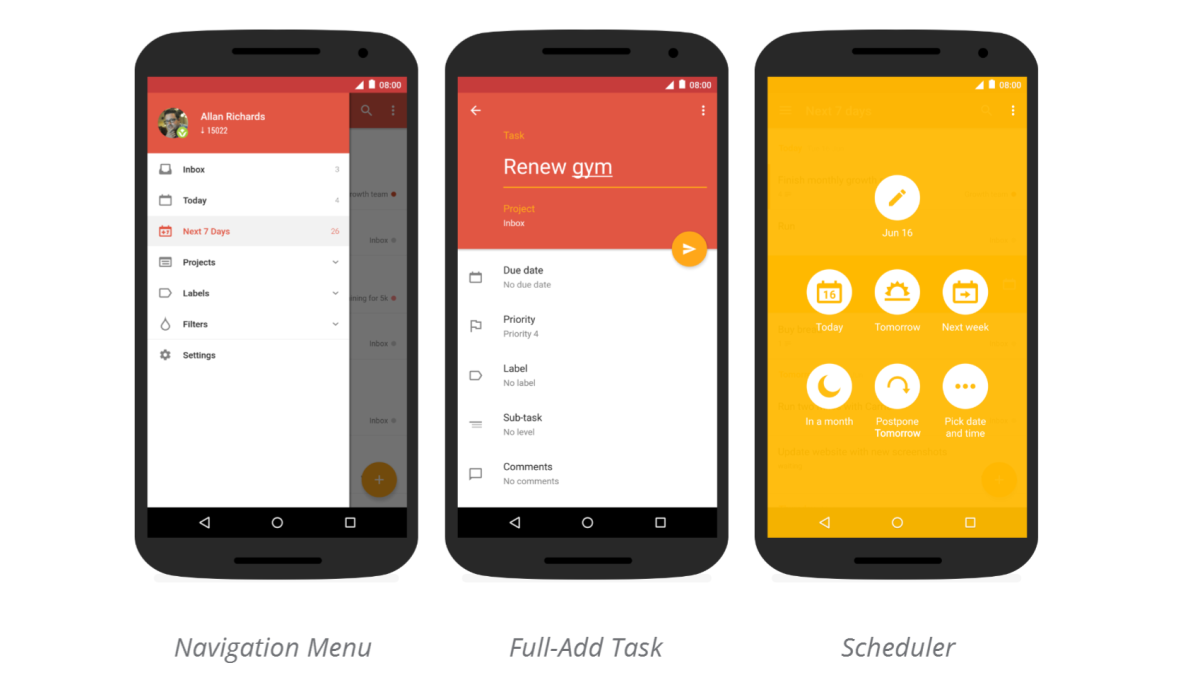
Todoist Android

Back in March, task-management app Todoist for iOS received its largest update ever, making it it easier to use, more functional and a lot prettier to look at, too. Now, it’s Android‘s turn.

The most obvious change in the new Todoist for Android is its Material Design makeover. Gone is the old drab utilitarian look in favor of Google’s colorful new design ethos – and you even get 10 new color themes to choose from.

Todoist Android 2

Aesthetics aside, Todoist says the redesign has involved rewriting most of its app’s UI to incorporate the latest code to make sure it works smoothly.

There are a lot of new features as well, some of them introduced with the aforementioned iOS update.

Todoist can now parse dates from natural language, meaning you can type in something like “go for a walk every morning at 8 AM” into the task field, and the app will automatically add all the relevant details to a new task. You can also now add start and end dates for recurring events, useful if you only need to do them for a limited amount of time.

Todoist

Todoist is also making it easier to organize new tasks into subtasks. When you’re in quick-add mode, you just need to swipe left or right to convert a new task into a subtask and control a project’s hierarchy.

You can now add collaborators right from the new project screen (instead of adding a task first and then clicking on the share button), while new gestures on the task view screen allow you to swipe left to schedule an item or swipe right to to mark it as complete.

It’s a neat update – all the smooth animations you’d expect from Material Design are in tow, and the improved task management features make it both more powerful and easier to use.

The changes are rolling out to Android users via the Google Play Store today.

➤ Todoist [Android]

└ Tags: syndicated
a couple of laughzillas on a blue diamond background

The changing face of animation & interaction design

Jun23
by Sindy Cator on June 23, 2015 at 12:22 pm
Posted In: Around the Web, design, Design & Dev, interaction design

designer designing

The uses and capabilities of animation in Web design are changing every day. With the quickening development of technology, animation is less of a visual luxury and more of a functional requirement that users expect.

Before we delve into the specifics, let’s talk about the two main ways to think about animation as it relates to interaction design:

In a tiny format where almost invisible interactions requires little input or help from the user. These minor interactions and formats include design elements such as spinners, loading bars, counters or hover tools.

Screen Shot 2015-06-23 at 09.50.07

Photo credit: Dunckelfeld

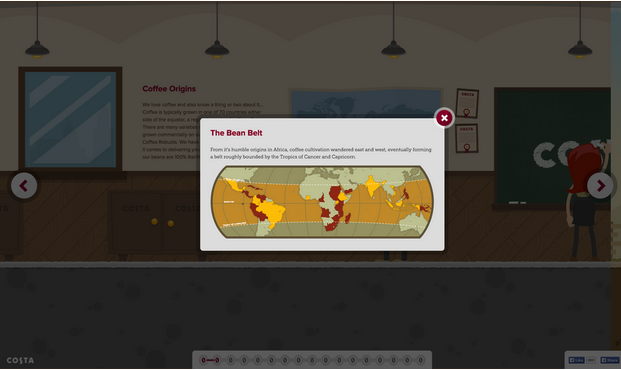
As a primary interaction tool essential to the function of the website. Primary functions include interacting with a call to action or watching a video on the screen, while primary interactions refer to scroll-activated animations (like parallax scroll), notifications or bringing attention to content, providing user information or direction for how to use a site.

Screen Shot 2015-06-23 at 09.50.54

Photo credit: Costa Coffee

With that distinction in mind, let’s examine the nine modern uses for animation in Web design, the best way to approach each, and some current examples.

1. Galleries and slideshows

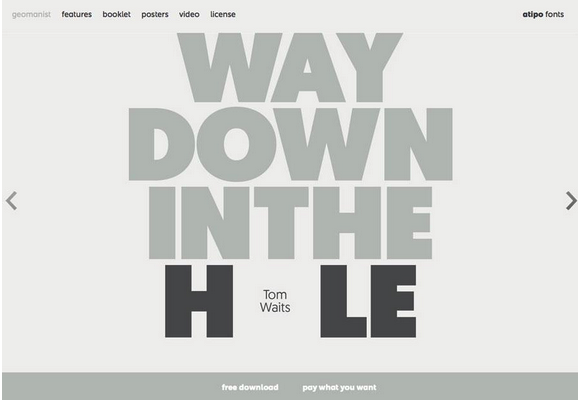
One of the most common uses for animation is commonly done incorrectly. The trick is in how fast (or slow) images load and how they move on the screen. Motion within galleries and slideshows should feel realistic and function in a way that mimics flipping through a photo album. This link between reality and digital “reality” establishes a logical connection for users.

It is important to note, however, that you don’t need to represent the gallery in a photorealistic fashion (skeuomorphism) – it just needs to function realistically.

Screen Shot 2015-06-23 at 09.51.32

Photo credit: http://geomanist.com/

2. Form fields or calls to action

Animation can make forms easier to fill out and show users how to properly complete the desired action, whether highlighting field-by-field or marking fields as complete. Since forms are specifically designed for user interaction, animation fits in perfectly.

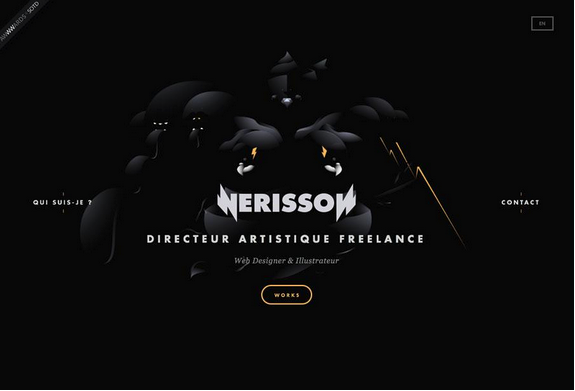
Nerisson uses a simple color animation on the “Works” button to entice users to click. The design combines the ghost button trend and animation (also note the animated background) for a layered interactive effect in a simple package.

Screen Shot 2015-06-23 at 09.52.06

Photo credit: http://www.nerisson.fr/

3. Navigation and menus

While hamburger animation might be the trendy option here, there are plenty of other ways that animation complements navigation. From sliding options to sticky nav bars, animated effects serve as a valuable user map on a website.

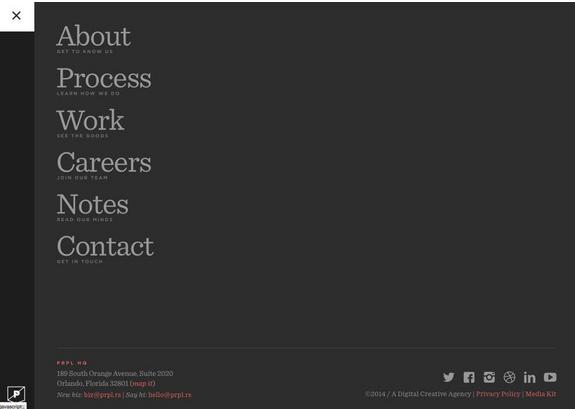
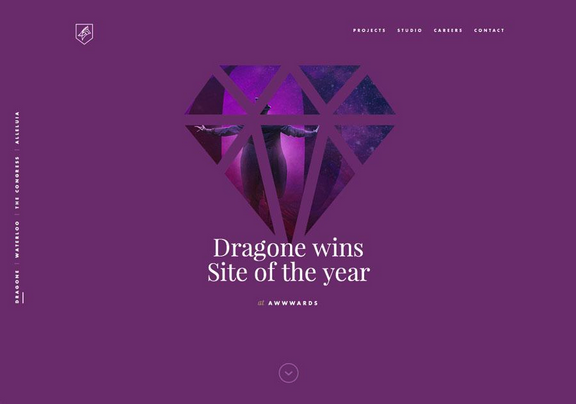
Purple Rock Scissors uses simple animations throughout the site, beginning with a nice loading effect, but the navigation might be their best example. The “bouncy” hamburger icon expands to a full-page navigation menu with links featuring colored hover states. Every element is designed to engage the user and capture his or her attention; animation further explains how to use the site and access content.

Screen Shot 2015-06-23 at 09.52.41

Photo credit: http://purplerockscissors.com/

4. Page motion

While this might be one of the trickiest types of animation to work with, simple page motions are an effective way to make content more stimulating

From AJAX loading options to simple shakes or cartoons, full-page motion is certainly a captivating effect. Be warned: too many loading items can bog down a site and cause it to render slowly, so test and plan accordingly.

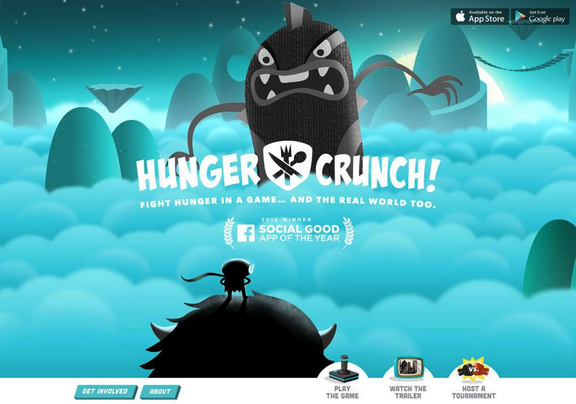
Every movement of the mouse makes the image for Hunger Crunch shift on the screen. The movements mirror user actions and while they can be somewhat jarring, the animation creates distinct interest. This effect can be very difficult to replicate, but works well for a lighthearted site like this one.

Screen Shot 2015-06-23 at 09.53.21

Photo credit: http://www.hungercrunch.com/

5. Backgrounds

Typically restricted to aesthetics, an animated background can bring attention and focus to a site, creating a strong first impression to help attract new users.

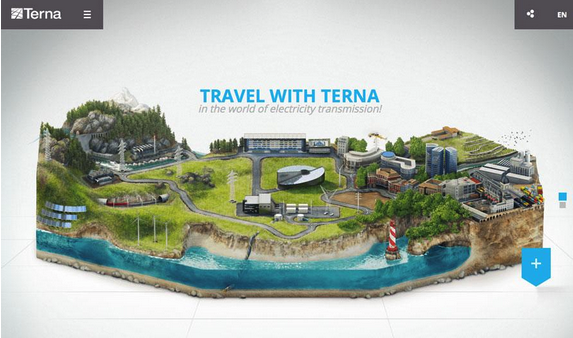
The background for the Terna site is in constant motion. Users can watch the on-screen urban bustle for an extended period of time, which is what makes the animated background special – it demands to be looked at.

Screen Shot 2015-06-23 at 09.54.30

Photo credit: http://trasmissione-energia.terna.it/

The trick to all animated effects is simplicity. Too many animated effects feel jarring and distracting for users. The best animated design techniques provide simple direction (or entertainment) without requiring the user to think about the animation itself.

6. Loading

As we described in the free Curated Collection of Web Design Techniques: Interactions & Animations, loading animations are some of the most popular “unseen” elements on the web. We call these unseen elements because no user actions are required to trigger the animation.

Screen Shot 2015-06-23 at 09.55.14

Photo credit: http://www.dogstudio.be/

Loading animations are entertaining and provide a sophisticated feel for an otherwise simple website, making them a popular option for designers using flat design or minimalist styles or for sites that offer relatively simple content, such portfolios and one-page sites.

To make the best of a loading animation, keep it simple. Don’t overwhelm the effect with other elements such as sound or “flashy” techniques. The animation should match the design outline of the site – if the site is minimal, the animation should be as well.

Screen Shot 2015-06-23 at 09.55.51

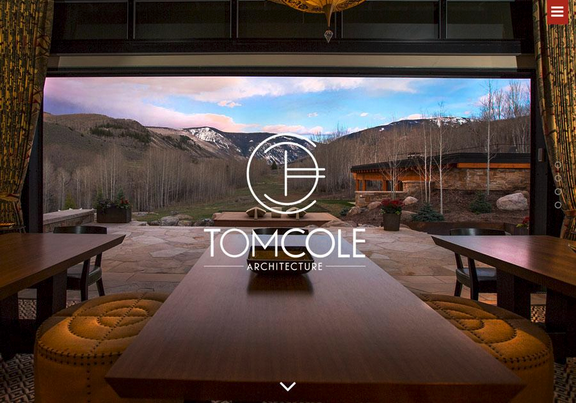
Photo credit: http://tomcolearchitect.com/

Tom Cole Architecture has a classic and beautiful feel to the site. The logo text loads as a smooth and beautiful animation – just once, not on a loop – that embodies the trend and mirrors the feel of the brand. The site also includes a hamburger menu with a smooth, animated navigation bar. The effects are simple and elegant.

7. Scroll Animation

When it comes to designing one-page websites, scrolling animation is one of the most effective design tools. The effect allows a website to go on for an unlimited number of “pages” (or scrolls) in a single-page format. What’s especially nice about this style of animation is that it works with and at the pace of the user.

Screen Shot 2015-06-23 at 09.56.26

Photo credit: http://fillet.com.br/

Screen Shot 2015-06-23 at 09.56.58

Photo credit: http://www.kaipoche.co/

The animated scrolling method mimics the browsing aspect of traditional print mediums, and accomplishes three main functions, according to Interaction Design Best Practices:

  1. Orients the user with how much content is on the site and where they are in relation to the rest of it.
  2. Opens up opportunities to browse and discover new content that page-to-page layouts sometimes lack.
  3. Smooths jarring transitions from page-to-page.

Scrolling is also a tool in activating on-screen elements. While this can refer to the addition of content in a one-page environment, it also applies to how other objects on the screen behave. For example, scrolling can activate elements within an infographic, tell a story or play a game.

Screen Shot 2015-06-23 at 09.57.27

Photo credit: http://www.bizbrain.org/coffee/

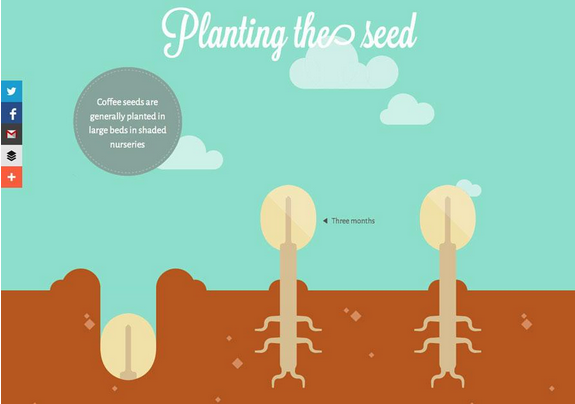
Where Does Coffee Come From? is a scroll-activated infographic filled with other touches of animation.

Moreover, the clouds move across the screen in an auto-loading animation while scrolling helps the hand on the left side of the screen drop and plant the coffee bean. Subsequent pages are equally entertaining with the mix of loading and scroll-based animations.

What makes them work together is subtlety and purposefulness. Users barely notice the background animations on their own, while scrolling engages the user by controlling the pace of the story.

8. Hover

Animations can indicate change as well. As described in Web UI Patterns, the hover state is actually one of the most popular subtle animation patterns to show change in an interface object. A button or image may appear one way when the website loads, but will look another way when the user interacts with it, such as sliding the mouse over the element.

This subtle change helps users better understand how to use a website by revealing related actions without needing to occupy additional space.

Screen Shot 2015-06-23 at 09.58.09

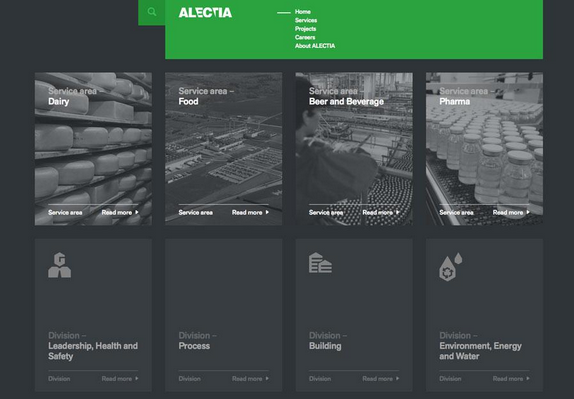
Photo credit: http://www.alectia.com/en/

As you can see above, Alectia uses very simple animations as the user hovers over any block, with a simple visual that encourages a click on that content section. In this case, the animation only improves the interaction design since no additional content is revealed.

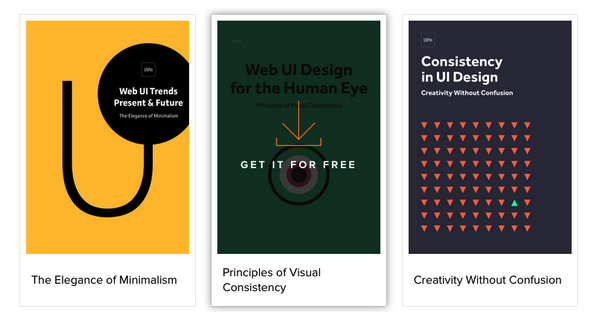
On our own website, the Design Library uses hover animations as calls to action to download our free ebooks. The treatment provides a nice aesthetic effect while saving space to preserve the clean cards layout.

Screen Shot 2015-06-23 at 09.58.43

9. Animated photography

This last use is a glimpse into the future – the use of animated photography is still young, but is growing in popularity.

Designers can animate still images and combinations of images, shapes and text to create a more immersive experience. As the flat design trend continues to morph with more touches of realism, photo animation will increase in popularity.

Screen Shot 2015-06-23 at 09.59.31

Photo credit: http://lookbook.bolia.com/chilling/

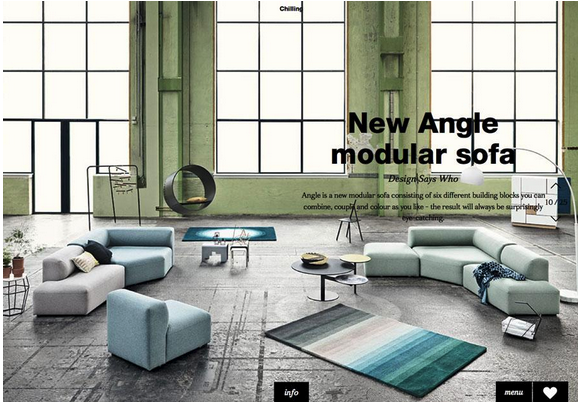
Bolia uses simple still photographs with parallax scrolling animation to create an experience that introduces users to their furniture. The mix of full-screen images, scroll effects and product placement combine for a user experience that does not push a the product on a user but makes him or her want the items in the images.

Screen Shot 2015-06-23 at 10.00.09

Photo credit: http://www.sa-studio.fr/

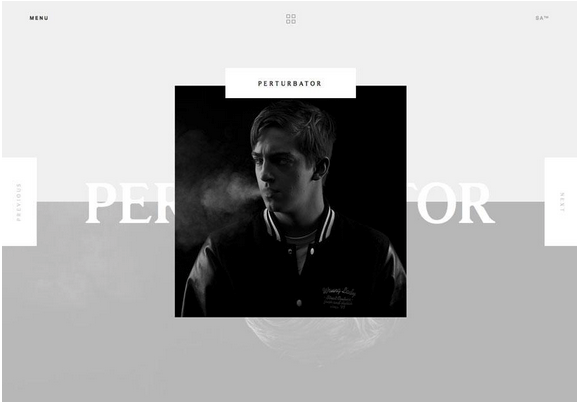
The site for Suspended Animations mixes multiple animated effects, photography and scrolling in a refreshingly modern yet classic manner. As the company name suggests, each image is suspended on the screen as animated effects are added; the user is introduced to the staff and learns more about the company as a whole.

Conclusion

Animation is not just fun and games.

Despite its inherent connection to childish cartoon, in the Web design industry it’s an effective tool that serves several important roles. A good designer recognizes that animation can be a powerful problem solver… but that doesn’t mean it can’t still be fun at the same time.

To learn how to master the art of modern interaction design, check out the free ebook The Curated Collection of Design Techniques: Animations & Interactions. The book teaches with 42 examples of some of the best web interactive designs and includes a hand-curated list of 20 helpful tools to get started.

Read Next: 7 pillars of minimalist Web design

Image credit: Shutterstock

└ Tags: animation, syndicated
a couple of laughzillas on a blue diamond background

Who will be the next president? Google says it’s Hillary Clinton

Jun23
by Sindy Cator on June 23, 2015 at 11:32 am
Posted In: Around the Web, Google, Insider, Shareables

Screen Shot 2015-06-23 at 12.15.08

We’ve seen oddly partisan answers on Google before (remember its answer to “What killed the dinosaurs?”), but this one will really rile up the Republicans.

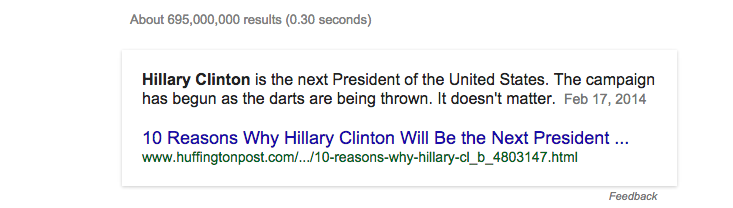
Ask Google “Who’ll be the next president?” and you’ll be given this reply:

Screen Shot 2015-06-23 at 12.06.02

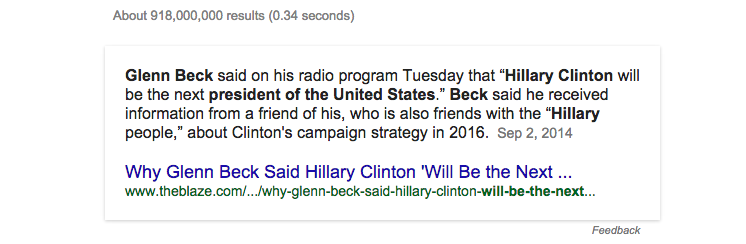
Try again with “Who will be the next president?” and you’ll get the same answer, supported by a quote from Glenn Beck of all people:

Screen Shot 2015-06-23 at 12.18.53

It’s not the result of dirty tricks by Hillary’s campaign, but due to Google offering up a card that draws on a paragraph from this Huffington Post article giving reasons why it thinks she should be president.

I don’t expect Google to leave things this way for too long, but then the flub about dinosaurs stuck around for ages.

Read next: Why is Google giving a creationist answer to a question about dinosaurs?

Image credit: Hillary Clinton

└ Tags: hillary clinton, president, syndicated
  • Page 10,758 of 14,673
  • « First
  • «
  • 10,756
  • 10,757
  • 10,758
  • 10,759
  • 10,760
  • »
  • Last »
The Daily Dose, The Daily Dose © 1996 - Present. All Rights Reserved.
  • Home
  • About
  • Archive
  • Books
  • Collections
  • Links
  • Shop
  • Submit a joke
  • Video
  • Privacy Policy