



A guide to getting everlasting traffic with keyword research
Here are the steps to take
1. Start with assumptions
Make a list of as many grammatical variations as possible about the core things your product does/offers/solves.
(eg. black tailored suits, affordable tailored suits, tailored suits are better, luxury tailored suits, tailored suits for events, tailored suits for rent, buy tailored suits online….)
If you are having trouble feeling inspired, sometimes the WebCorpLSE tool works (but it is a little limited). It is a database of online language that allows you to see the most common phrases that people use around a word.
In the filters on the side, you can choose how many surrounding words are visible (more gives you more context, but less gives you focused keywords):
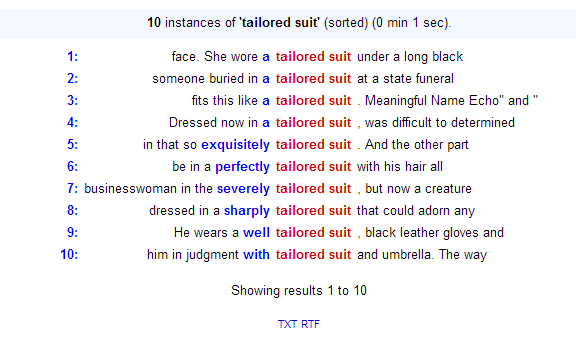
What I learn from this is that “tailored suits” are often accompanied by luxury words such as “exquisite.” This indicates the section of society I should look to and the style of copy I should use. Also, black accessories are mentioned twice. I may need to consider black as an important color on my website.
Pro tip: if you feel overwhelmed, start with 10, run them through the process, and then return and try the next 10.
2. Google search
Scroll to the bottom and check out what the suggested phrases are; list the most likely (eliminate question words like “what is…”)
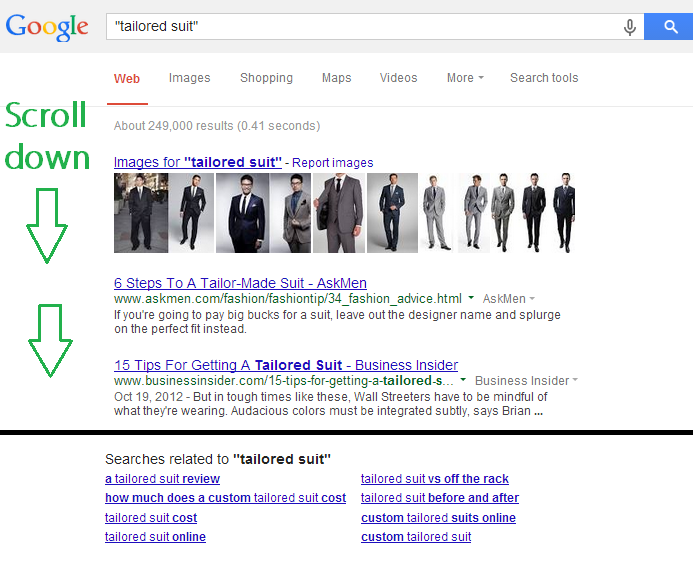
Also, it can be useful to see what Google predicts you are typing – this indicates how someone would find what you are trying to offer them. Make a note of relevant suggestions.
If you have doubts about Google’s trustworthiness, try an alternative search such as a forum or Bing. I decided to use a personal favorite (Quora) just out of curiosity:
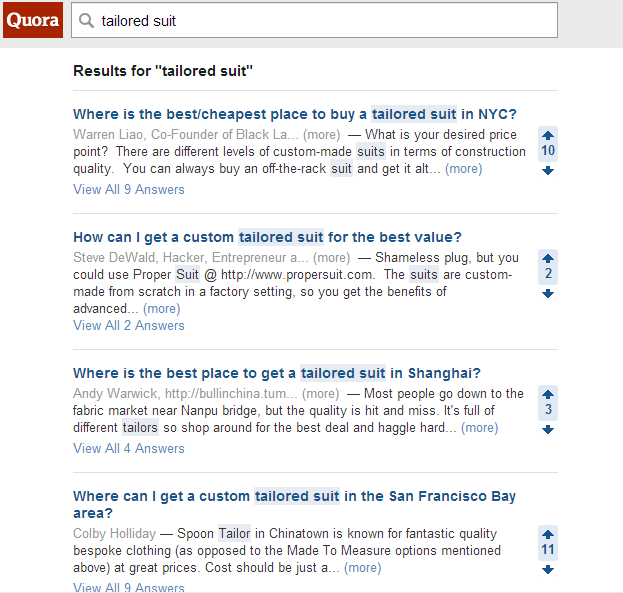
So far, just from the first step, we have learned that there is interest in a) the cost of tailored suits, b) people want to get them online, c) they want to know if tailored suits are really worth it and d) there is a strong interest in the USA and China.
This is fantastic! You can help answer those questions and solve those pains. Before you get over-excited though, put these bits of data to the test through the rest of the steps.
3. Run them through Google keyword planner
The Google keyword planner is made for Google Adwords, rather than organic searches. However, it is one of the most common industry search tools to indicate the popularity of search terms in general.
Go to Google AdWords – tools – keyword planner. Choose the first search options, type in “tailored suits,” hit enter and then choose the tab “keyword ideas.”
Let’s compare a general search to a search based on some of the information we have gleaned from step 2:
Unfiltered search (ie. default search settings):
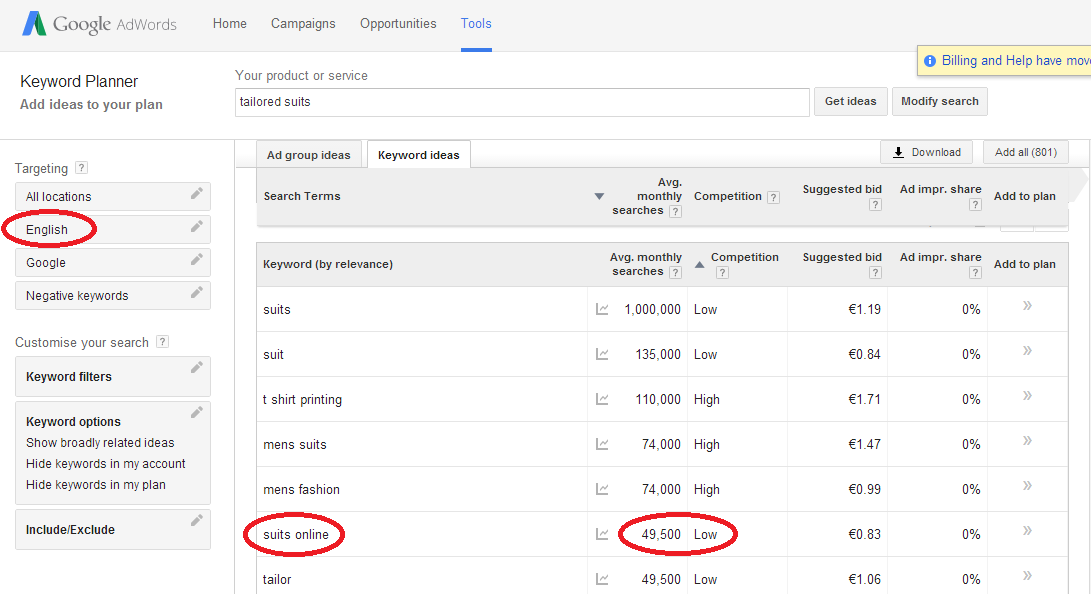
…and with filters?
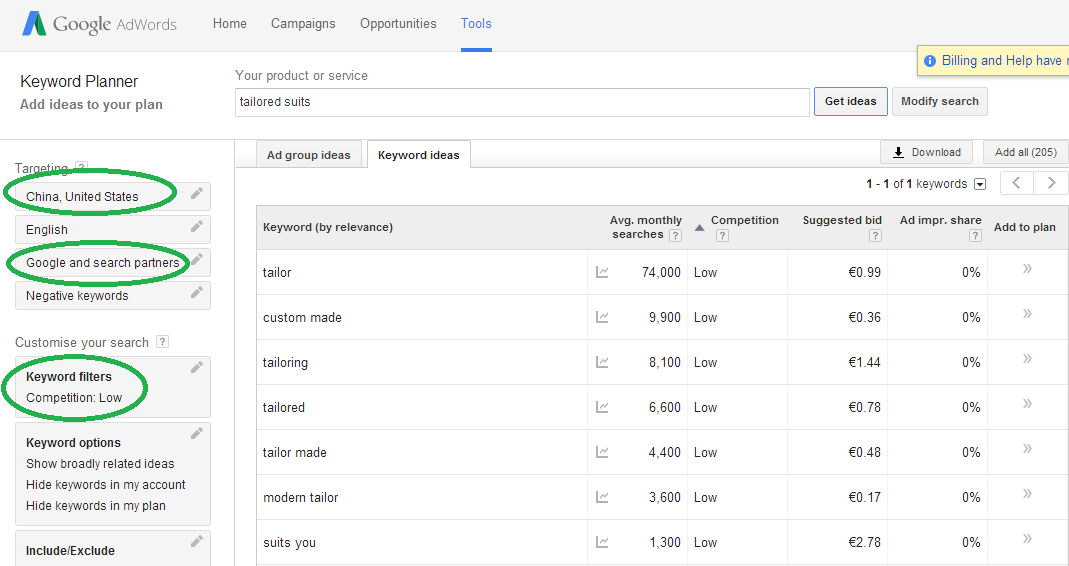
Interesting! It seems that “custom made” and “tailor made” are candidates.
That’s not to say that the general results are not useful – it depends if you think your service needs to be geographically limited or not. But the filters make a huge difference in the keywords you can end up targeting.
4. Run them through Moz keyword difficulty tool
Take advantage of the 30-day free trial if you are not sure about signing up. Moz has great research tools, with my favorite being the “keyword difficulty” tool.
The first column is the “keyword difficulty” rating. Aim for < 50 percent difficulty (but preferably < 25 percent). Beyond that it is difficult to impossible to expect rank for that keyword.
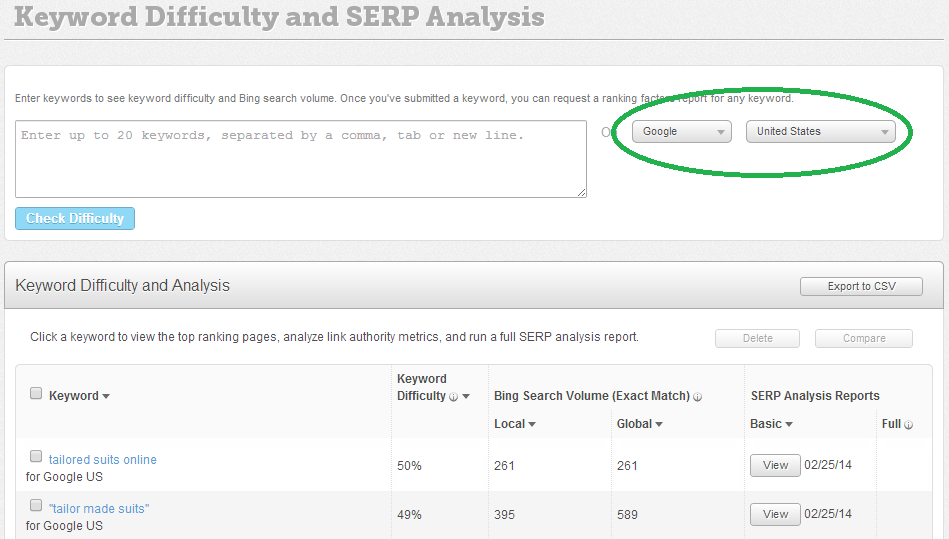
Note that in the filters you can choose between different countries and Google, Yahoo and Bing search engines. If you happen to know what search engine your users use most, great! If not, Google is the most common.
5. Export the data
You can export the Google keyword planner results and Moz results to .csv and start eliminating keywords that just don’t fit your product (keyword research does tend to get out of hand at times).
6. Cross-check which keywords fit the criteria of Google’s low competition
Select words that have high monthly searches and low Moz difficulty.
7. Create a shortlist of keywords.
Search each keyword and mark the wikipedia URL closest to the keyword.
Why? Wikipedia results rank top of Google search results more often than not. You’ll be looking for what the Wikipedia pages are ranking for, and if you can fine-tune your shortlist.
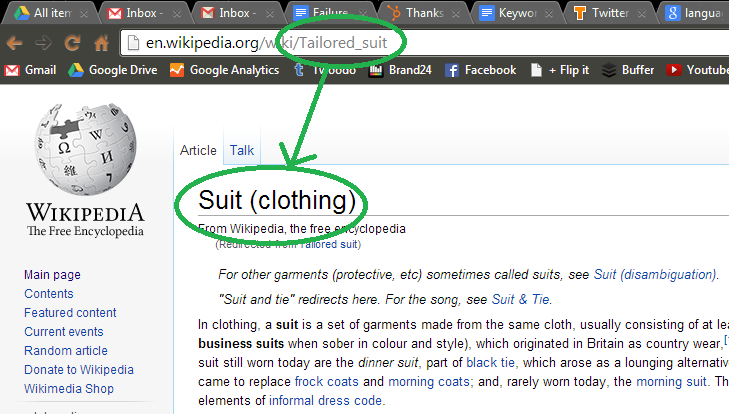
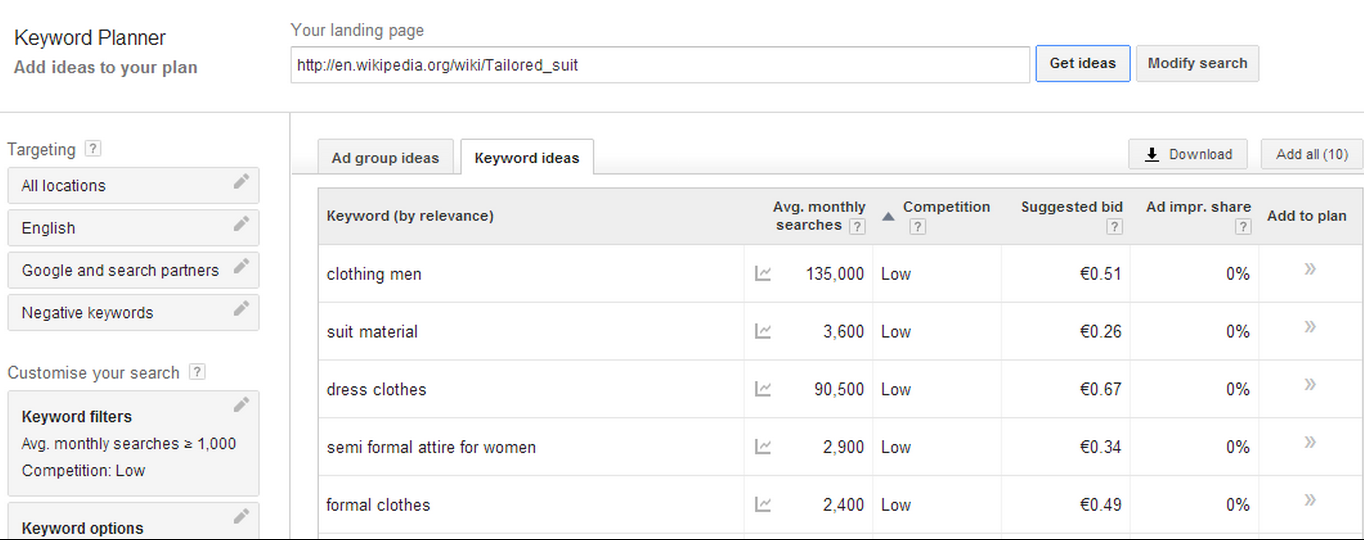
9. Run the URL of wikipedia page through Google keyword planner and see what it ranks for.

…and you should get something like this (after applying filters – mine were >1000 and low):
10. Test these keywords in Moz – and make your final list
Run them through Moz and find out their difficulty rating, just as in step 4. Take anything with less than 50 percent difficulty.
What now?
Now, hopefully you have a massive database of information about a) the social and cultural status of your ideal customer, b) the language they use, c) the locations where your company may be more/less successful and d) what parts of the market are saturated.
You now have key information to support the website design, the copy style and a content marketing strategy.
You can use these keywords to find influencers, find trending stories, or find followers for your social accounts. 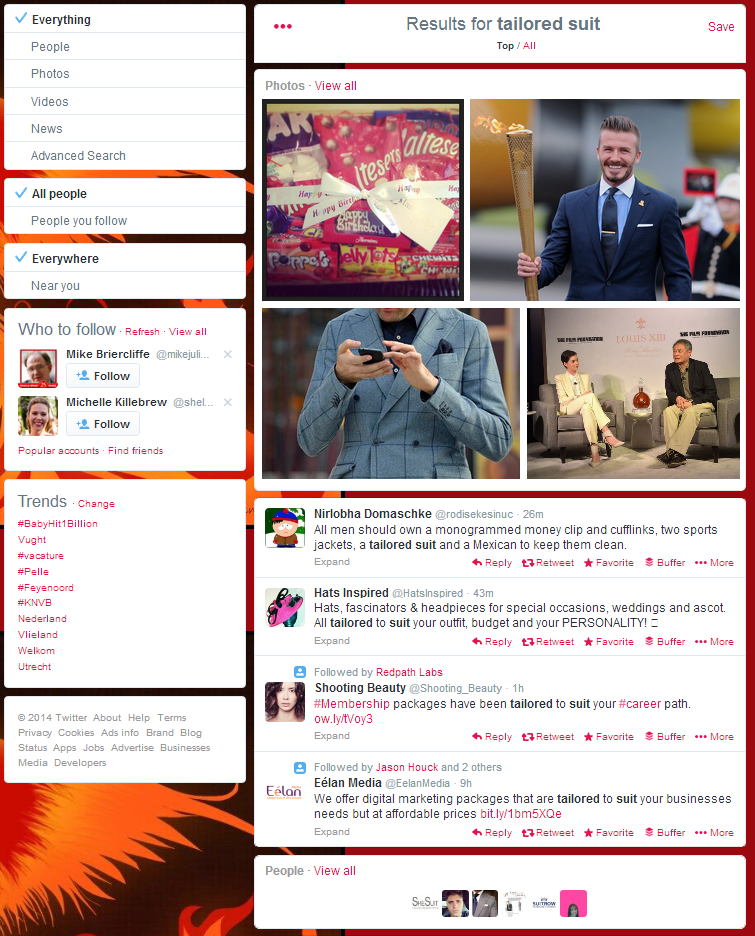
Oh, and you’re ready and set to go with the next part of what the keyword research is the base of: building backlinks to increase rankings and improve SEO.