



How to make your posts stand out on the Web: The complete guide to social media formatting
Feb27
on February 27, 2014
at 5:05 pm
Stand out on Pinterest
For Pinterest, we’ll focus on image size and type to help your pins stand out.
Employ rich pins
If you haven’t already, be sure to explore rich pins, a way of adding additional, useful info to pins. Types include:
- Article pins, which include the headline, author, story description and link
- Product pins, which include real-time pricing, availability and where to buy
- Recipe pins, which include ingredients, cooking times and serving info
- Movie pins, which include ratings, cast members and reviews
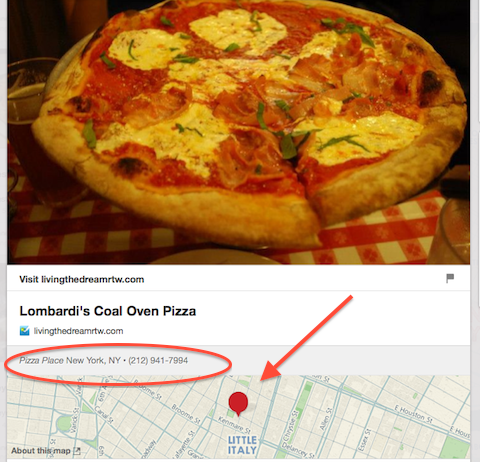
- Place pins, which include an address, phone number and map
Use taller images for more repins
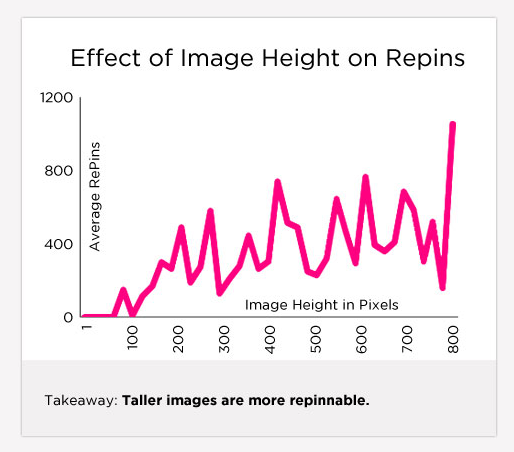
Social media scientist Dan Zarrella researched what works best on Pinterest and found that the taller an image is, the more likely it is to be repinned:
Try animated GIFs
It hasn’t been too long ago that Pinterest added animated GIFs as a new option, so there’s still time to stand out with these – as this attention-grabbing image shows.

Next: Make your blog post stand out