



How to make your posts stand out on the Web: The complete guide to social media formatting
Stand out on LinkedIn
LinkedIn provides multiple posting opportunities, including from a personal page and from a company page. We’ll touch on both with a few stand-out tips.
Post often
This first step might seem a bit obvious, but many people still think of LinkedIn as a place to keep up your professional resume when in fact frequent sharing can make a big difference.
According to LinkedIn research, users who share articles or content with their LinkedIn network at least once a week are nearly 10 times more likely to be contacted by a recruiter for new opportunities than people who don’t share with their network.
Share links and photos
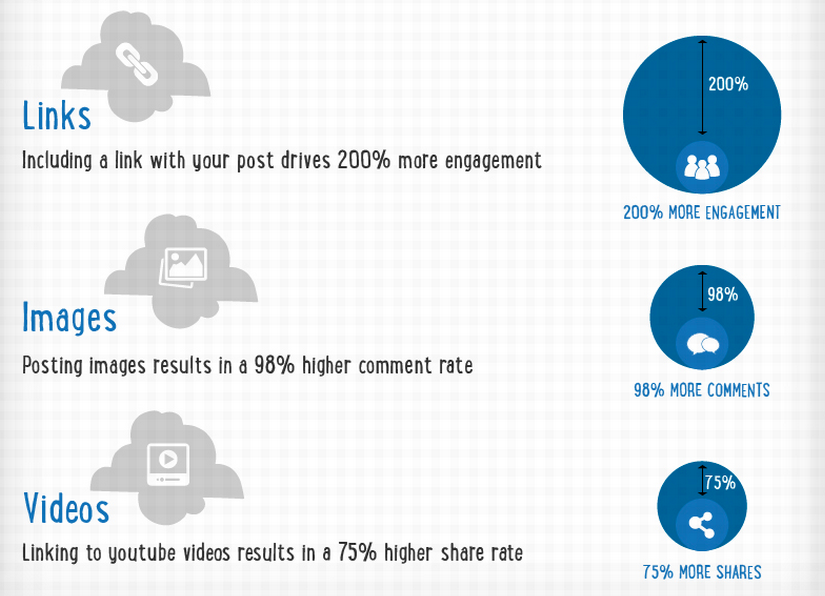
Here’s what types of content stand out most when it comes to LinkedIn posts.
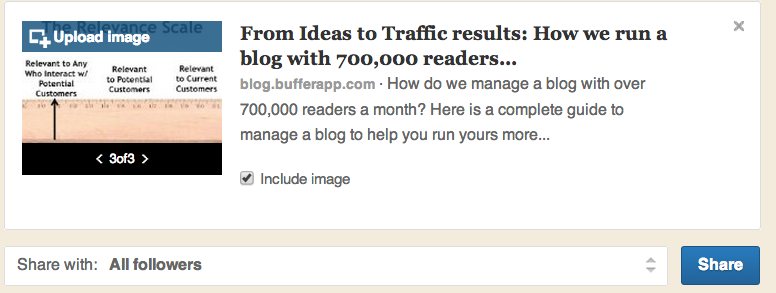
As with Facebook, aspect ratio is important when posting a photo to LinkedIn. Photos within a post will be resized to 180 x 110, so start with that width to height aspect in order to make sure your image looks its best.
And much like Facebook, most fields of a post are customizable, so make them network-specific and catchy!

Company posts also have an additional option to upload a custom photo different that one of the options LinkedIn automatically pulls in.
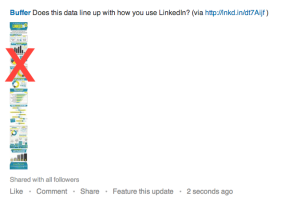
LinkedIn works well with most photos, but be careful when posting long visuals like infographics. Often it can be better for readability to take a screenshot of a portion for your update instead of posting the whole thing.

Max out company page visual real estate
For a LinkedIn company page, there are a lot of opportunities for great visuals. Here are the dimensions to know:
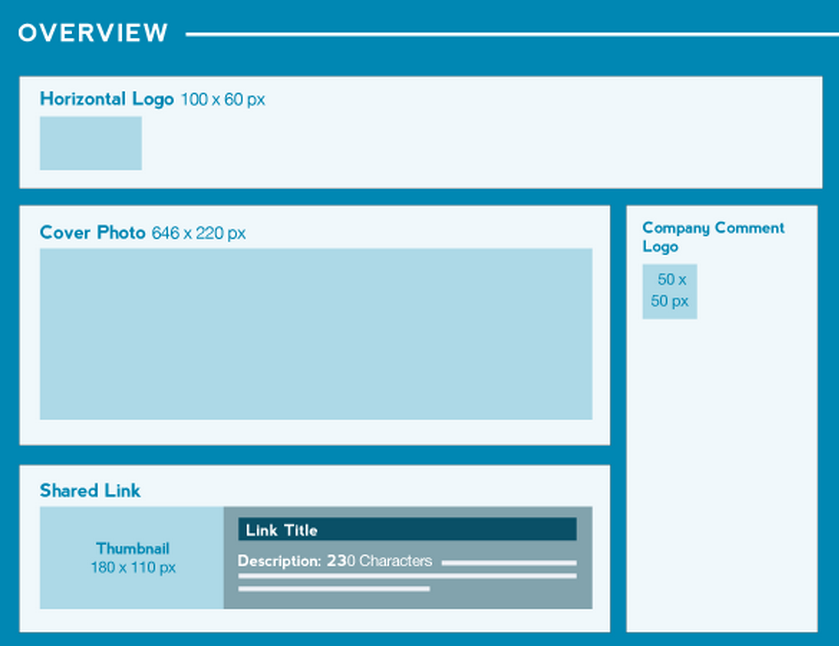
Don’t forget to make the most of your visual real estate. HubSpot offers up some tips on maximizing it in this quick slideshow.
Next: Stand out on Pinterest