



How to make your posts stand out on the Web: The complete guide to social media formatting
Stand out on Google+
Google+ offers some very specific elements different from other social networks that can help you stand out. Here’s a guide to them.
Prioritize rich visuals
A quick glance over at Google+ will show you that it’s an incredibly visual social network.
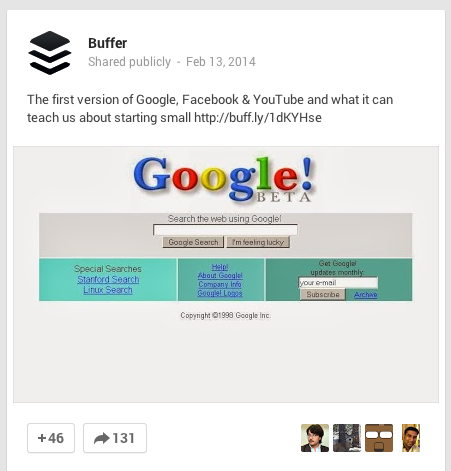
Make the most of this by posting useful, interesting or engaging images at full size (not the thumbnail that comes with a link) like so:
The network also takes some posts and gives them priority placement in a user’s feed.
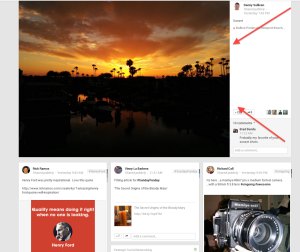
How can you make that your post? According to Google, “a variety of factors determine what becomes an enhanced post in your stream but we try to surface content and people that we think you wouldn’t want to miss.”
But you can up your chances by posing lots of high-resolution photos and video.
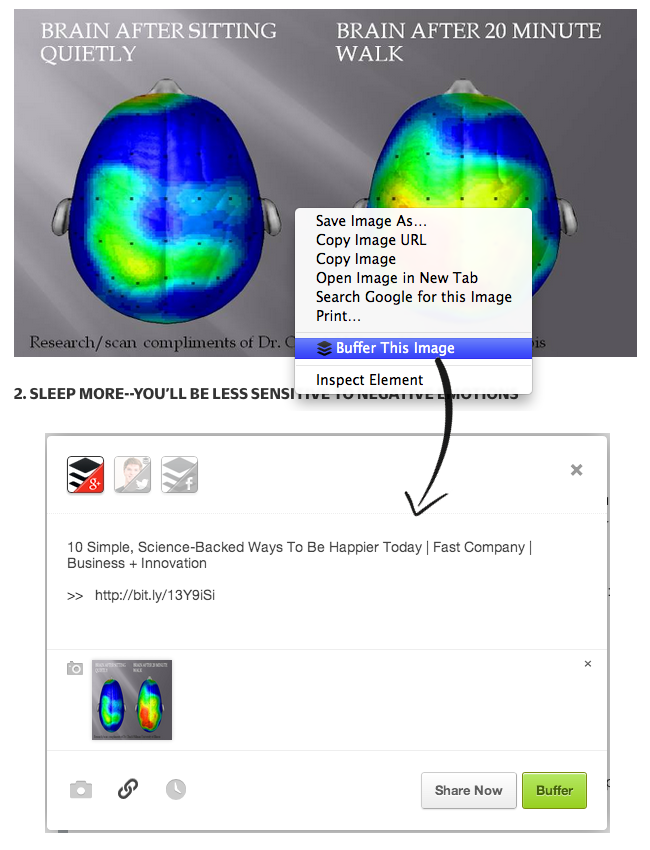
Pro tip: Install Buffer’s browser extension and right click on an image to add it full-size to your Google+ queue:
Useful, eye-catching GIFs
It’s hard NOT to have animated GIFs catch your eye, and Google+ is one of the few social networks that celebrates them.
Google even uses animated GIFs as tutorials when they introduce new features and highlights great ones, like this one from New York Fashion Week.
Slightly longer posts
Research by Quintly shows that the average Google+ post peaks at 156 characters, or 2-3 sentences.
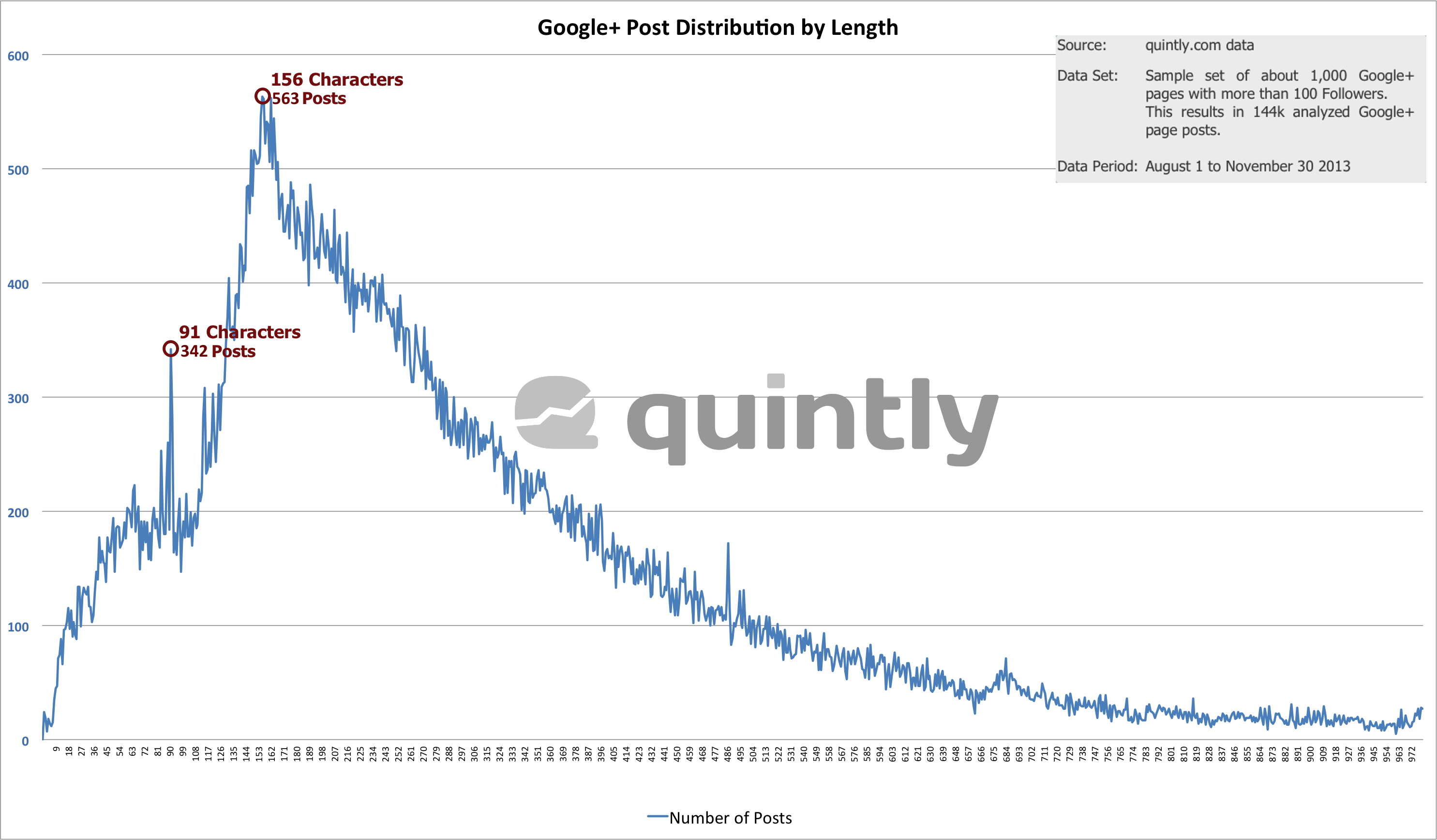 This is in line with the general philosophy of Google+ as a place for more in-depth, thoughtful discussions. (Google+ allows you to share up to 100,000 characters.)
Take advantage of the extra space to explain a concept, pull out a stat or otherwise provide a valuable tidbit to pull the reader in.
Format for better readability
Google+ also offers more formatting options than the other social networks, including the ability to bold, italicize and strikethrough. Use these options to create headlines and more for your posts so they’re easier for readers (and Google!) to discover.
Here’s a quick guide from Social Media Examiner:  Lower Thirds in Hangouts
If you participate in Google+ Hangouts, make sure you get as much out of them as possible by using the branding possibilities of Lower Thirds.
This allows you to add your name, title and other information so it can be seen by everyone on the Hangout.
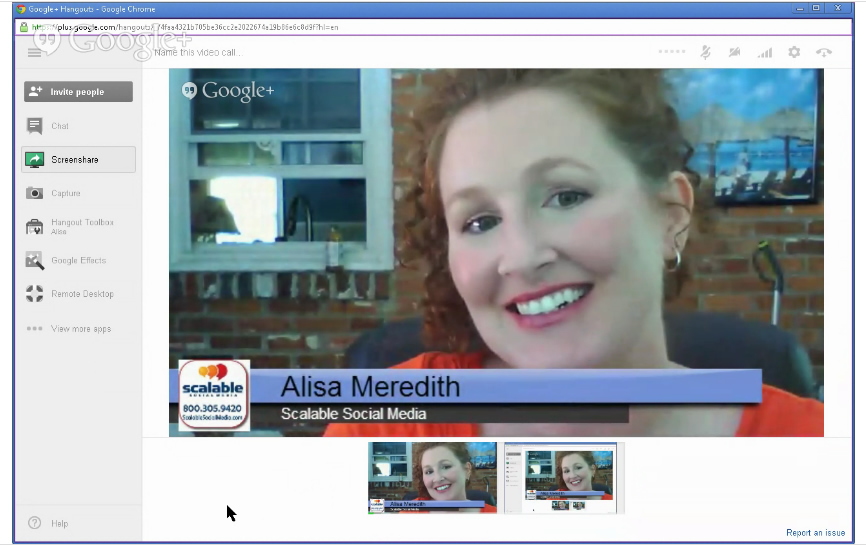
Here’s a guide to putting it to use from Alisa Meredith, pictured above.
Next: Stand out on LinkedIn