"It's not just the economy, stupid. President Obama will get reelected as long as the GOP can't field a less wooden option than the current version of Mitt Romney." ~ Yasha Harari
Fresh Baked Goods
Laughzilla the Third (2012)
The Third Volume in the Funny Stuff Cartoon Book Collection Available Now.
Back in the old days when Excel had menus and toolbars, a guy could use Alt+t+i to open the Addins dialog (Tools – Addins). But that would only work if there was an open workbook. No open workbook, no dialog. Now in the days of the Ribbon, the shortcut is Alt+f+t a a Alt+g (File – Options – Addins – Go). You don’t need to have a workbook open, which is nice, but there is a bit of delay between the two “a’s” in the keyboard sequence.
MS did a wonderful thing when they made the old 2003 menu navigation still work in later versions. Even though there’s no longer a Tools menu, you can still use Alt+t+i to open the dialog. Unfortunately you still need to have a workbook open for it to work. I can’t imagine why that is, but it is.
Well, it’s VBA to the rescue. You can show most any dialog with Applicaiton.Dialogs().Show. But showing the Addins dialog returns an error if there is not an active workbook, just like with the old menus. It’s trivial enough to fix, to wit:
Sub ShowAddinDialog()
Dim wb As Workbook
‘Dialog won’t show if there’s no workbook showing If ActiveWorkbook IsNothingThen Set wb = Workbooks.Add EndIf
‘Close wb if it was created OnErrorResumeNext
wb.CloseFalse
EndSub
That creates a new workbook if needed, then shows the dialog. It keeps track of whether it created a workbook and, if so, closes it without saving. Hardly worth your time to read this post, you say? You already knew about this, you say? Here’s the real magic. Those old 2003 commandbars still lurk behind the scenes in Excel. If you create new ones, they show up on the Add-ins tab. But you can modify the existing one too. I put this little gem in the Auto_Open macro in the same workbook as my ShowAddinDialog procedure.
Commandbars(1) is the menu and Controls(“Tools”) is the Tools menu. I add a new control to position 1 on that Tools menu. I don’t need a fancy caption because I can’t see it anyway. I just need a caption with I as the hotkey. Whichever letter follows the ampersand (&) is the hotkey. The built-in addins menu item has a caption of Add-&Ins... making I the hotkey for it. But mine is higher up, so it wins.
In the previous post I referenced above, I add this macro to the QAT. But the muscle memory of Alt+t+i dies hard. Rather than retrain myself like a normal person, I’m embracing my quirks. I can now use Alt+t+i and get the desired results.
Nokia has announced that its Here maps will soon be available for devices running Windows 8.1, whether that’s tablets, laptops or desktops.
The update is due to start rolling out in the “coming days” (beginning in North America and Europe) but it’s not quite the first time that Here will have been available on Windows 8.1 machines; it has previously been restricted to Nokia’s own Lumia tablet- the 2520.
The new app will be available to download via the Windows Store for RT and Pro devices and Nokia said it will bring a number of improvements too, like faster page loading and hi-res satellite imagery.
Mikael Cho is the co-founder of ooomf, a network that connects short-term software projects with handpicked developers and designers. Mikael writes about psychology, startups, and product marketing over on the ooomf blog.
If you choose to raise money for your company, you’ll inevitably need to prepare a few documents for investors. One of the most important ones is an investor presentation or a “deck.”
Two years ago I didn’t know what a “deck” was, but fast forward to today and our team at ooomf has prepared multiple investor presentations, raising two rounds of investor funding. We just closed a $2 million dollar investment from a group of investors we couldn’t be more excited to be working with and I thought it might be helpful to share our process for how we created our investor presentation.
Crafting the best story for your company
For investors that don’t know you yet, your presentation will likely be one of the first impressions they get of your company so it’s an important piece to do right.
There are tons of articles, resources, and books about how you should model your investor presentation and you can drive yourself insane trying to follow each format exactly.
Some investors say you should always put the Team slide first, while others say you should save it until the end. Some say you need to include a slide about the problem you’re solving, while others say there are no such things as problems, only opportunities.
Before you fire up Keynote or Powerpoint to design any slides, it’s important to know the main elements you could include in your story but you ultimately need to craft the best story based on your company’s unique combination of team, traction, product, market, etc.
There isn’t a one-size-fits-all template.
Here are the main elements (in no particular order) that we considered including in our investor presentation:
Introduction — Who are you? What is your company name?
Opportunity/Problem — What problem are you solving and/or what’s the opportunity you’re after?
Solution — How are you solving the problem?
Team — Who are the key members on your team?
Traction — How fast are you growing over what period of time?
Vision — Where are you going to be five years from now?
Product — How does your product work?
Market — What does this market look like? Is it growing?
Business Model — How do you make money?
Customer Acquisition — How do you plan to grow?
Because ooomf is a vetted network of mobile and Web independent professionals where the professionals pick their work, we thought one of the strongest parts of our presentation was the opportunity in our market. The economic shift toward independent, remote work is happening now and is expected to only accelerate over the coming years.
We focused our investor deck around this point because it was the piece of our story where we felt potential investors might say, “You have my attention”:
Here’s the first sketch of our investor presentation focused around getting to our Opportunity slide within the first few minutes:
We knew this structure would evolve, but we wanted to lay down a high- level view of our presentation to make it easier to understand the pieces we had to play with before getting into the details of each slide.
Work from big to small
Once we thought we nailed the general structure for our story, we moved the content into Keynote but still kept the presentation to just text on slides — no images or pretty typefaces yet.
I held on to the presentation for a week, reviewing the slides a few times each day to get a different perspective on how the story could flow. There’s many different paths your story can go and giving yourself time to reflect on it will help you consider different alternatives that could make your story better.
Here’s our Opportunity slide in the first rough version of our Keynote presentation:
We believed the story was now at a point where it would be ready to share with potential investors so we polished the slides for presentation.
Here’s the polished version of our deck focused on the Opportunity slide which we called “The Shift”:
Note that we moved the point about our opportunity from the fifth to the third slide in our presentation. Our intent was to hopefully draw the attention of potential investors to this trend in the economy early on in our presentation.
At this point, we had yet to show our investor deck to any investors so we didn’t know how it would be received.
Before talking to new investors, we wrote to some of our current investors letting them know we were going to be sharing our story and would love for them to hear it first. Just like testing a product, we wanted to test our presentation by getting feedback from our target audience.
We went into these initial meetings thinking we had all the elements we were expected to have in a strong investor presentation, but when we finished sharing our story, there seemed to be a lack of enthusiasm.
I could feel there was no emotion in the room and our presentation felt flat. We reflected over the next few days, feeling deflated and wondering what went wrong.
What’s your difference?
I was lucky to grab coffee with my friend Julien Smith (who just raised an investment from notable investors including Gary Vaynerchuk). During our conversation, we ended up talking about how our team was working on our investor presentation.
I spoke about the opportunity in our market and how we were going about solving the problem. I started to sense the same emotional disconnect in this conversation with Julien that we experienced sharing our investor deck with our current investors.
I went on to note that we were growing at a rate of thirty percent month over month. Interestingly, once I told Julien this point about our growth, he stopped me and said,
“Hang on. What?”
“You’re growing how much? How fast?”
This sparked a thought that perhaps the focal point of our story should not be on the opportunity in our market, but rather our rate of growth was more of a sign that we were onto something.
Julien shared some thoughts about how we could structure our presentation to get to the traction elements of our story much sooner.
After a restructuring of our investor presentation to focus on our traction, here’s the new version of our slides:
Moving our traction slide from the middle of our presentation to the beginning, made a huge impact for our story.
We started speaking with new investors and it proved to be something that stood out. The first few times we presented this story, we received multiple invitations for follow up meetings. We could feel the emotional difference in this version of our presentation compared to the first version.
We shared our story with fifty investors over the next three months, closing a $2 million investment round from 11 investors.
In hindsight, we realized that perhaps having “all the elements we were were expected to have” could have actually been the problem with the first version of our presentation.
Our story was too predictable.
And because everything in our presentation was expected, it was like hearing a song get overplayed on the radio. No matter how good that song might be, you eventually become numb to it. You may even start to dislike it.
Investors see hundreds of pitches a year and can almost predict what’s coming next if the structure of your story seems to fit with something they’ve seen or heard before.
It seemed our presentation was being processed by investors as, “Yep, I’ve heard this one before” rather than, “Holy cow, you have my attention.”
Granted it’s hard to control all variables when trying to gauge how investors will feel about your pitch. Like most people, investor opinions are influenced by many factors outside of your control but getting early versions of your presentation in front of at least a few investors can help sniff out a story that might lack impact.
This “something that stands out” doesn’t necessarily have to be a novel idea, it could also mean a high rate of growth or a unique way of getting customers.
Investors are trying to find the exceptional outcomes, so they are looking for something exceptional about the company. Instead of trying to do everything well (traction, team, product, social proof, pitch, etc.), do one thing exceptional. As a startup you have to be exceptional in at least one regard.
We saw the importance of getting our investor deck out early to get “real world” input. If we hadn’t shown our first presentation to anyone, we may have shared a weaker story with potential investors and conversations could have stalled.
There’s a lot that you could think of including in your investor presentation, but every company is unique so it’s up to you to determine how to tell your story the right way.
The main goal of your presentation is to get investors to understand that you could be onto something with your business. Focus on highlighting the sign(s) that point to this. In our case it was our traction but for your company, this sign could be an exceptional team, technology, or set of partnerships you have lined up.
Keep in mind that a strong investor presentation alone likely won’t raise you money, but it can only help your cause if you do it right.
Tomorrow, we’re getting on a plane and flying to Barcelona for Mobile World Congress 2014 – where all the biggest movers and shakers in the smartphone world will be showing off their latest devices, gadgets and services.
But with so much to cover in just a few short days, it’s good to know what to keep an eye out for, so here’s our cut-out-and-keep list of things to pay attention to. Obviously, there’s no need to actually cut it out and keep it.
Samsung
As one of the biggest names in smartphones and tablets, we’re expecting something significant from Samsung this year. We already know that it’s holding a Samsung Unpacked event on February 24 where it’s expected unveil its next flagship smartphone: the Galaxy S5.
Alongside the S5, there have also been rumours of an S5 Zoom and and S5 Mini, which makes sense given Samsung’s current naming conventions with its S4 range. The South Korean handset maker tends not to leave a huge gap between announcing devices and releasing them, so we’d hope to see at least the flagship S5 in shops before the end of March.
It wouldn’t be a total surprise to see Samsung return the world of Windows Phone handsets either, given that the platform is now gaining some momentum with buyers in Europe. There have been rumors of an as-yet unnamed device with a 5-inch display that could be set for reveal at the show, but we’ll have to wait and see what pans out on the Windows Phone front.
If Samsung is committed to wearables too, we’d expect to see a significantly upgraded Galaxy Gear smartwatch launched at the event – what better place than the biggest mobile show in town.
Nokia
With Microsoft agreeing to purchase Nokia in the second half of 2013, we’re not too sure what to expect from Nokia at Mobile World Congress this year. Nonetheless, that hasn’t stopped the mill churning and high at the top of Nokia’s list of priorities for the show is the rumored Nokia X, according to well-known tipster @evleaks.
Last year, Nokia used the event to launch a number of lower-end handsets in the Asha series aimed at developing markets, so it wouldn’t be too much of a leap of the imagination to think that these devices could be set for a refresh too. Again, like Samsung, Nokia tends to make handset available pretty soon after announcing them, so anything that is announced we’d expect to see go on sale sooner rather than later.
LG
We were half-expecting LG to unveil the successor to the LG G Pro at MWC this year, but LG sort of ruined that thought when it went ahead and announced the device last week.
Nonetheless, it’ll be the first chance we’ll get to go hands-on with the 6-inch device and see if it can live up to expectations.
Out of the NSA snooping revelations comes the Blackphone – a smartphone with a focus on providing additional security and protection against people that want to access your data. While a few devices or services might claim to offer increased security, this one might actually deliver – behind the project is Phil Zimmerman, creator of PGP (Pretty Good Privacy) email software.
MWC will be the first outing for the device, and it’ll also be the first point at which you can pre-order it. When will it arrive? We’ll find out in the coming days.
Sony
Since emerging from its agreement with Ericsson, Sony has been a whole lot more focused on being a serious contender in the smartphone world, and devices like the Xperia Z1 and Xperia Z1 Tablet released last year show that it might have a shot if it can continue to differentiate itself from the wealth of Android device makers.
Leading up to the event, we’ve heard rumors about potential successors to these devices being launched at the show and current information suggests that the Xperia ‘Z2′ (codenamed ‘Sirius’ until now, apparently).
If you like living in rumorville and just can’t wait until a potential announcement in just a few days time, there’s a video below from a YouTube user purporting to show off the smartphone.
There’s no voice over, but it does seem to show that features like 4K video recording alongside a number of other software changes. Interestingly, according to the leak, the device might even come with its own customizable answering machine built in – if true, owners would never need to call chargeable voicemail retrieval lines again.
Whether or not we’ll see all of these devices revealed next week remains to be seen, but we’d be surprised if we didn’t see at least a couple of new handsets and a tablet – Huawei is serious about its smartphone aspirations.
“Hey, where’s BlackBerry, HTC and every other handset maker you missed out?”
There are a few notable omissions from this list. One of those is HTC, which is widely expected to be launching a successor to its range-topping HTC One. However, it looks like this isn’t going to happen until March 25.
Similarly, with BlackBerry looking to be changing tack for its future business, we’re not expecting any big handset announcements from the Canadian company at MWC this year.
We’re not expecting anything significant from Motorola this show either really. With Lenovo agreeing to buy the company in January this year, it’ll be good to hear where the company is headed and what the general plan is, but I won’t pretend not to be disappointed at the thought of no new Motorola devices being announced.
Maybe we’ll be able to console ourselves with a look at Canonical’s first Ubuntu smartphones, which were announced just a little earlier this week and are coming from Spanish device maker BQ and Chinese manufacturer Meizu.
Sticking with the open source theme, we’re expecting to get updates on Firefox OS at the show too, but it would be a surprise to see any particularly notable new devices launched.
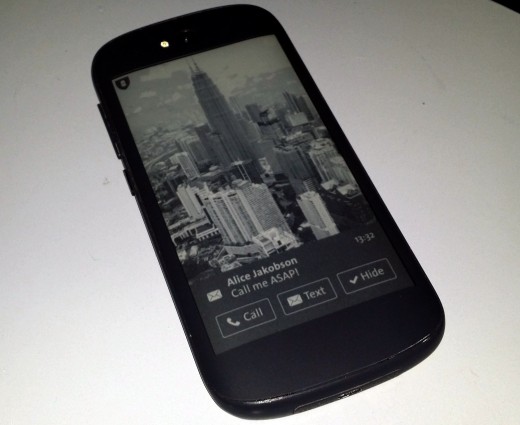
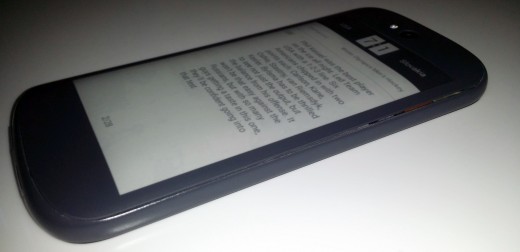
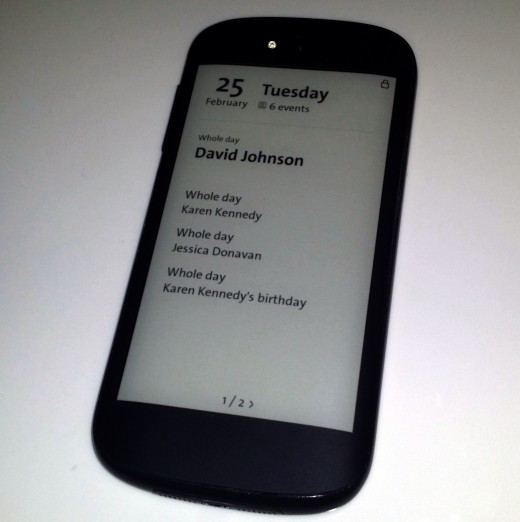
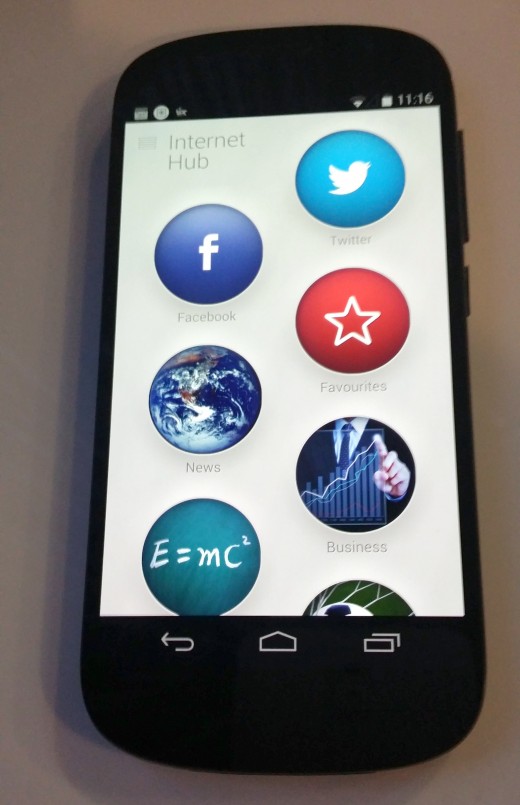
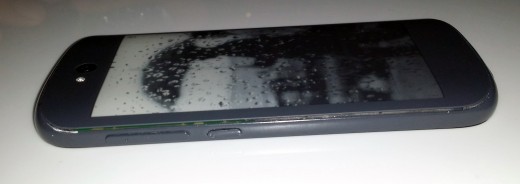
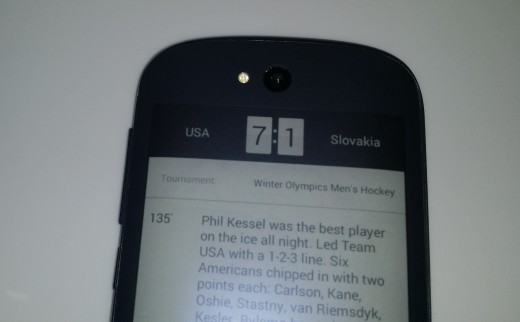
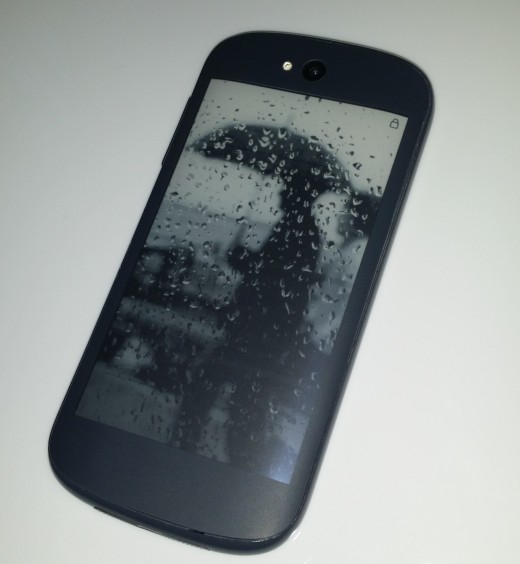
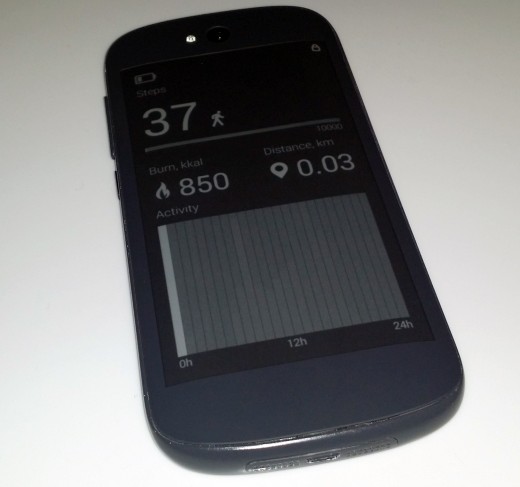
We also know the Russian manufacturer Yota Devices will be at the show, so we’ll be catching up with the company behind the dual-screen, EPD-equipped Yotaphone to see what it has been working on.
And of course, there has been no mention of Apple either. But then Apple never has a formal presence at MWC or CES, so there’s no surprises there.
The rest of the show will be filled with a whole lot more companies focused on wearable tech, the potential of ‘Internet of Things’, augmented reality and NFC, and a whole lot more, so come back on Sunday to catch up with our first day of coverage.
Featured Image Credit – Josep Lago/AFP/Getty Images
Google today announced that it has acquired Spider.io, a London-based cyber security firm that combats online advertising fraud. Terms of the deal were not disclosed, although Google said it would be using the startup’s detection system to improve its display and video ad services.
“By including Spider.io’s fraud fighting expertise in our products, we can scale our efforts to weed out bad actors and improve the entire digital ecosystem,” Neal Mohan, Google’s vice president for display advertising said.
Online ad fraud is a huge problem, whereby advertizers pay for exposure and clicks on the Web that are actually powered by bots, networks of hijacked devices and other non-human traffic. Therefore, advertizers are paying large sums of money for impressions that won’t result in new customers.
With Spider.io, Google hopes to improve the accuracy of the information it gives advertizers, resulting in a “a clearer, cleaner picture of what campaigns and media are truly delivering strong results.” We’ll have to wait and see.