The Daily Dose

laugh every day with cartoons jokes and humor
  • Home
  • About
    • Press
      • Press Release – Announcing Laughzilla the Third ebook
      • Press Release – The Daily Dose Kicks Off Its 16th Year with New Books and More Irreverent Laughter
      • Press Release – Themes Memes and Laser Beams Now Available in Paperback
      • Press Release – Announcing Themes Memes and Laser Beams
      • In The News
    • Privacy
  • Archive
  • Books
  • Shop
  • Collections
    • Galleries
      • Gallery
      • Captions
      • Flash Cartoons & Greeting Cards
        • Laughzilla’s Oska Flash Animation Cartoon Greeting Cards
        • Oska Cupid Love Humor
    • #OccupyWallStreet
    • cats
    • China
    • Food
      • Hors d’oeuvres
        • Ball of Cream Cheese
      • Entrees / Main Courses
        • Meatballs with Baked Beans and Celery
    • Gadaffy
    • Google
  • Links
  • Video
  • Submit a joke
DeviantART Facebook Twitter Flickr pinterest YouTube RSS

Subscribe for Free Laughs!


Latest Comics

  • This Memorial Day, Trump Meme Coin Congratulates Profit Takers
  • 25 Years of The Daily Dose
  • The Best Cartoons
  • Bitcoin sings “Fly Me To The Moon”
  • 22 years of The Daily Dose

Comic Archive

Hu Wants You To Occupy Wal*Mart

Daily Dose News Roundup

  • Chinese profits rose 25.7%. The CSI 300 fell 9% and the Star 50 fell 29%
  • Novo Nordisk Foundation to build $62M quantum chip plant in Copenhagen
  • The US Army used a laser weapon on American soil, then bought it
  • The European Commission is looking at Oracle’s licensing, two months after settling with SAP
  • The FTC says Amazon charged advertisers the wrong price 80% of the time

Quotable

"Barack Hussein Obama would never have been President of the United States, if Tiger Woods hadn't trailblazed in the White greens of power." ~ Laughzilla

Fresh Baked Goods

Get The Daily Dose's ebook: Laughzilla the Third - A Funny Stuff Collection of 101 Cartoons from TheDailyDose. Click here to get the e-book on Amazon kdp. Laughzilla the Third (2012) The Third Volume in the Funny Stuff Cartoon Book Collection Available Now.

Click here for the Paperback edition


Support independent publishing: Buy The Daily Dose's book: Themes Memes and Laser Beams - A Funny Stuff Collection of 101 Cartoons by Laughzilla from TheDailyDose. Click here to get the book on Amazon. Themes Memes and Laser Beams - The Second Volume in the Funny Stuff Cartoon Book Collection.

Click Here to get the book in Paperback While Available on Amazon

Themes Memes and Laser Beams - 101 Cartoons by Laughzilla. Get the e-book on Lulu.

Click Here to get The Daily Dose Cartoon ebook on amazon kindle

Funny Stuff :
The First Cartoon Book
from The Daily Dose.
Available on Lulu.

a couple of laughzillas on a blue diamond background

Fleksy brings 17 new languages to its smart keyboard app for Android

Jul10
by Sindy Cator on July 10, 2014 at 12:58 pm
Posted In: Apps, Around the Web, Insider

Fresh from the news that Fleksy was launching its keyboard app for the Tizen-powered Samsung Gear 2, the San Francisco-based company has announced its smart keyboard for Android will support 17 additional languages, bringing its total tongue count up to 37. Among the new languages are Norwegian, Catalan, Hebrew, Croatian and Romanian, while a handful of regional variants have also been introduced, including UK English, Brazilian Portuguese, French Canadian and Latin American Spanish. These will only be available through the beta version of the app for now, which you’ll need to apply to join. Fleksy was one of the first…

This story continues at The Next Web

└ Tags: news, syndicated
a couple of laughzillas on a blue diamond background

UK’s emergency data retention law: Balancing security and fundamental rights is a tricky business

Jul10
by Sindy Cator on July 10, 2014 at 12:28 pm
Posted In: Analysis and Opinion, Around the Web, Insider, UK

An airship fly  monitoring over the Olym
The UK’s Prime Minister David Cameron and Deputy Prime Minister Nick Clegg have just wrapped up a press conference explaining why emergency security legislation had to be put into place to ensure that ISPs and other communications providers continued to keep records of users’ activity for up to 12 months. Behind the rushed decision was a Court of Justice of the European Union (CJEU) ruling in April that the existing European Data Retention Directive was unlawful as it breached European human rights regarding the blanket storage of communications data. As UK law was based on this European law, it too was…

This story continues at The Next Web

└ Tags: news, syndicated
a couple of laughzillas on a blue diamond background

What caused that PivotTableUpdate? Episode IV

Jul10
by Sindy Cator on July 10, 2014 at 12:27 pm
Posted In: Around the Web

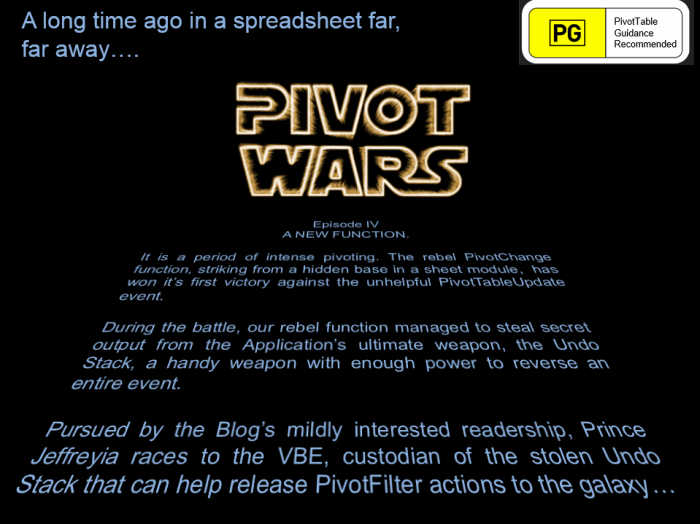
Pivot Wars 3 Small

So if you’ve been merrily following along, then you’ll know that we’ve got a function that picks up which PivotField just got filtered in a PivotTable, with a couple of exceptions:

  • If users change the PivotFilter list, but leave the same count of things visible, or
  • If any stinky PageField filters read ‘Multiple Items’ both before and after the change.

We’re about to add something more to our previous function to handle those cases.

With a few very minor exceptions, the majority of our previous function remains unchanged, and looks like so:

Function PivotChange_GetFilterName(pt As PivotTable) As String

    Dim strLastUndoStackItem As String
    Dim pf As PivotField
    Dim pi As PivotItem
    Dim i As Long
    Dim lngVisibleItems As Long
    Dim lngFields As Long
    Dim strVisibleItems As String
    Dim bIdentified As Boolean
    Dim strElimination As String
    Dim bElimination As Boolean
    Dim dicFields As Object ‘This holds a list of all visible pivotfields
    Dim dicVisible As Object ‘This contains a list of all visible PivotItems for a pf
    Dim varKey As Variant
   
    Application.EnableEvents = False
   
    On Error Resume Next ‘in case the undo stack has been wiped or doesn’t exist
    strLastUndoStackItem = Application.CommandBars("Standard").FindControl(ID: = 128).Control.List(1)
    On Error GoTo 0
   
    If strLastUndoStackItem <> "" Then
        For i = 1 To pt.VisibleFields.Count
            Set pf = pt.VisibleFields(i)
            With pf
                If .Orientation <> xlDataField And .Name <> "Values" Then
                    If .Orientation <> xlPageField Then
                        strVisibleItems = strVisibleItems & .Name & "|" & .VisibleItems.Count & "||"
                    Else
                        ‘pf.VisibleItems.Count doesn’t work on PageFields
                        ‘So for PageFields we’ll record what that PageField’s filter currently displays.
                        strVisibleItems = strVisibleItems & .Name & "|" & .LabelRange.Offset(, 1).Value & "|" & .EnableMultiplePageItems & "||"
                    End If
                End If
            End With
        Next i
        Select Case strLastUndoStackItem
            Case "Filter", "Select Page Field Item", "Slicer Operation"
                With pt
                    If InStr(.Summary, "|") > 0 Then ‘the Summary field contains previously recorded info about pivot layout etc
                        If .Summary <> strVisibleItems Then
                            For i = 0 To UBound(Split(.Summary, "||"))
                                If Split(.Summary, "||")(i) <> Split(strVisibleItems, "||")(i) Then
                                    PivotChange_GetFilterName = "PivotFilter changed: " & Split(Split(.Summary, "||")(i), "|")(0)
                                    bIdentified = True
                                    Exit For
                                End If
                            Next i
                        End If ‘If .Summary <> strVisibleItems Then
                       
                        If Not bIdentified Then
                        ‘Check all the visible fields to see if *just one of them alone* has
                        ‘ neither .AllItemsVisible = True nor .EnableMultiplePageItems = false.
                        ‘ If that’s the case, then by process of elimination, this field
                        ‘ must be the one that triggered the change, as changes to any of the
                        ‘ others would have been identified in the code earlier.
                            lngFields = 0
                            For Each pf In pt.VisibleFields
                                With pf
                                    If .Orientation <> xlDataField And .Name <> "Values" Then
                                        If .AllItemsVisible = True Then
                                            ‘it’s not this field
                                            bElimination = True
                                        ElseIf .Orientation = xlPageField And .EnableMultiplePageItems = False Then
                                            ‘ it’s not this field either
                                            bElimination = True
                                        Else
                                            ‘It *might* be this field
                                            lngFields = lngFields + 1
                                            strElimination = strElimination & .Name & ";"
                                        End If ‘If .AllItemsVisible = True The
                                    End If ‘If .Orientation <> xlDataField And .Name <> "Values" Then
                                End With
                            Next pf
                           
                            If lngFields = 1 Then
                                PivotChange_GetFilterName = "PivotFilter changed: " & Left(strElimination, Len(strElimination) – 1)
                                bIdentified = True
                            Else

But now, to track down those exceptions, we’re going to have to work some magic. Or as I put it in the code:

    ‘                           =================================
    ‘                            We will have to use *The Force*
    ‘                           =================================

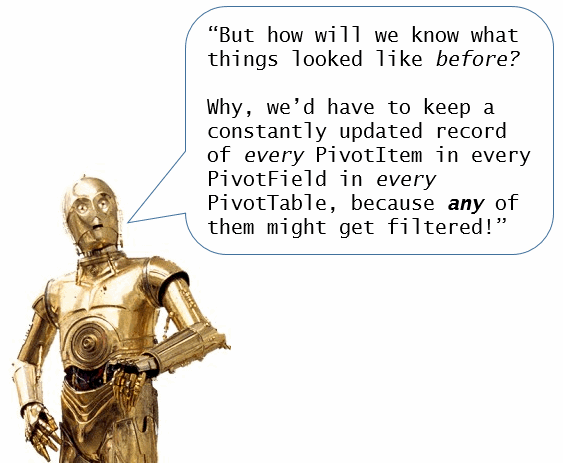
For each visible PivotField, we’re going to compare the list of what is visible now to what was visible before. Bear in mind that we don’t know in advance what PivotTable the user is going to tamper with. Given this, you may be asking yourself:

C3PO 2

You’re dead right, Golden Rod. And that will require us to either keep a duplicate of every PivotTable in the workbook, or to extract every single pivotitem in the entire workbook to a Dictionary or Array that we would have to continually update.

Unless we use the Force. Yes, let’s use the Force. After all, it is all around us.

With the help of The Force:

  1. We’re only going to record the settings for the PivotTable that just changed
  2. Then we’re going to programatically hit the Undo button
  3. Then we’re going to play spot-the-difference between what things looked like after the user made that change:
    After2

    …and what it looked like before they made that change:
    Before2

  4. Then we’re going to restore things back to the way the user wanted them:
    After2

 
To do this, we’re going to employ a Dictionary.
Of Dictionaries.
Like so:

                                If Not bIdentified Then
                                ‘ The If statement above is purely there to catch the possibility that
                                ‘ we failed to find the filter in the above code because it’s the first
                                ‘ time we’ve run the code, meaning nothing was previously stored in pt.summary
                               
                                    ‘Create master dictionary
                                    Set dicFields = CreateObject("Scripting.Dictionary")
                                   
                                    ‘Cycle through all visible pivotfields, excluding totals
                                    For i = 0 To lngFields – 1
                                        ‘Create dicVisible: a dictionary for each PivotField that contain visible PivotItems
                                        Set dicVisible = CreateObject("Scripting.Dictionary")
                                        Set pf = pt.PivotFields(Split(strElimination, ";")(i))
                                        With pf
                                        If .Orientation <> xlPageField Then
                                            For Each pi In .VisibleItems
                                                With pi
                                                    dicVisible.Add .Name, .Name
                                                End With
                                            Next pi
                                        Else:
                                            ‘Unfortunately the .visibleitems collection isn’t available for PageFields
                                            ‘ e.g. SomePageField.VisibleItems.Count always returns 1
                                            ‘ So we’ll have  to iterate through the pagefield and test the .visible status
                                            ‘ so we can then record just the visible items (which is quite slow)
                                             For Each pi In .PivotItems
                                                With pi
                                                    If .Visible Then
                                                        dicVisible.Add .Name, .Name
                                                    End If
                                                End With
                                            Next pi
                                        End If ‘If .Orientation = xlPageField Then
                                        ‘Write dicVisible to the dicFields master dictionary
                                        dicFields.Add .Name, dicVisible
                                        End With
                                    Next i

Great, so we know what’s visible now. But what about before?
Well, in keeping with the Star Wars theme, anyone fancy a prequel?

                                    Application.Undo

And now we’ll check how the old compares to the new:

                                    For Each varKey In dicFields.keys
                                        Set pf = pt.PivotFields(varKey)
                                        Set dicVisible = dicFields.Item(varKey)
                                       
                                        ‘Test whether any of the items that were previously hidden are now visible
                                            If pf.Orientation <> xlPageField Then
                                                For Each pi In pf.VisibleItems
                                                    With pi
                                                        If Not dicVisible.exists(.Name) Then
                                                            bIdentified = True
                                                            PivotChange_GetFilterName = "PivotFilter changed: " & pf.Name
                                                            Exit For
                                                        End If
                                                    End With
                                                Next
                                            Else ‘pf.Orientation = xlPageField
                                                lngVisibleItems = dicVisible.Count
                                                i = 0
                                                For Each pi In pf.PivotItems
                                                    With pi
                                                        If .Visible Then
                                                            If Not dicVisible.exists(.Name) Then
                                                                bIdentified = True
                                                                PivotChange_GetFilterName = "PivotFilter changed: " & pf.Name
                                                                Exit For
                                                            Else: i = i + 1 ‘this is explained below.
                                                            End If ‘If Not dicVisible.exists(.Name) Then
                                                        End If ‘If .Visible Then
                                                    End With
                                                Next
                                               
                                                ‘ For non-PageFields, we know that the number of .VisibleItems hasn’t changed.
                                                ‘ But we *don’t* know that about Pagefields, and an increase in the amount of
                                                ‘ .VisibleItems won’t be picked up by our Dictionary approach.
                                                ‘ So we’ll check if the overall number of visible items changed
                                                If Not bIdentified And i > lngVisibleItems Then
                                                    bIdentified = True
                                                    PivotChange_GetFilterName = "PivotFilter changed: " & pf.Name
                                                    Exit For
                                                End If
                                            End If ‘If pf.Orientation <> xlPageField Then
                                            If bIdentified = True Then Exit For
                                        Next

Great, we’ve found it. Now it’s time for operation Application.Redo!

WAIT! There is no Application.Redo method!

junk

 
Aw, screw it…let’s use that Force stuff again:

                                    ‘Resore the original settings
                                    Application.CommandBars("Standard").FindControl(ID:=129).Execute

…and then set the Hyperdrive for home:

                                End If ‘If Not bIdentified Then
                            End If ‘If lngFields = 1 Then
                        End If ‘If Not bIdentified Then
                    End If ‘If InStr(.Summary, "|") = 0 Then
                End With
            Case Else: PivotChange_GetFilterName = strLastUndoStackItem
        End Select
    End If ‘If strLastUndoStackItem <> ""
    pt.Summary = strVisibleItems
    Application.EnableEvents = True
   
    ‘Cleanup
    Set dicFields = Nothing
    Set dicVisible = Nothing

End Function


Stormtrooper: Let me see your sample file.

Obi-Wan: [with a small wave of his hand] You don’t need to see his sample file.

Stormtrooper: We don’t need to see his sample file.

Obi-Wan: These aren’t the sample files you’re looking for.

Stormtrooper: These aren’t the sample files we’re looking for.

Obi-Wan: He can go about his pivoting.

Stormtrooper: You can go about your pivoting.

Obi-Wan: Move along.

Stormtrooper: Move along… move along.


Okay, okay…here’s the sample file.

Can you stop remotely squeezing my throat now, Darth?
PivotChange_20140802

 
Test Pattern

Update

I have re-factored the code in the sample file as per the post at Broken Arrow.

└ Tags: syndicated
a couple of laughzillas on a blue diamond background

Taking on Uber in India: How Ola Cabs is thinking local to battle a giant

Jul10
by Sindy Cator on July 10, 2014 at 11:35 am
Posted In: Around the Web, Asia, grabtaxi, India, lyft, ola cabs, uber

Ola Image 1
We read about the convenience of Lyft, Uber and other private car hire firms seemingly daily in Western media. While these services simplify car bookings and remove some of the associated dangers and frustrations, this fast-growing industry has even greater potential in developing markets, such as India. Uber has its ‘Black’ and UberX services running in India, but it is a local company — Ola Cabs — that leads the market, with a network of 11,000 drivers across 9 cities. Indeed, that very company has just raised a whopping $40 million to ramp up its focus and bring affordable and efficient…

This story continues at The Next Web

└ Tags: news, syndicated
a couple of laughzillas on a blue diamond background

UK government outlines emergency legislation to continue storing private communications data

Jul10
by Sindy Cator on July 10, 2014 at 11:01 am
Posted In: Apps, Around the Web, Insider

UK - Clouds
Despite global privacy concerns raised in the wake of the Edward Snowden revelations, UK Prime Minister David Cameron and Deputy Prime Minister Nick Clegg announced new emergency legislation that will enable law enforcement and intelligence agencies to continue to access telecommunications and online data to combat crime. The legislation comes in direct contrast to EU rulings that stipulate retaining telecoms and internet data was illegal. It also comes before ISPs and phone networks were to start deleting this data. Cameron and Clegg were quick to stress that this legislation is temporary only and is designed to provide a “clearer legal…

This story continues at The Next Web

└ Tags: news, syndicated
  • Page 13,351 of 14,665
  • « First
  • «
  • 13,349
  • 13,350
  • 13,351
  • 13,352
  • 13,353
  • »
  • Last »
The Daily Dose, The Daily Dose © 1996 - Present. All Rights Reserved.
  • Home
  • About
  • Archive
  • Books
  • Collections
  • Links
  • Shop
  • Submit a joke
  • Video
  • Privacy Policy