



New Samsung app records your best gaming moments, but doesn’t play nice with other Android phones
Jun17
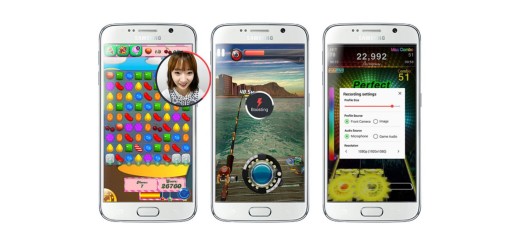
At the E3 gaming conference, Samsung announced the launch of Game Recorder+, a new Android app that lets you record gameplay from mobile titles in Full HD. Unfortunately, it only works with Samsung devices.
The app lets you capture footage in-game, trim your videos, capture audio and video commentary using your device’s front camera and mic, optimize games for better performance and upload videos directly to YouTube.
Game Recorder+ is compatible only with Samsung’s Galaxy S6, S6 edge, Galaxy S5, Note 4, S4, Note 3 and Note 2 phones. However, if you own a non-Samsung device that runs Android Lollipop, you can try Kamcord’s newly launched app instead.
➤ Game Recorder+ [Android]
Read next: Google takes on Twitch with YouTube Gaming, its newest standalone app and website

Designers put out a lot of great work, but sadly, some of it doesn’t get the love.
You can file away your rejected logo art into your own personal folder of failure — or Print Express has another idea — enter your losing design into the Rejected Logo Competition.

Just because some silly client didn’t appreciate your genius doesn’t mean you should hide your logo in shame.
The winner gets a $300 Amazon voucher, a copy of the ‘Clients from Hell‘ a copy of Sketch and a $100 Envato voucher. Not too shabby.
Last year’s competition attracted hundreds of entries and landed on the front page of Reddit’s design section.
Dilbert readers – Please visit Dilbert.com to read this feature. Due to changes with our feeds, we are now making this RSS feed a link to Dilbert.com.
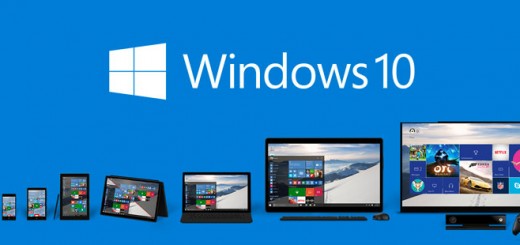
Another week, another build of Windows 10. This time the Windows team is showing phone and tablet users some love with some new features for mobile.
Most notably, phones 5 inches or greater can now access a one-handed mode. It works similarly to Apple’s implementation; pressing and holding the start button will cause your screen to slide down so you can reach the top of the device. Then repeat the same action or tap the blank space at the top of the screen to return to normal.
On Android, this feature is only accessible on certain devices through manufacturer customizations – you’ll have to use two hands or work some finger gymnastics on stock Android. Since Microsoft doesn’t allow third parties to have the same kind of control over the OS, it’s nice to see it baking the feature into the OS by default.
Windows 10 Mobile previously introduced a one-handed keyboard for large-screened phones, showing Microsoft’s emphases on one handed usability with Windows 10. You can try it out by simply swiping left or right on the space bar.
Several smaller changes are also included in the update; refined UI elements, font and icon changes as well as performance enhancements to the camera app are included.
Meanwhile, Cortana is approaching its final design, and now supports tracking your flights and packages a well as alerts for your travels to home, work and the airport. She’ll also now reply to questions about the weather, currency, stock quotes and more inline.
For more on the newest Windows 10 build as well some as known issues, check out Microsoft’s blog post here. If you’re already on the Windows Insider Program for mobile, the new build will arrive as an operating system update.
➤ Announcing Windows 10 Mobile Insider Preview Build 10136 [Windows Blog]