
Microsoft unveiled at its Windows 10 event today that Skype will be deeply integrated into Windows 10 and for mobile devices. Joe Belfiore, Corporate Vice President of Operating Systems at Microsoft said that the Skype messaging will automatically detect when users have a Skype account and transition to sending messages on that service instead. Microsoft is getting serious about competing with Apple on the mobile messaging front and deeply integrating Skype like this means that it’ll work across mobile and desktop upon release. ➤ Windows 10 liveblog
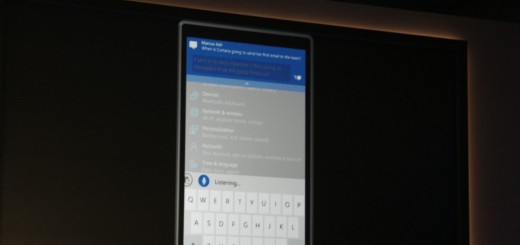
Microsoft has been aiming at integrated its services across different types of devices since it introduced Windows 8, and now that dream is becoming truer than ever with Windows 10. Microsoft demoed a mobile version of Windows 10 at its conference today, which is tuned for devices under 8 inches. Instead of having separate platforms for mobile and desktop, the same OS will run across all devices. Although we’ve known the company is working on making the OS available across all kinds of devices, this is the first time we’ve seen the mobile UI demoed. The company is working on universal apps…
This story continues at The Next Web

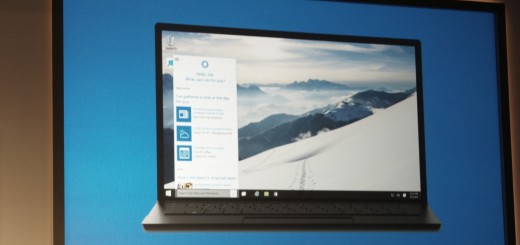
As Microsoft continues to blur the lines between its mobile, tablet and desktop devices, the company today announced its Cortana virtual assistant is coming to its PC version of Windows 10. It was first introduced with Windows Phone 8.1. Cortana’s logo will appear in the taskbar to simplify access for desktop users. Like a mashup of Google Now and Siri, she’s able to provide intelligent contextual suggestions for things like restaurants or movies while responding to your queries with a personality as well. Of course, she can perform your standard voice commands like running a Bing search. Microsoft even showed the virtual…
This story continues at The Next Web
Microsoft showed off Windows 10’s new start screen at its event today, which now comes in two modes. Above, the new mini mode is pictured. Below, you can see Microsoft’s new “expanded” mode for tablet devices. Devices can automatically transition between modes depending on if the user is using a mouse and keyboard, or a touch screen. The company also showed off the new Windows 10 notification center that can appear on the desktop. More as we have it. ➤ Windows 10 liveblog
Spark’s Internet Button puts IFTTT just a press away

We last spoke to Spark late last year when it had just announced the Photon, its $19 kit for building internet-enabled products. Now it’s back with the Spark Internet Button which takes the connectivity of the Photon and its predecessor, the Core, and hooks it up with the internet automation service IFTTT. The arrival of the Spark Internet Button brings with it a dedicated Spark channel on IFTTT. The channel has four triggers that your device can activate – when a new event comes in, when something changes, monitoring a change and monitoring to see if it’s switched on or off. It also…
This story continues at The Next Web


