


Filter a Custom Class Using CallByName
Is there a way to dynamically state by which property do I want to filter/sort/unique? ppl.FilterBy(City, “Tokio”).FilterBy(LastName,”Smith”).Unique(FirstName)
Without doing select case
James Brown corrected my response by saying:
You should be able to write a generic filter function in your custom collection class based around CallByName from the object class.
Of course he’s right. Here’s how that might look. Suppose I have some sample contact data.
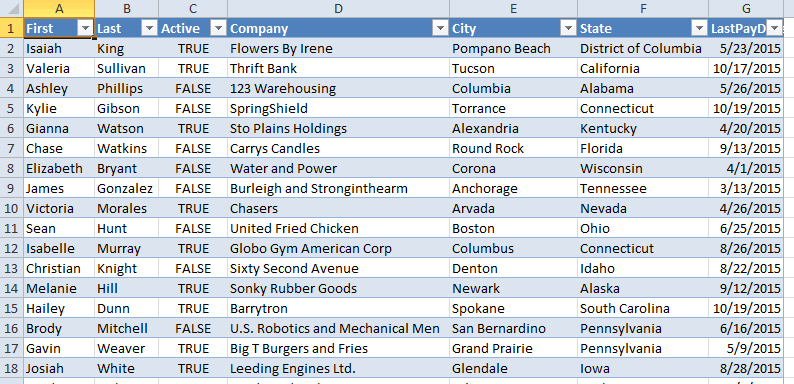
I could filter by any one of those properties like this
Dim clsReturn As CContacts
Dim clsContact As CContact
Set clsReturn = New CContacts
For Each clsContact In Me
If CallByName(clsContact, sProperty, VbGet) = vValue Then
clsReturn.Add clsContact
End If
Next clsContact
Set Filter = clsReturn
End Property
The comparison value needs to be a variant to account for all the different data types your properties could be. If you had a property of your class that was another class it could complicate things. But this saves me having to write a bunch of Filter properties. So thanks James for making that comment.
Dim clsContacts As CContacts
Dim clsFiltered As CContacts
Set clsContacts = New CContacts
clsContacts.FillFromRange Sheet1.ListObjects(1).DataBodyRange
Set clsFiltered = clsContacts.Filter("State", "Nebraska")
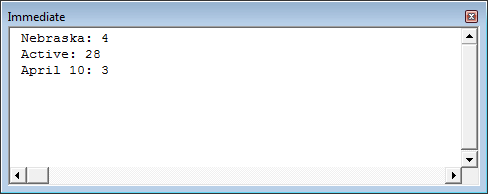
Debug.Print "Nebraska: " & clsFiltered.Count
Set clsFiltered = clsContacts.Filter("Active", True)
Debug.Print "Active: " & clsFiltered.Count
Set clsFiltered = clsContacts.Filter("LastPayDate", #4/10/2015#)
Debug.Print "April 10: " & clsFiltered.Count
End Sub