



Welcome to “Excel…not quite finished” week.
A couple of days ago I floated the concept of a dedicated annual “Still Broken” week in which we can talk very honestly about the things in this otherwise great application that we think are still broken, plus review our list from the same time last year to see if any action has been taken by our gracious host…that would be Microsoft…to actually remedy anything we were bitching about the previous year. And just as importantly, to give credit where credit is due…because let’s face it…it’s not trivial to make changes to something that 750 million odd users are using at the time.
100% of the comments of that post that directly mentioned this concept were generally supportive (thanks, Doug). So I thought “There’s no week like the present”.
And so, without further ado, here’s a bit of Excel that I was playing with today that strikes me as being not quite finished: the Add-ins options.
Why is it that if I save a brand new Add-in to the Add-ins folder:
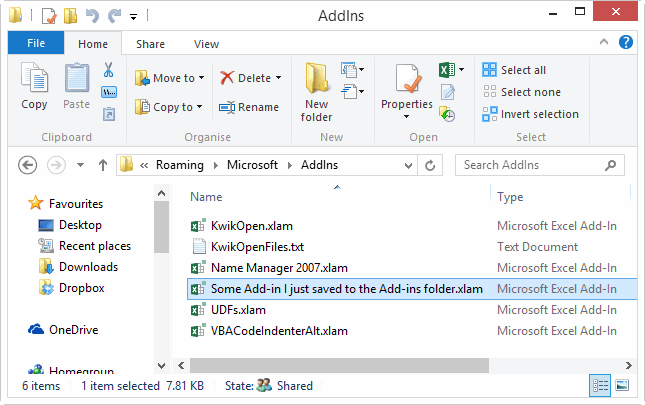
…it doesn’t automatically show up in this window, under the Inactive Application Add-ins section?
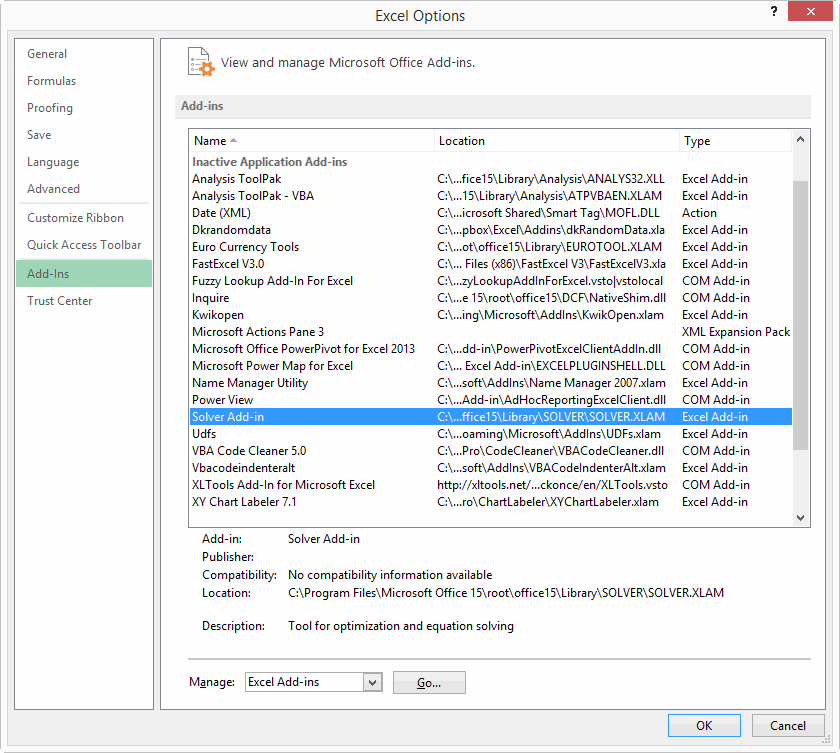
…and yet if I click the Go button next to Manage Excel Add-ins, I see that Excel obviously knows about it:

And say I’ve activated it, and later want to deactivate it. Why does selecting it from the Excel Options dialog and double clicking do nothing? What’s the point in letting me even select it, other than to foster vain hope?
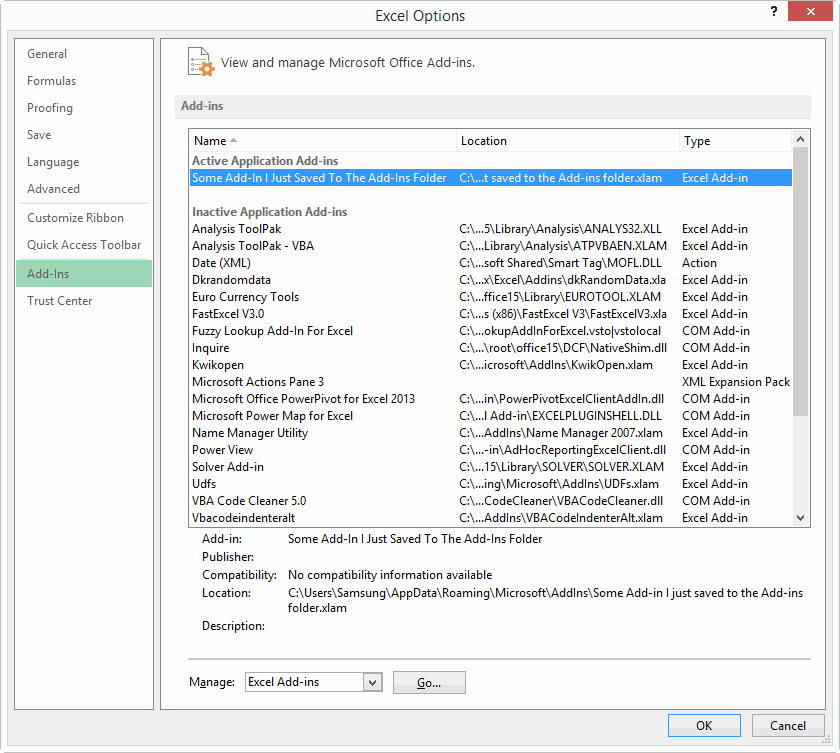
And after I’ve clicked that Go button next to Manage Excel Add-ins again, unchecked it, and pushed OK:
…why do you automatically close the Excel Options dialog I came from? Is it inconceivable that I might want to manage more than one Add-in? Or that I wanted to manage a COM add-in, but accidentally pushed Go without changing that Excel Add-ins option in the dropdown, and want some simple way to go back and choose the other option? Sheesh.
Please Microsoft…don’t make me click. Here’s a thought: hire someone to the newly created position of “Manager, Click Reduction”, and empower them to champion basic design changes that let users use your interface much more efficiently. I’m available.
In fact, I think you need to take an honest look at what you expect users to do in order for them to leverage off of Add-ins. I think the current system presents too much of a barrier to non-technical people who would otherwise be able to make much more out of your fine application. I’ve just spent quite a few days writing the chapter in my book that explains how users can leverage off of Add-ins without having to have one jolt of knowledge of VBA. Unfortunately, my conclusion is that while they don’t have to be VBA experts, they do have to be “Install an Add-in” experts, because the process is not as simple and genius as it could be.
Okay, that’s kick-started the week. Who’s up next. Anyone? Anyone?