


One of these things is not like the other…
Sometimes when I copy code from the web and paste it into VBA, I get something like this:
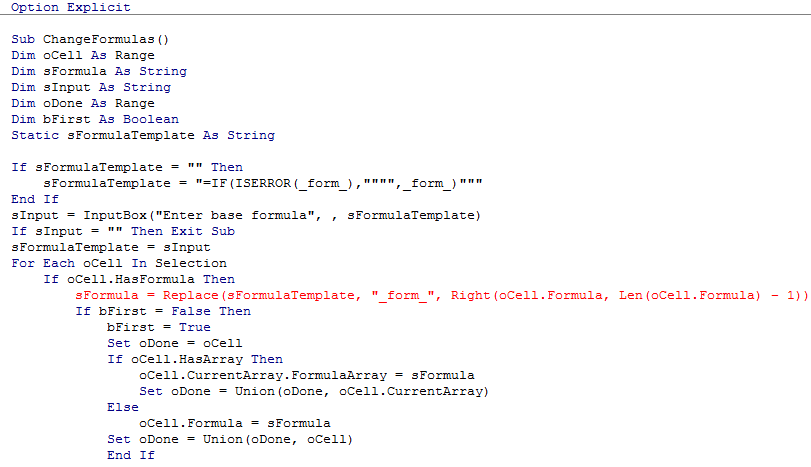
…and I’m damned if I know why. It’s not the usual culprit of incorrect quote marks. It’ something else, and I don’t know what.
Usually I just retype the offending line:
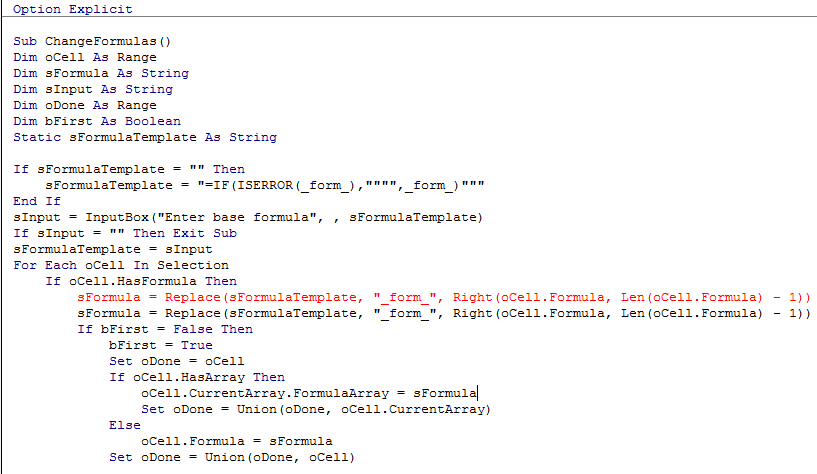
…and after looking in vain for a difference, simply delete the bad one, and put it down to inexperience.
But not today. Because I’m tired of being compiled around. So today, I’m gonna find out why. And I’m going to use Excel to keep VBE honest. Conquer and #DIV/0, I say.
If I paste the two formulas into separate cells in Excel, then I can clearly see that something is amiss. I just can’t clearly see the actual something:

Okay, let’s get nasty, and atomise these suckers so I can compare their DNA:

Well take a look at that…there’s the culprit:

No wonder I couldn’t see it:

In this particular case, the culprit looks like Ken Pul’s Blog platform…I stole the code from a comment Jan Karel left there, and note that the code has no similar issue if I lift it directly from Jan Karel’s site.
There you go. Busted.
Makes me feel like singing: