



So you’ve got a file with dozens of PivotTables in it. One day you hit Refresh All, only to see this complaint:

…or perhaps this variant:
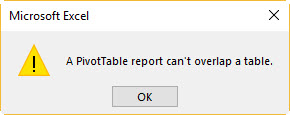
What’s happened is that the size of the PivotTable has increased, and the PivotTable is now trying to occupy space where another Pivot or Excel Table already lives. So you know what has gone wrong. But you have no idea where. You’re either going to need to eyeball each and every bit of each and every worksheet (including the hidden ones), or you’re going to have to run a bit of code. Something like this:
Sub FindPivotOverlaps()

Dim ws As Worksheet
Dim pt              As PivotTable
Dim pt2             As PivotTable
Dim lo              As ListObject
Dim rOffset         As Range
Dim cell            As Range
Dim sMsg            As String


For Each ws In ActiveWorkbook.Worksheets
    For Each pt In ws.PivotTables
        With pt.TableRange2
            Set rOffset = Union( _
                                .Offset(pt.TableRange2.Rows.Count, 0).Resize(1), _
                                .Offset(0, pt.TableRange2.Columns.Count).Resize(pt.TableRange2.Rows.Count, 1))
        End With
        'Test for ListObject collision
        Set lo = Nothing
        On Error Resume Next
        Set lo = rOffset.ListObject
        On Error GoTo 0
        If Not lo Is Nothing Then
            sMsg = sMsg & lo.Name & vbTab & "'" & lo.Parent.Name & "'!" & lo.DataBodyRange.Address & vbNewLine
        Else
            'Test for PivotTable collision
            For Each cell In rOffset
                Set pt2 = Nothing
                On Error Resume Next
                Set pt2 = cell.PivotTable
                On Error GoTo 0
                If Not pt2 Is Nothing Then
                    sMsg = sMsg & pt2.Name & vbTab & "'" & pt2.Parent.Name & "'!" & pt2.TableRange2.Address & vbNewLine
                    Exit For
                End If
            Next cell
        End If

    Next pt
Next ws

If sMsg = "" Then sMsg = "No overlaps found!"
MsgBox sMsg

End Sub
…which does this:
