Counting Files by Date
Someone told me we are posting more frequently lately. (For non-accountants, posting means taking the entered transactions and updating other files with the information.) Ever the skeptic, I decide to see for myself. Whenever we post, we produce a pre-post report in the form of
Pre-Post_Sales_Journal_yyyymmddhhmmss.TXT
Public Sub CountPosts()

    Dim fileName As String
    Dim nameDate As String
    Dim fileDate As Date

    fileName = Dir(PATH & "Pre-Post_Sales_Journal_*")

    Do While Len(fileName) > 0
        nameDate = Split(Split(fileName, ".")(0), "_")(3)
        fileDate = DateSerial(Left(nameDate, 4), Mid(nameDate, 5, 2), Mid(nameDate, 7, 2))
        On Error Resume Next
            Sheet1.Columns(1).Find(fileDate, , xlValues, xlWhole).Offset(0, 1).Value = Sheet1.Columns(1).Find(fileDate, , xlValues, xlWhole).Offset(0, 1).Value + 1
        On Error GoTo 0
        fileName = Dir
    Loop

End Sub
PATH is a module level constant pointing to the folder.
nameDate = Split(Split(fileName, ".")(0), "_")(3)
If this was more than a one-off program, I would have written this line in a way that you could read it. The inner Split creates an array like
[0] = Pre-Post_Sales_Journal_yyyymmddhhmmss, [1] = .TXT
and I take the first element (the zeroth index) of the array. Then I split that further
[0] = Pre-Post, [1] = Sales, [2] = Journal, [3] = yyyymmddhhmmss
and I take the fourth element (index = 3) of that array. That’s my date in string form.
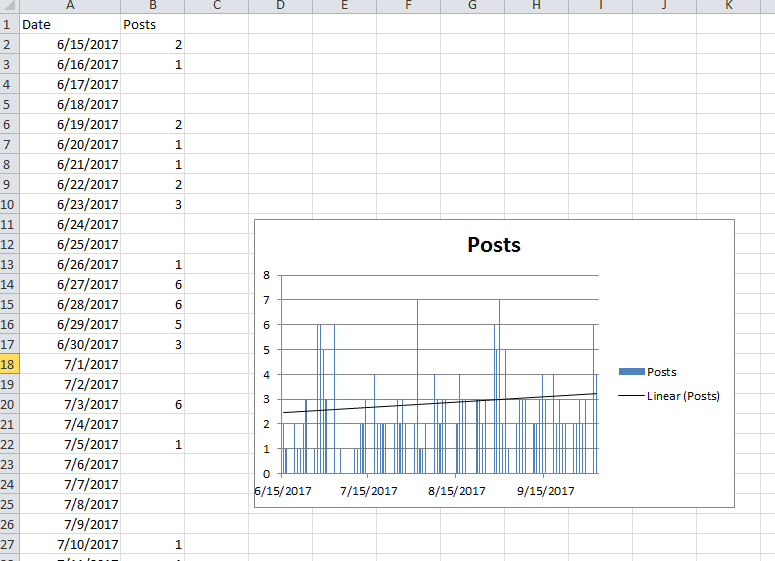
I put a bunch of dates in column A of sheet1 for as far back as I wanted to go. Then I add 1 to the cell to the right of the date. It turns out we are posting more frequently.