



So after doing some incredibly complicated formula challenges and ninja-grade VBA, I thought I’d turn my hand to something simple: finally changing the default template that loads when Excel starts or when I create a new workbook or worksheet so that gridlines are turned off. Because if there’s one thing I hate about Excel, it’s those gridlines: they make everything look like it was done in Excel. And if there’s one thing I do as soon as I open a new file, it’s turn those gridlines off. Tables and PivotTables give me all the borders I need, thank you very much.
Boy, what a battle. I have saved my changed book as an XLTM to just about everywhere I can think of.
- I’ve tried saving it to C:UsersSamsungAppDataRoamingMicrosoftExcelXLSTART but when I start Excel, I have gridlines.
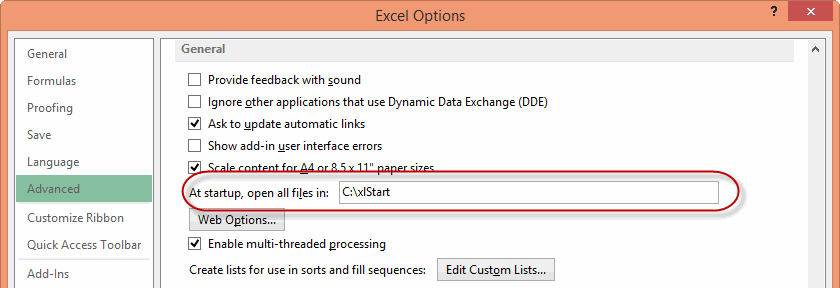
- I’ve tried creating a new file at C:xlStart with the template in it, and told Excel via Options>Advanced to open files in that folder but when I start Excel, I have gridlines:
- I’ve saved it to C:UsersSamsungDocumentsCustom Office Templates but when I start Excel, I have gridlines
I’ve gone from feeling like I’ve mastered to Excel, to feeling like I’m a complete idiot. Anyone care to tell me that I’m not?
How the heck the average user is supposed to know how to do this stuff is beyond me. Why isn’t there simply a button on the ribbon or backstage that says:
Give all future workbooks the settings of this one.
I’m using Excel 2013 365. But I’m thinking of doing a complete 180.