



Well here’s something that I probably learned once, but have subsequently forgotten and then rediscovered: You can filter a PivotTable Page Field just by typing the PivotItem that you want to filter it on. So if I start with a PivotTable like this:
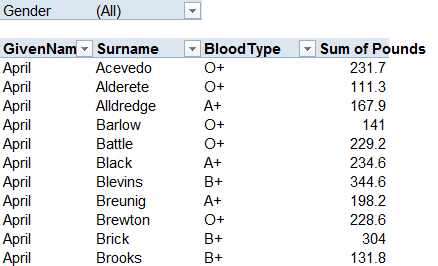
And say I don’t like the look of the mysterious substance that the kids have left smeared all over the mouse (probably just jam, but who the hell knows). I desperately want to filter that PivotField, but I desperately want to avoid the mouse. Well, watch what happens if I ust overtype the (All) in the PageField with the thing I want to filter by:
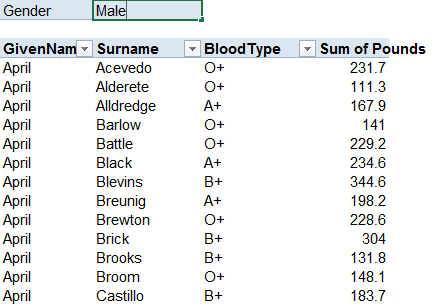
BING!
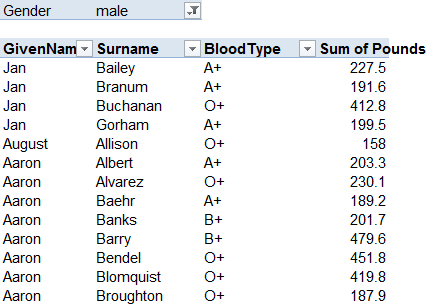
What’s more, if I type the name of a field that’s not already in the PivotTable over the existing PageField name:
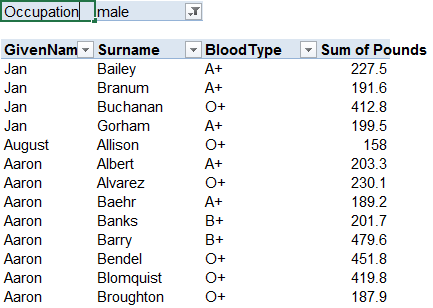
…then Excel does something else intelligent: it says “Oh, you want me to bring that PageField into the Pivottable for you.”
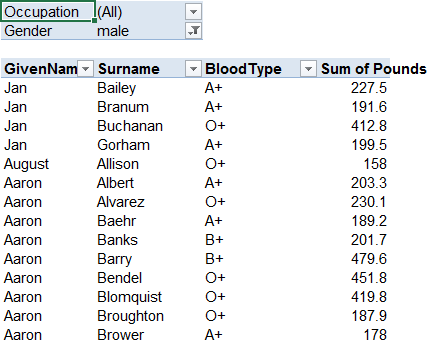
The same thing in terms of adding new Fields goes for RowFields:
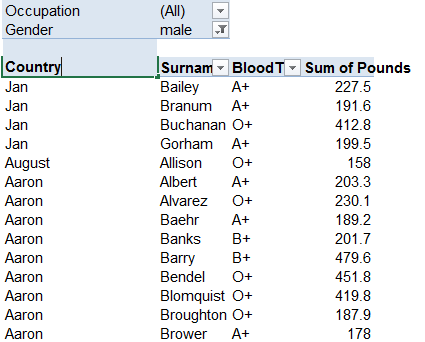
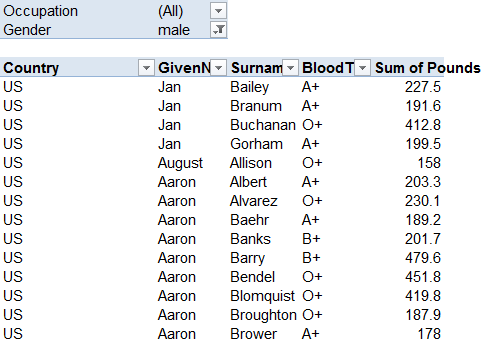
If you think about it, the adding of the fields is the same behavior as simply overtyping fields already in the PivotTable to rearrange them.
Regardless, now that this secret’s out, I don’t have to chip the sticky crap from my Mouse. As Phyllis Diller once said…Housework can’t kill you, but why take a chance? No, I don’t know who she is, either.