



Welcome back to Twice Daily Dose of Excel. Heck, these days we’re more regular than Julian Assange’s visits to the Ecuadorian Embassy!
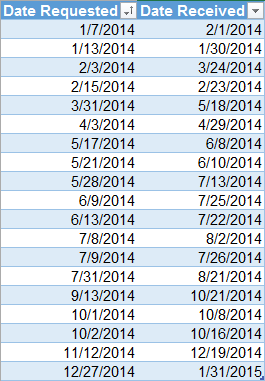
Audrey has a table that looks something like this (if you’re American):
…or like this (if you live somewhere sensible, like in New Zealand and a good deal many other places besides):
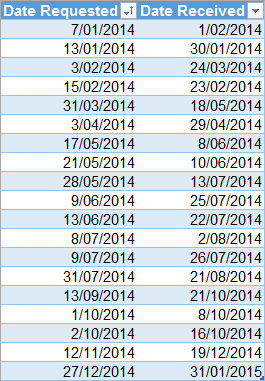
She uses this to track when she requested a piece of information from someone, and the date she received a response. I’m picking she’s NSA, and is asking Julian – who is actually a quadruple agent – whether he needs more sun lamps. Stranger things have happened, recently.
Anyways, she’d like a formula to find the oldest/latest request date out of all responses received in a particular month.
She could array enter something like this, which will do the job without any need for helper columns:
…which to an Excel Pro with a lifetime of formulas under their belt would look like this:
…but to anyone else:
You could debate whether there’s a right formula to use in a situation like this. In fact there’s some great debate on that original blogpost as to whether one proposed solution is awesome, potentially obfuscating, or incomprehensibly mutant. So with this in mind, is there a right formula to use in this case? Depends on who’s trying to comprehend what’s happening here in 6 months time. Perhaps yourself, with six more months of grey-matter dieback under your belt. Or hat, rather. Is there a right non-formula approach to Audrey’s problem? You betcha:
Just create a PivotTable out of that sucker:
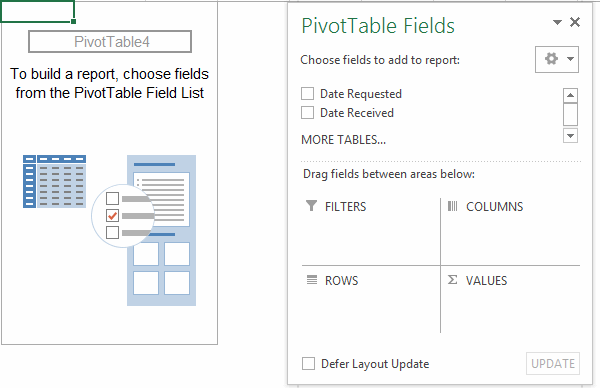
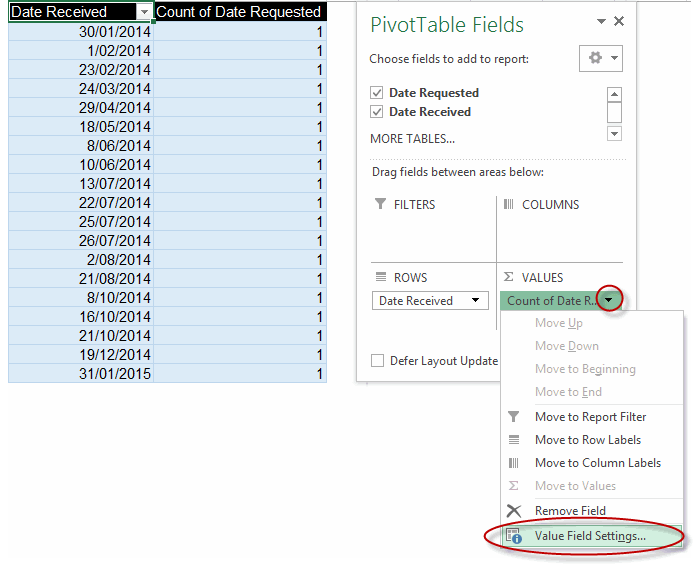
…drag the ‘Date Requested’ field to the Rows pane and the ‘Date Received’ to the Values pane:
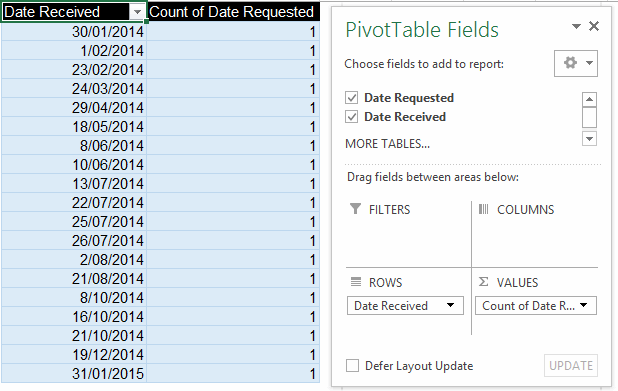
…launch the Value Field Settings dialog for the Date Requested field:
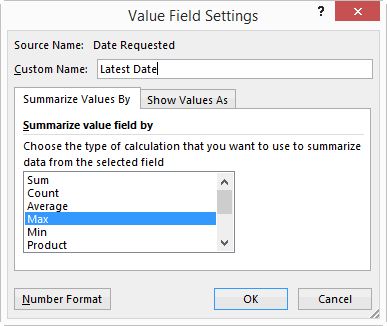
…change the name of the Date Received field to something meaningful, and change Sum to Max:
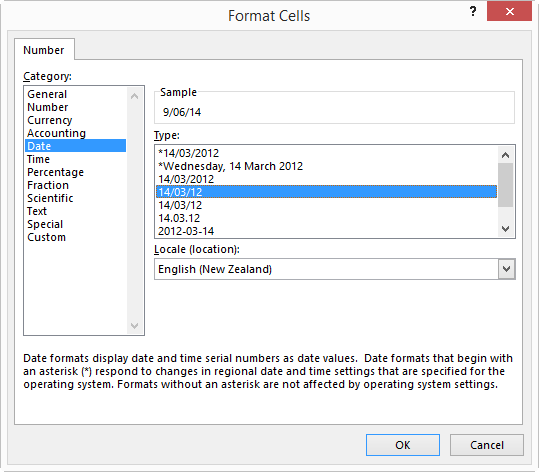
…plus click on that Number Format button while you’re there so you can change the format to Date:
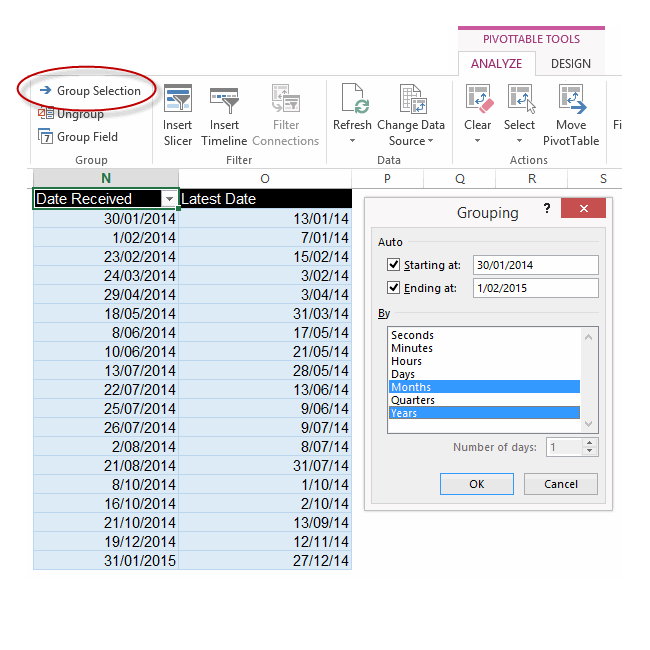
…then select any cell in the Date Received column and click Group Selection from the PivotTable Tools > Analyze contextual tab, and group by Months and Years:
…and exhale:
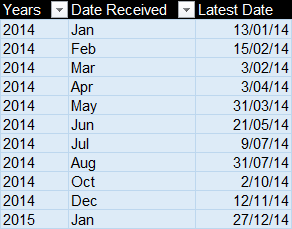
No, wait…hold that breath…we forgot to change the name of that ‘Years’ column that just appeared – as well as the ‘Date Received’ column that now holds Months only – to something more suitable:
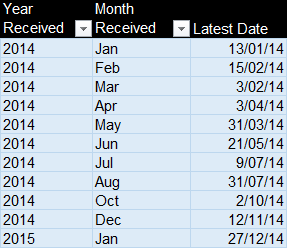
Now exhale.
Here’s the genius…it even works in American:
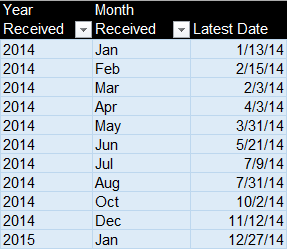
…and it works on trickier problems, like the original one at that post:
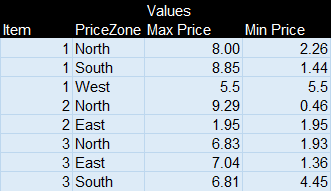
¿Fórmulas? No nos hacen falta fórmulas apestosas!