



Quickly changing or deleting Named Ranges
One thing that’s always irked me about working with Named Ranges is that while you may have selected the cells that a particular Named Range points at and can even see that name in the Name Box…
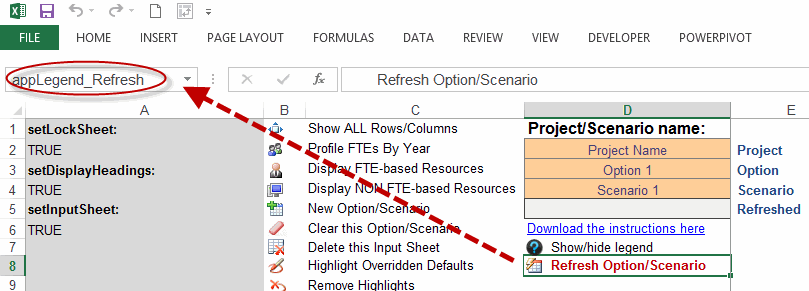
…you can’t do anything actually useful to it – such as changing where it points too or deleting it – without first firing up the NameManager, and then rummaging through the haystack for the particular name that you want to amend …
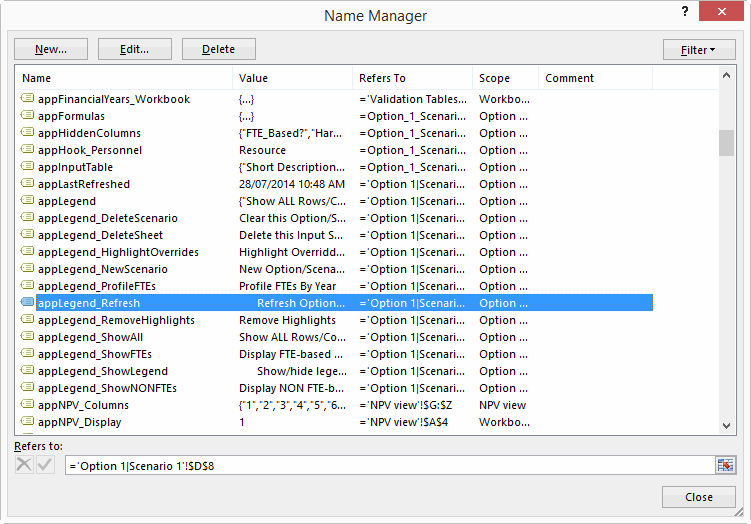
…and then clicking through another damned dialog box…
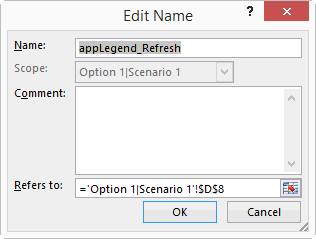
…or two…
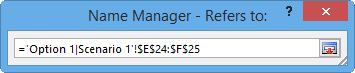
…or three…
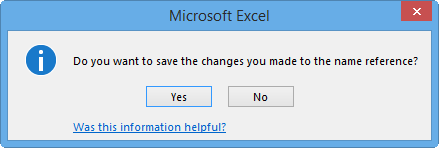
…purely to change where it points at. Deleting it is nearly as bad, too.
Wouldn’t it be cool if instead of all that rodent-work, you simply pushed some arbitrary keyboard short-cut of your choice, which then told Excel “Hey Excel, I want to resize or delete the Named Range that corresponds to my current selection. Can you do that for me? Can you? Huh?”
And wouldn’t it be cool if Excel then said…
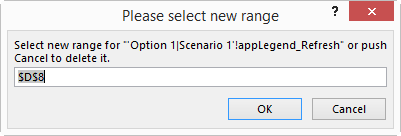
Cool, indeed. File this baby in your Personal Macro Workbook, and trigger it with a keyboard short-cut of your choice:
Dim nm As Name
Dim strRefersTo As String
Dim rngNew As Range
Dim rngExisting As Range
Set rngExisting = Selection
For Each nm In ActiveWorkbook.Names
strRefersTo = nm.RefersTo
If Replace(Replace(strRefersTo, "=", ""), "’", "") = ActiveSheet.Name & "!" & rngExisting.Address Then
On Error Resume Next
Set rngNew = Application.InputBox( _
Title:="Please select new range", _
Prompt:="Select new range for """ & nm.Name & """ or push Cancel to delete it.", _
Default:=Selection.Address, _
Type:=8)
On Error GoTo 0
If Not rngNew Is Nothing Then
nm.RefersTo = "=’" & ActiveSheet.Name & "’!" & rngNew.Address
rngNew.Select
Else: nm.Delete
End If
End If
Next
End Sub