



The Error Class Revisited
In the comments to Error Handling Via an Error Class, Peter found that the problem with this method is the absence of the Stop and Resume in the error handler than let you debug at the line that caused the error. Yeah, that stinks. Then Jase got me thinking that I just wouldn’t create the class in debug mode. Well, that wasn’t quite right. What needed to happen was that the error handler should not be set in debug mode. Here’s a rewrite of the entry point procedure.
Dim clsError As CError
gbDebugMode = False
If Not gbDebugMode Then On Error GoTo ErrHandler
Set clsError = New CError: clsError.SetLoc "Module1", "EntryPoint"
SubProc1
ErrExit:
Exit Sub
ErrHandler:
Set clsError = Nothing
MsgBox Err.Description
Resume ErrExit
End Sub
When gbDebugMode is False, the error handler is set and it works as described in the original post. That is, the user gets a message box and the code exits gracefully. When gbDebugMode is True, the error handler is not set. It’s like you don’t have an error handler at all – because you don’t. When in debug mode, you get kicked to the line that caused the error.
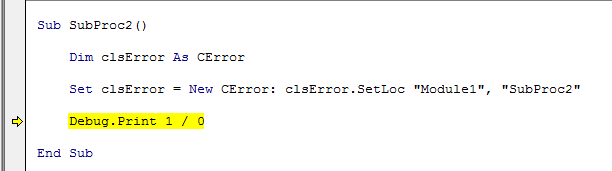
Is that that last hurdle?